K117sm7e2
7-29
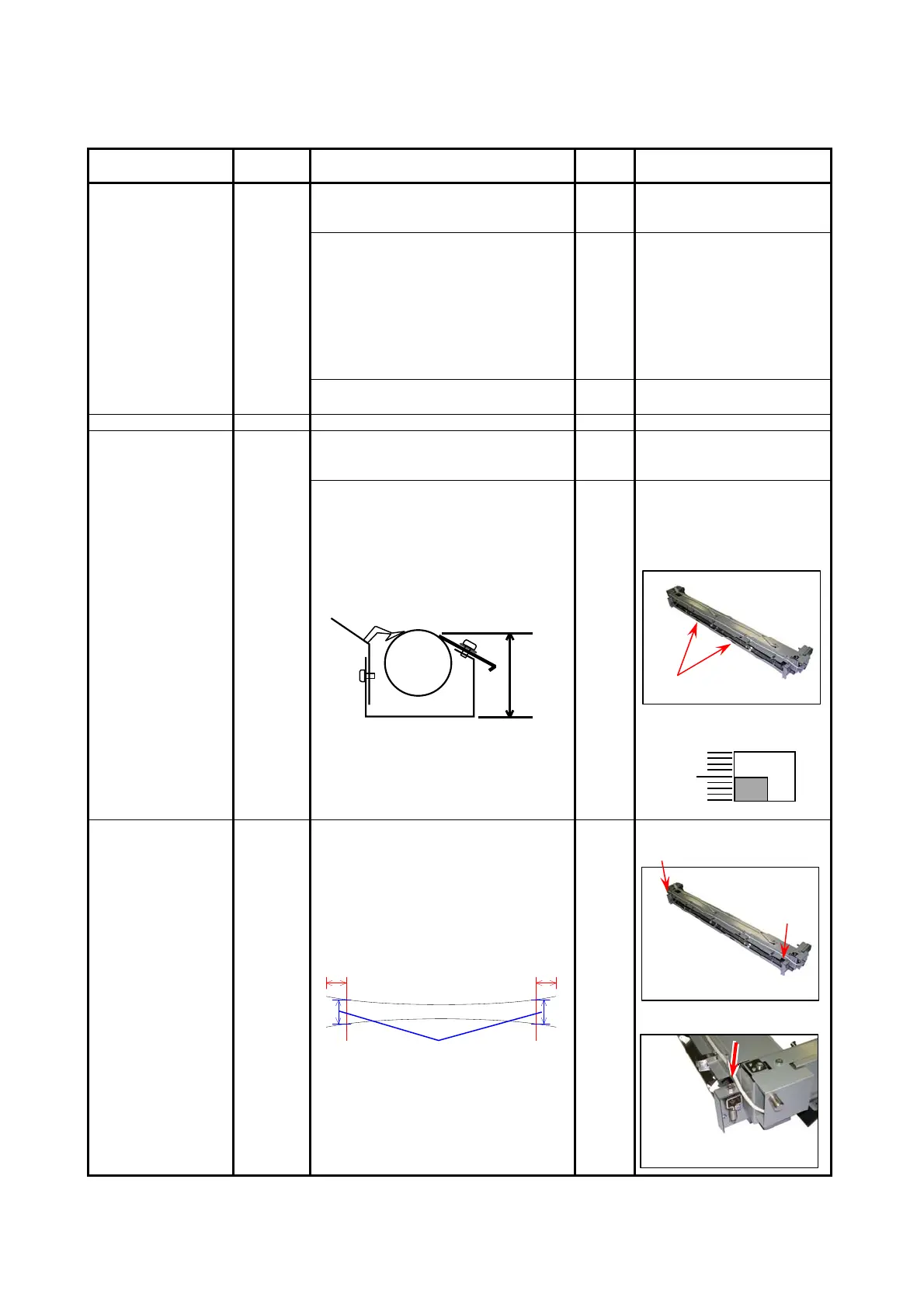
7. 2. 2.18 Crease of paper
Check the following matters with the Test Pattern No.1 S(0).
If necessary use other Test Patterns.
Cause Checking
order
Checking Result Treatment
Paper 1 Is the type of paper selected on the UI
same with that of actually installed
paper?
No Select the correct paper type
on the UI.
Can you fix the problem if you use a
newly unpacked paper?
Yes 1. If the paper was
humidified, instruct the
customer of the way store
the paper.
2. If the paper was not the
specified one, explain the
customer that some
image problem may
occur in that case.
Is the Dehumidify Heater ON although
the air is not humid.
Yes Turn off the Dehumidify
Heater.
Lamp (H1) of Fuser 2 Does the Lamp light correctly? No Replace it.
Fuser Entrance
Guide
3 Is there any deform of Fuser Entrance
Guide or something on the Fuser
Entrance Guide?
Yes Clean or replace it.
Remove Pressure Roller and measure
the location height of Fuser Entrance
Guide. Is the height correct?
From the frame bottom surface,
Side : 57.0mm
Middle : 61.0mm
No Turn the adjuster screw(s) to
reach the correct height.
Guide Plate Height Adjuster
(to both sides)
Fuser Bottom Unit
Center
Fusing pressure
(Nip)
4 Print the Test Patter No.2 S(0) with a
tracing paper (36” or A0), and turn off
the machine in the middle of printing.
Remove the print from the machine and
check the “nip width”.
Is it 8.5 to 9.0mm?
(Measure at 2 mm from the edge.)
2mm 2mm
8.5 to 9.0mm
No Adjust the fusing pressure
correctly.
Turn the bolt to adjust.



 To Next Page