K117sm8e9
8-113
8. 11. 3 Reset of Bias Adjustment by Density Compensation Process
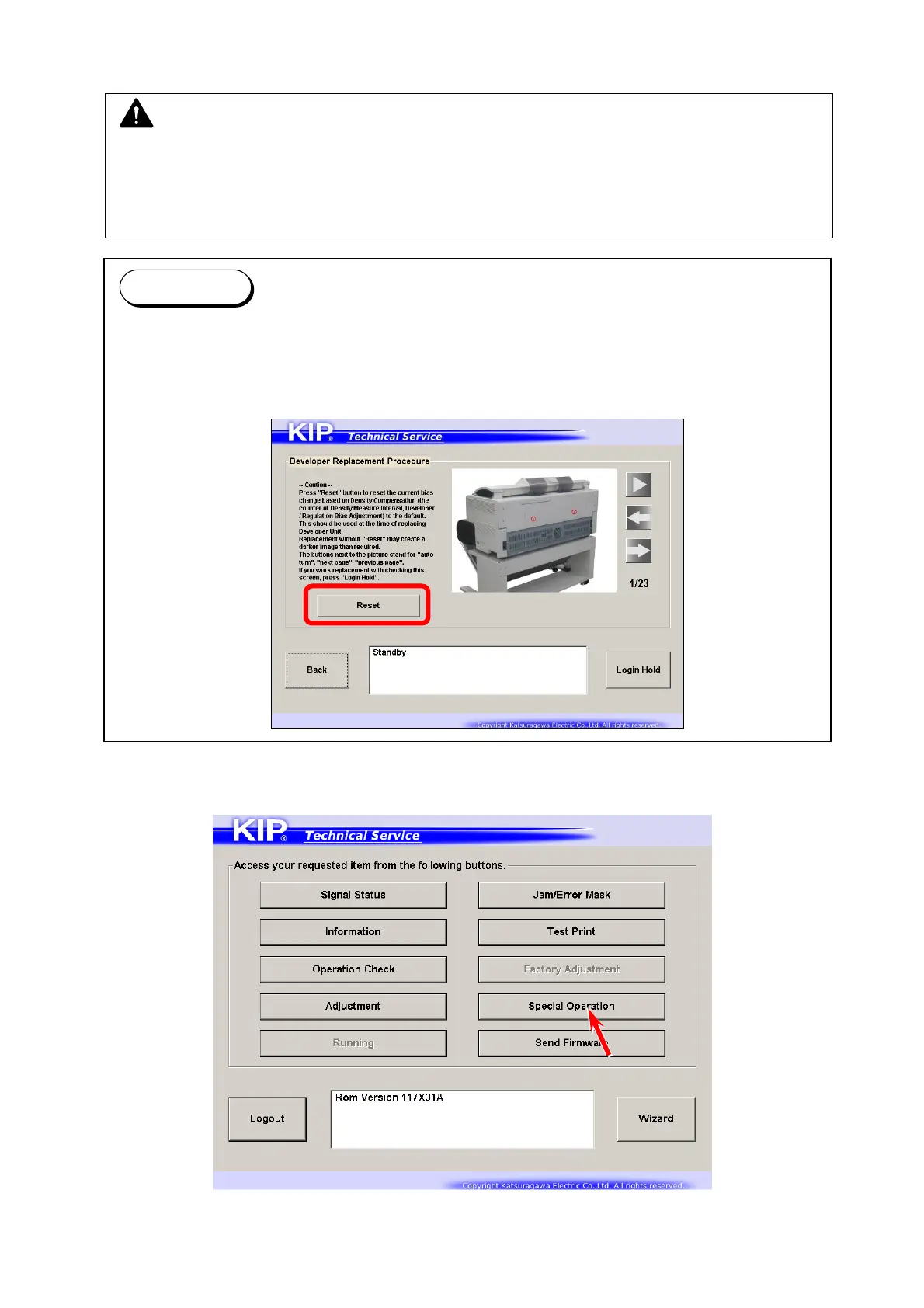
1. Press [Special Operation] in Service Mode Home.
Operation Target screen appears.
NOTE
After replacing Developer Unit, you must set bias adjustment by Density Compensation
Process to “1”.
Otherwise a darker image appears because the adjusted values are too high voltage for the
refreshed Developer Unit.
Reference
Reset function is also included in [Developer Replacement Procedure] in the wizard.
Setting Bias Adjustment to “1” manually in this section and pressing [Reset] button in the
wizard works completely the same.
Refer to [9.1 Confirmation Wizard] as well.



 To Next Page