K117sm4e3
4-26
4. 3. 6 Negative Developer Bias to Developer Roller
The Negative Developer Bias means the voltage supplied to the Developer Roller during the Print
Cycle.
The standard value of the Negative Developer Bias is as follows for each type of paper.
Plain paper -230 +/-5V against the ground
Tracing paper -230 +/-5V against the ground
Film -230 +/-5V against the ground
Check and adjust the Negative Developer Bias in the following way.
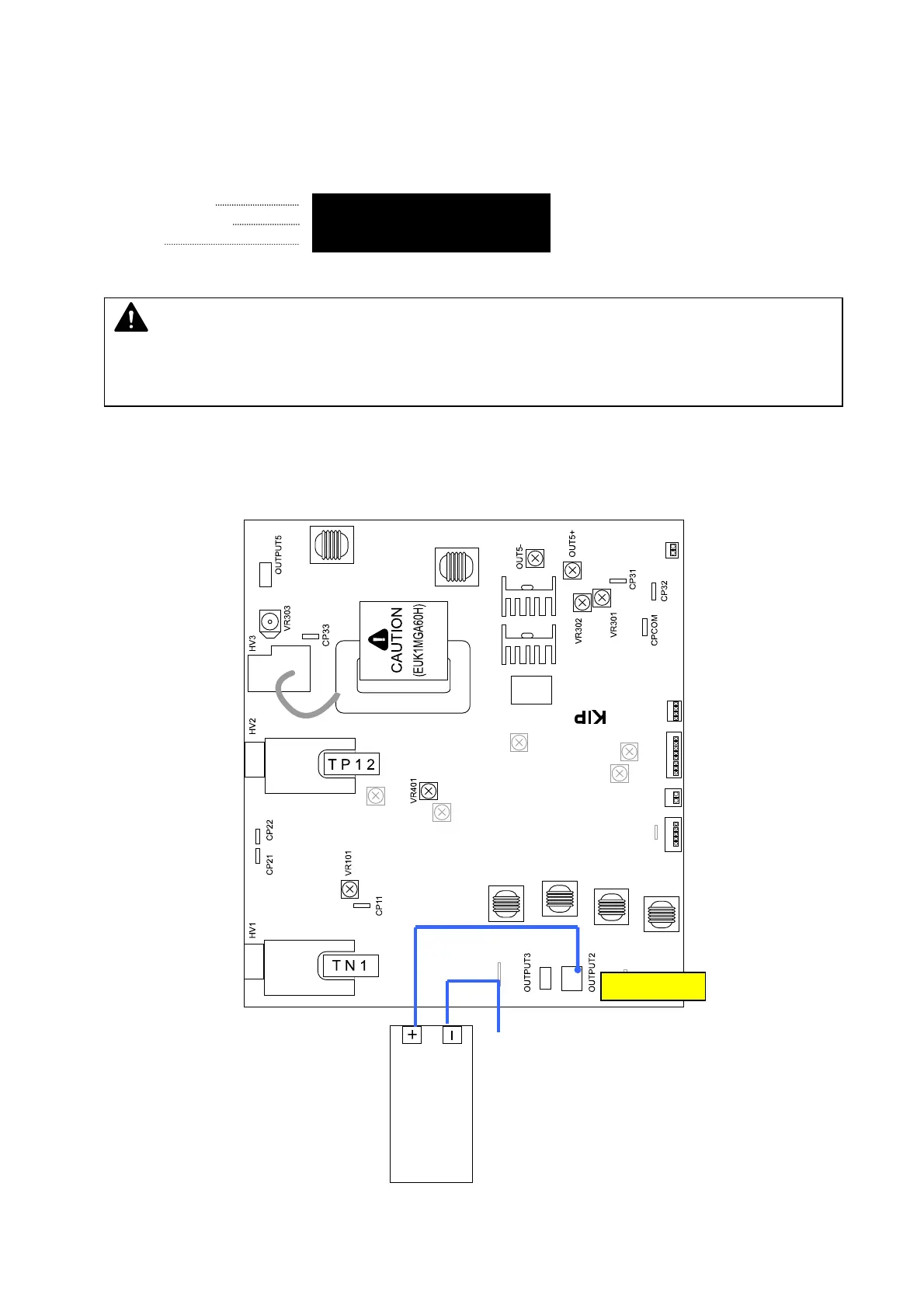
1. Connect the “+” cable of the multi-meter to the “OUTPUT2” pin on the HV Power Supply PCB
(EUK1MGA60HA).
Also connect the “-” one to the ground.
And then, select the DC volt range on the multi-meter.
OUTPUT 2
NOTE
The above values are just the standard values we have adjusted at the time of shipment.
Of course you may change these values according to the usage condition.
multimeter
(DC)
ground



 To Next Page