K117sm2e3
2-10
2. 9 Developer Unit Setup
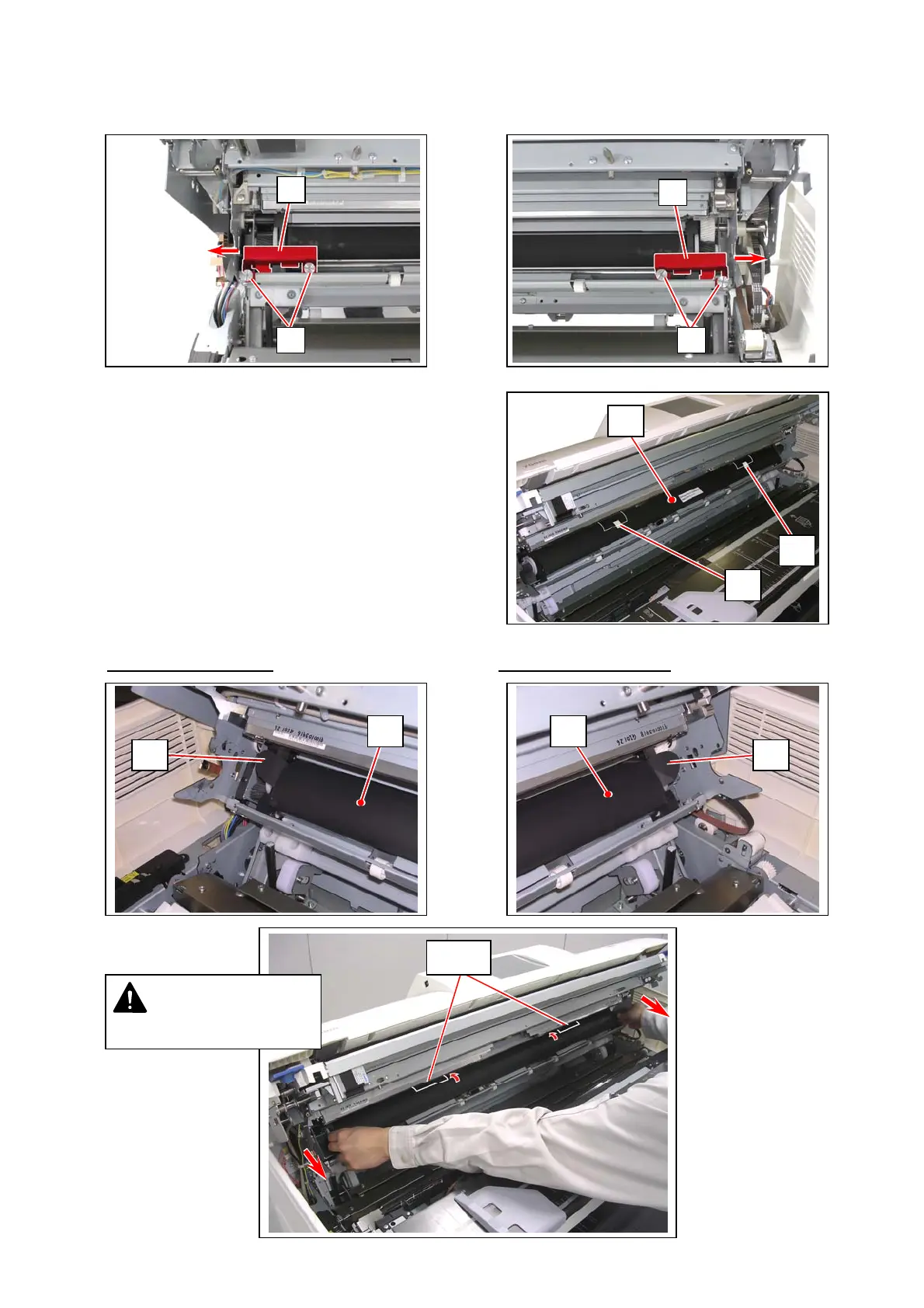
1. Remove 2 thumb screws (1) to remove the red brackets (2) on each side. The brackets (2) are no longer
required.
2. Remove the stickers (3) on the “flap areas” on the top of
the black sheet (4).
3. Pinch the side tabs (5) of the sheet (4) on both sides, and gently pull it to the front.
First, only the flap areas
should go back and front again, then next the bottom part.
3
3
4
2
1
2
1
5 5
4 4
flap
Never pull the flap area!
NOTE



 To Next Page