K117sm8eE
8-241
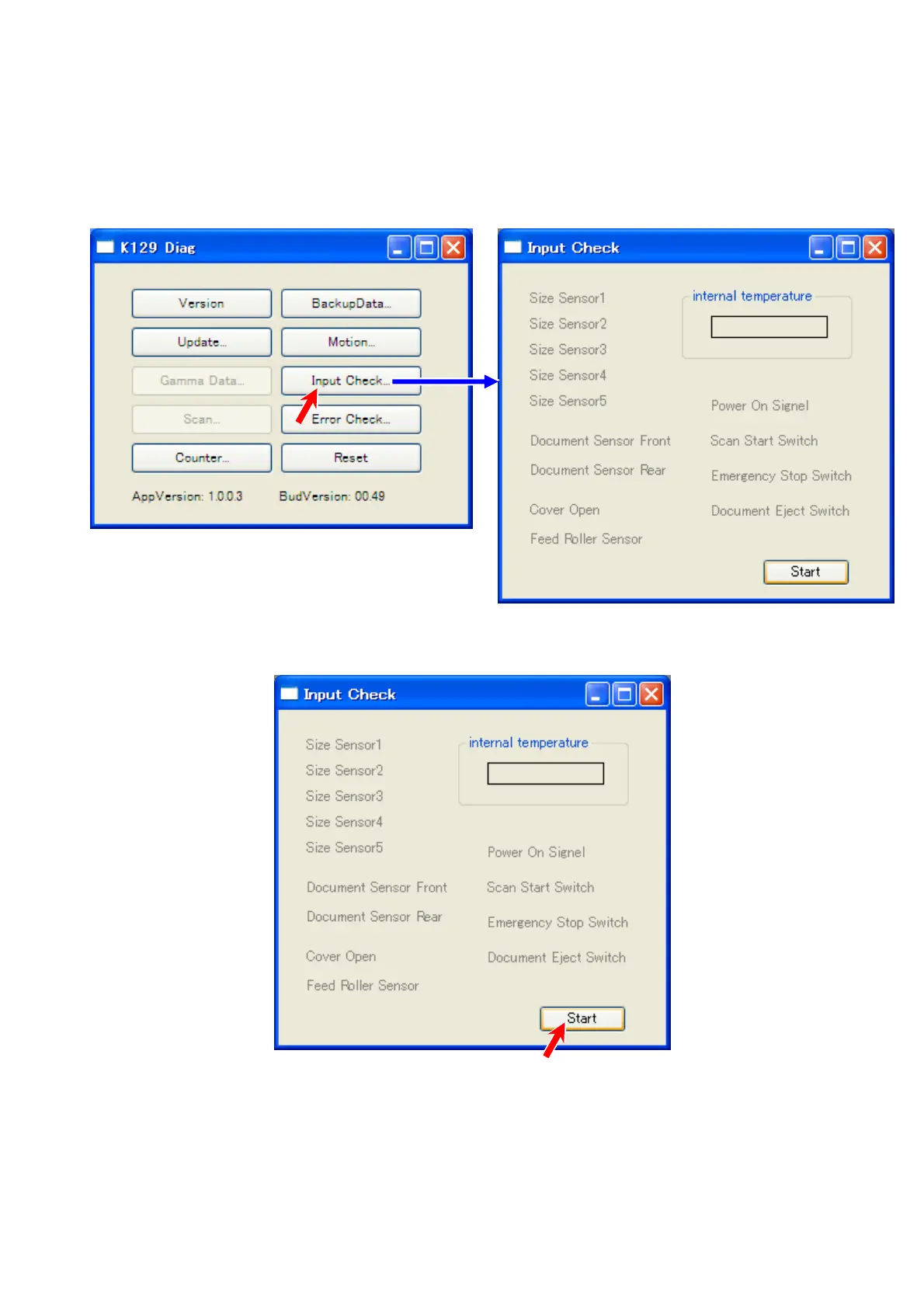
8. 14. 7 Input Check
“Input Check” is to be used for I/O check. When a given component gives a correct signal, the
name of the component will change the color.
8. 14. 7. 1 Getting Input Signal
1. Click [Input Check] to recall “Input Check” sub window.
2. The names of the components are grayed at this time. Click [Start].



 To Next Page