K117sm8eE
8-266
8. 15. 5 Developer Replacement Procedure
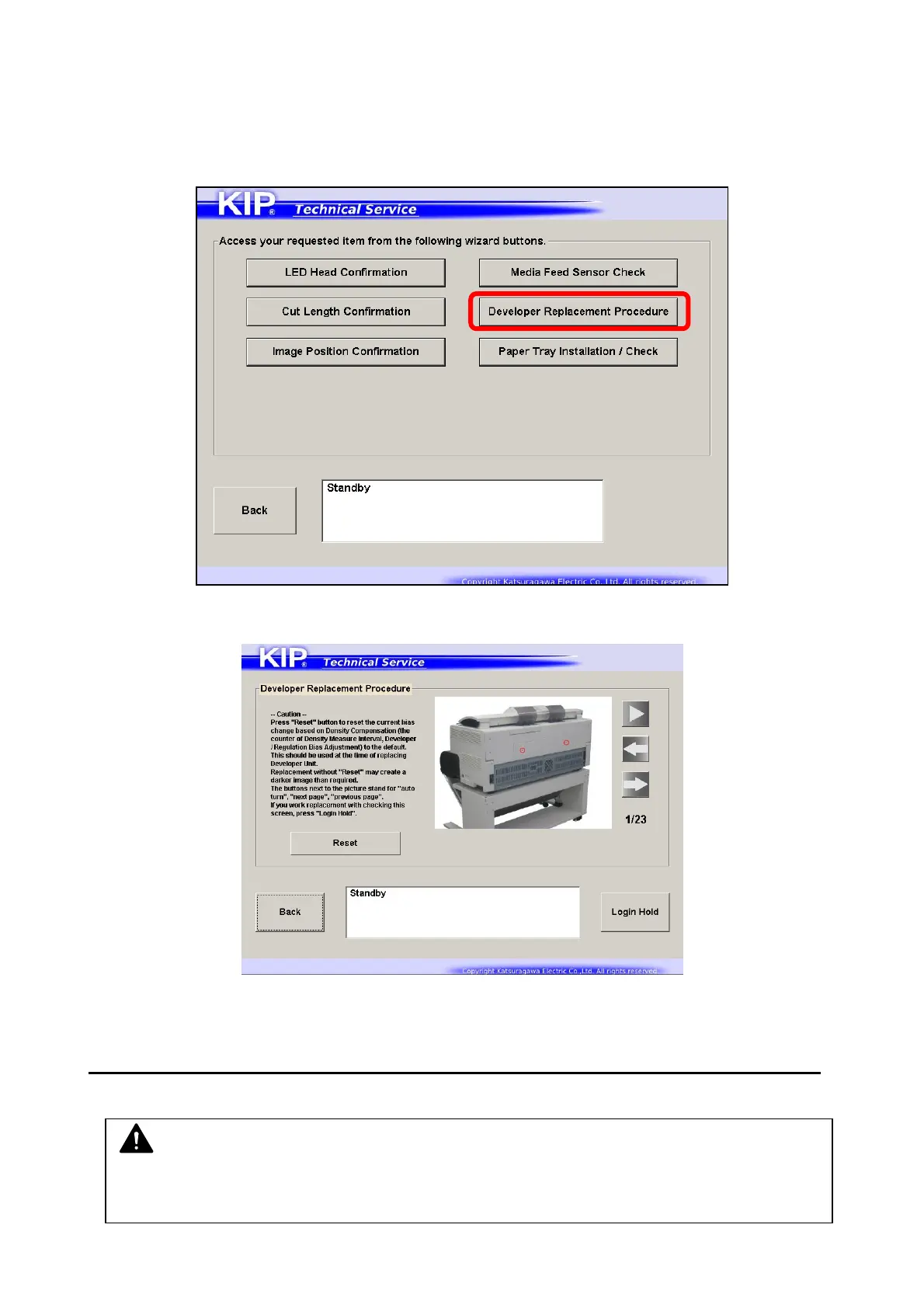
“Developer Replacement Procedure” can display the procedure with simple pictures step by step
on the touch screen.
1. Press [Developer Replacement Procedure].
2. [Developer Replacement Procedure] screen appears.
Press [Æ] button on the right side of the picture to turn the page forward.
Press [►] button to show the procedure automatically like a slide show.
Pressing [Reset] on the left will reset Auto Bias Adjustment (change the level to 1).
To perform the actual replacement procedure, press [Login Hold].
NOTE
If you open the Upper Unit without pressing [Login Hold], the touch screen goes back to
Login screen because the interlock function shuts the communication with PW11720 PCB.



 To Next Page