K117sm8eE
8-265
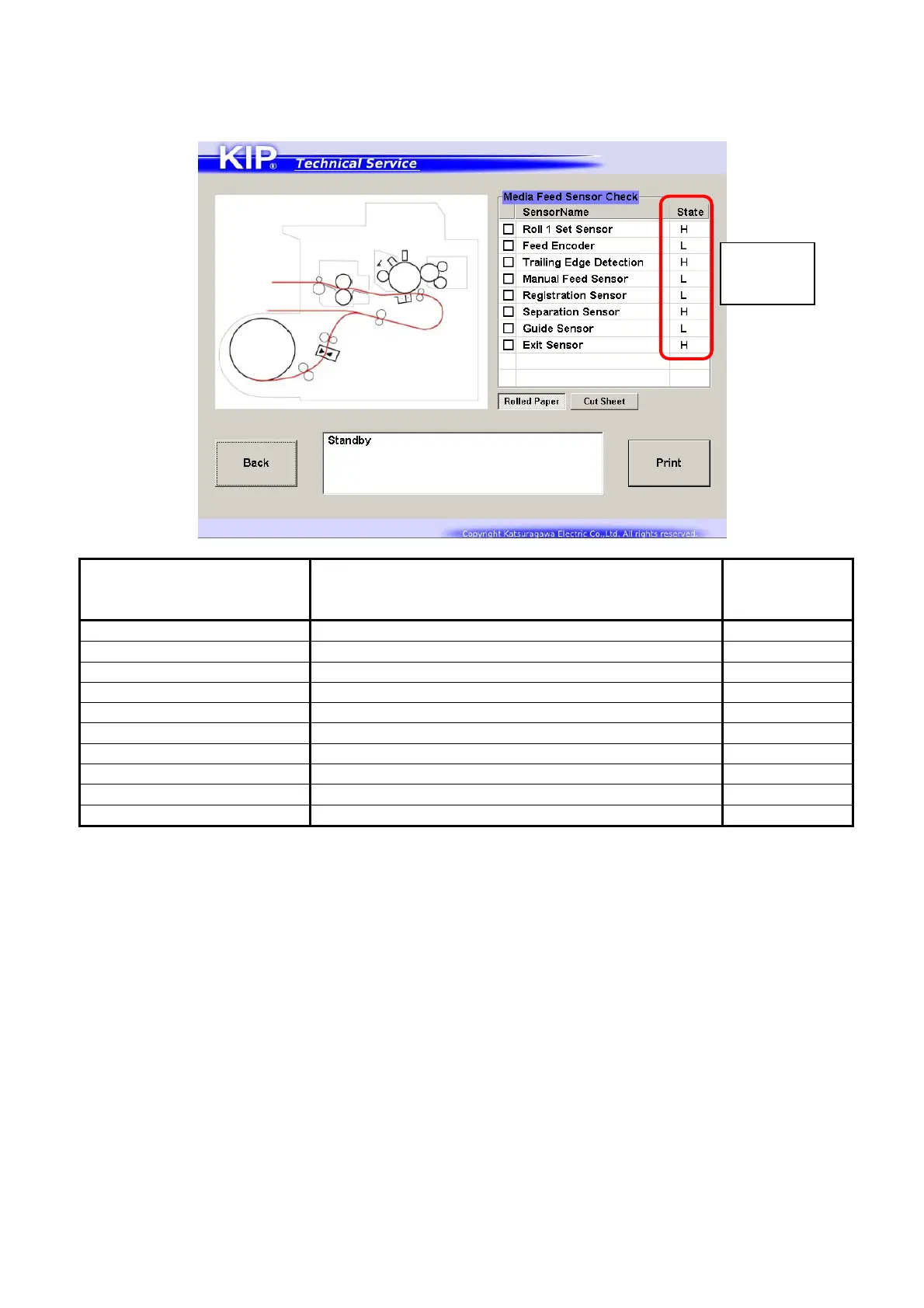
2. The screen shows the side section figure of the media path. “State” columns are displaying the
current status of the sensors.
Make a check in a checkbox besides the sensor name, and the related sensor’s location is
illustrated as a circle in the figure. When a test print starts, the circle flashes.
Sensor’s name Sensor’s function
Corresponding
Signal Status
No.
Roll 1 Set Sensor Detects whether the leading edge is at set position No.105
Feed Encoder Detects the distance of the roll media feeding No.109
Trailing Edge Detection Detects roll media feeding at the Roll Deck region No.111
Manual Feed Sensor Detects a cut sheet set on Manual Feed Table No.008
Registration Sensor Detects media feeding at the Registration region No.100
Separation Sensor Detects media feeding at the Separation region No.010
Guide Sensor Detects the Guide Plate’s position No.005
Exit Sensor Detects media feeding at the Fuser region No.011
Paper Tray Set Sensor Detects a cut sheet set on Paper Tray (option) No.102
Paper Tray Pickup Sensor Detects cut sheet feeding via Paper Tray (option) No.101
Press [Print] to make a test print without entering Test Print mode.
Sensor’s
Current
Status



 To Next Page