K117sm8eE
8-251
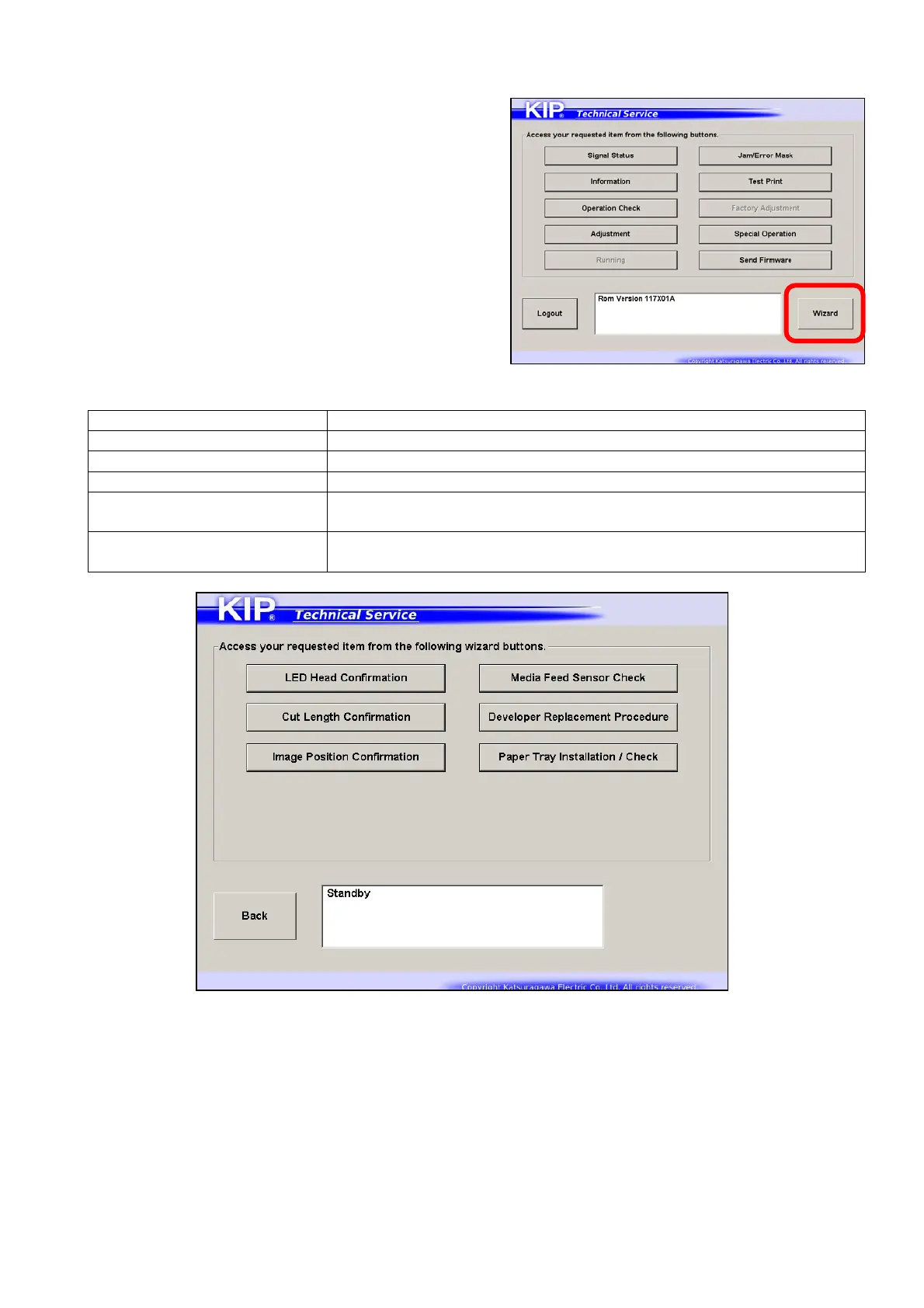
8. 15 Confirmation Wizard
Service Software includes “Wizard” function to
confirm the printer’s operation.
Press [Wizard] button to start several wizard program.
Wizard has several programs to confirm the machine operation.
LED Head Confirmation can confirm LED Head performance / adjustment
Cut Length Confirmation can confirm the cut length performance / adjustment
Image Position Confirmation can confirm the image position (placement)
Feed Sensor Check displays the current status on feed sensors
Developer Replacement
Procedure
displays the replacement procedure step by step (or slide show)
includes Bias Adjustment Reset
Paper Tray Installation /
Check
runs confirmation wizard for various parameters in Paper Tray
(SubGUI.exe version 1.15 or higher)
Wizard menu screen
Some pages on the wizard have “test print” button to confirm the related image
result on the page. The wizard offers “print & check” operability by following the
instruction. You can make additional adjustment right there.
Additional adjustment will change the corresponding sub mode parameter in
Adjustment Mode directly in an easy interface. For the detailed information about
each sub mode, see the related subsection of [8.6.3 Setting Item Explanation].



 To Next Page