K117sm8eE
8-250
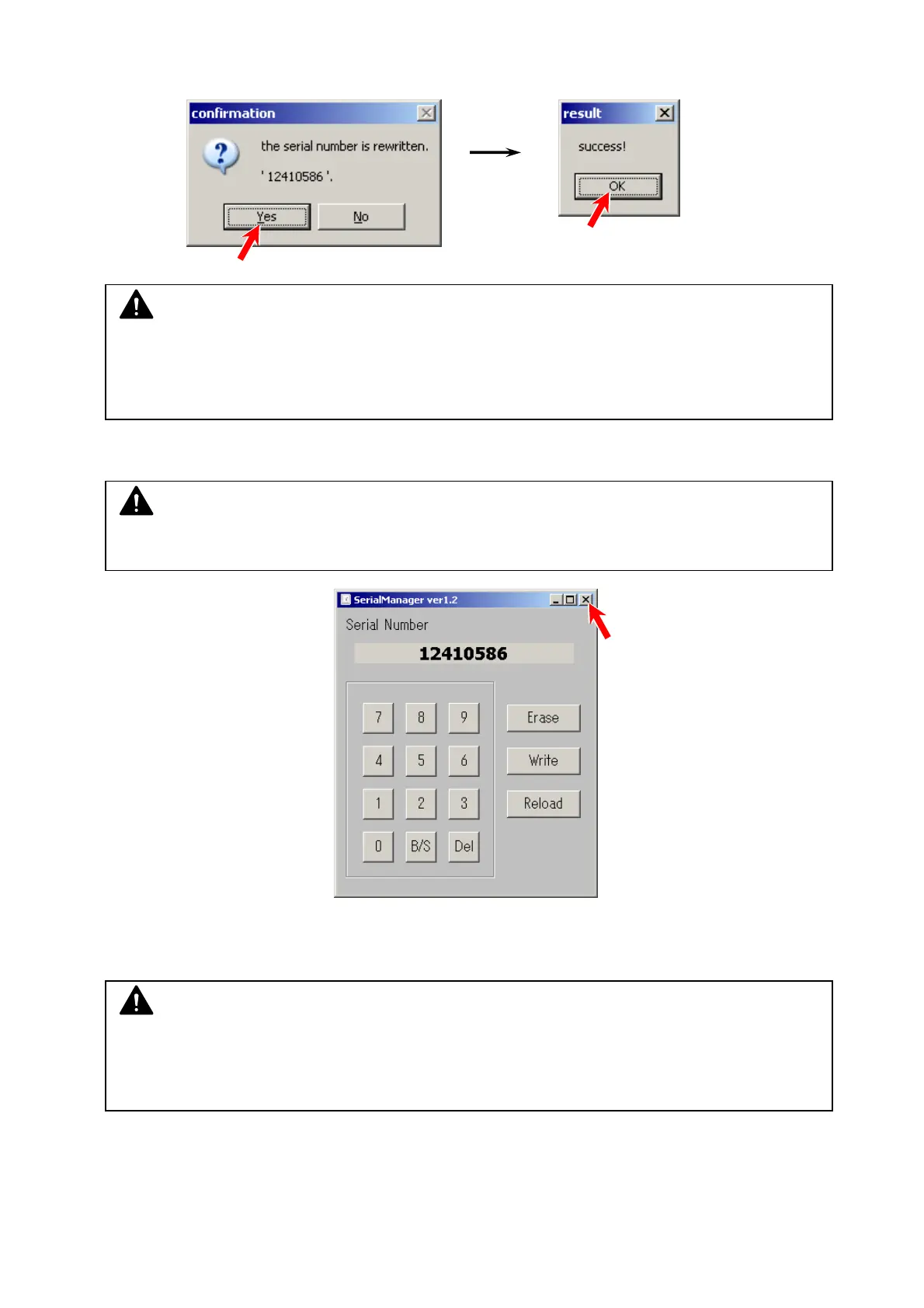
5. Confirmation dialogs pop up.
Making sure of entering the correct S/N, press [Yes], and then [OK].
6. To close Serial Manager, press the X button on the top right corner.
7. Turn off the scanner. Wait 3 seconds and then turn it on.
Now the entered S/N is written to the scanner’s Main Board.
NOTE
(1) In case you wrote a wrong number, DO NOT close Serial Manager and go back to step 2.
(2) At this time the entered S/N has just been sent to the Main Board, but is not validated yet.
NOTE
Once you close Serial Manager, [Write] button will turns gray after that.
NOTE
If you quickly turn off and on again, “The device can run faster...” balloon would pop up.
This is because the scanner firmware may be loaded to the scanner’s memory incorrectly.
Please wait 3 seconds before turning on again.



 To Next Page