K117sm8eE
8-206
8. 14. 5 Update
You can send and write a newer version of the scanner firmware to the scanner’s Main Board.
8. 14. 5. 1 Sending Firmware to Scanner
1. Save a delivered firmware file to any available storage on the PC / removable storage.
The firmware is divided to 3 types of “USB” “CPU” “FPGA”.
Type contents Firmware File Extension
USB USB communication firmware
12920F**
.iic
CPU hardware control software
12920M**
.mot
FPGA image processing software
12920S**
.bin
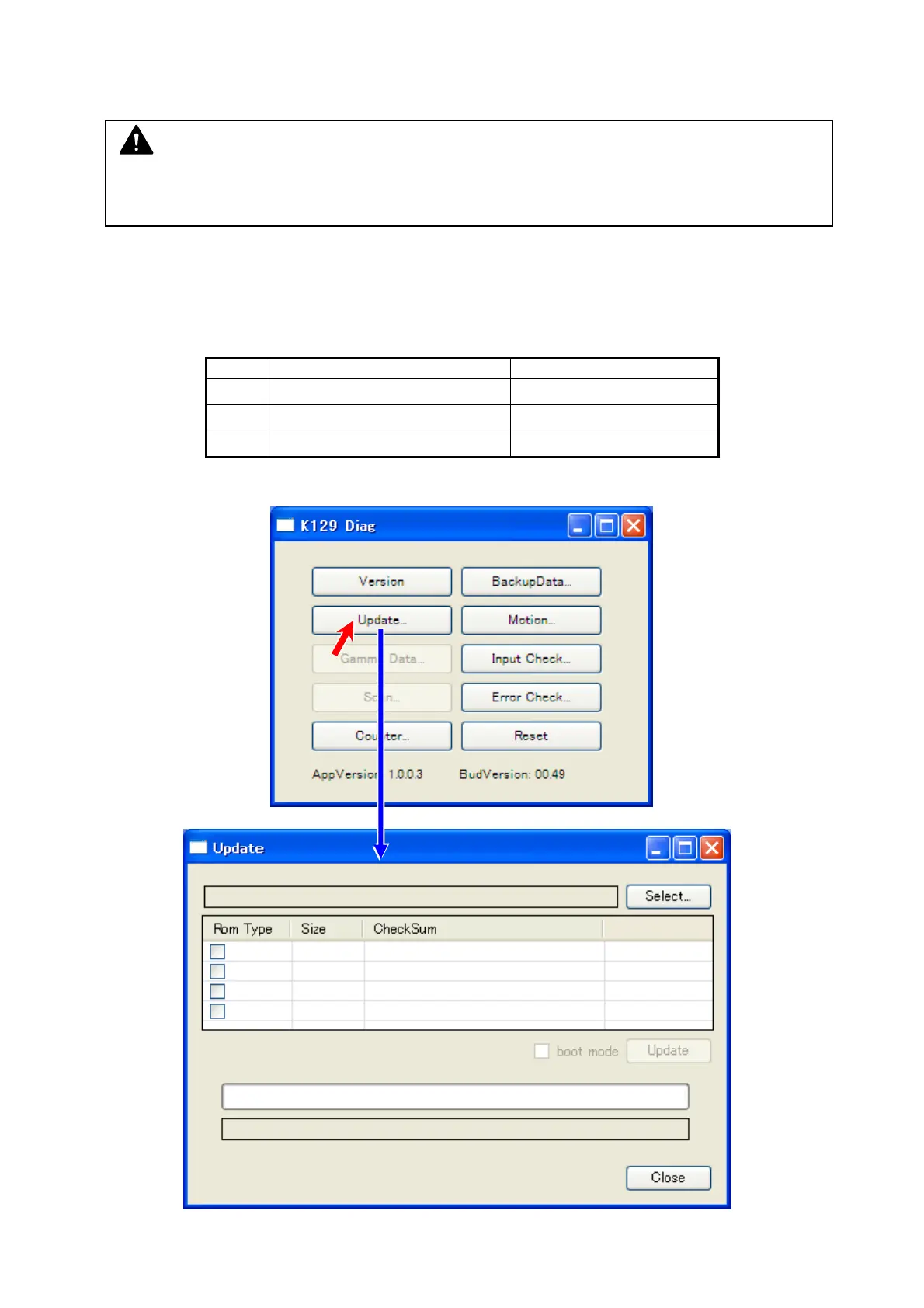
2. Run K129 Diag, and click [Update].
NOTE
Normally the current parameters of BUD remain unchanged if you update the scanner
firmware, but it is recommended to create a backup prior to update.



 To Next Page