K117sm8eE
8-207
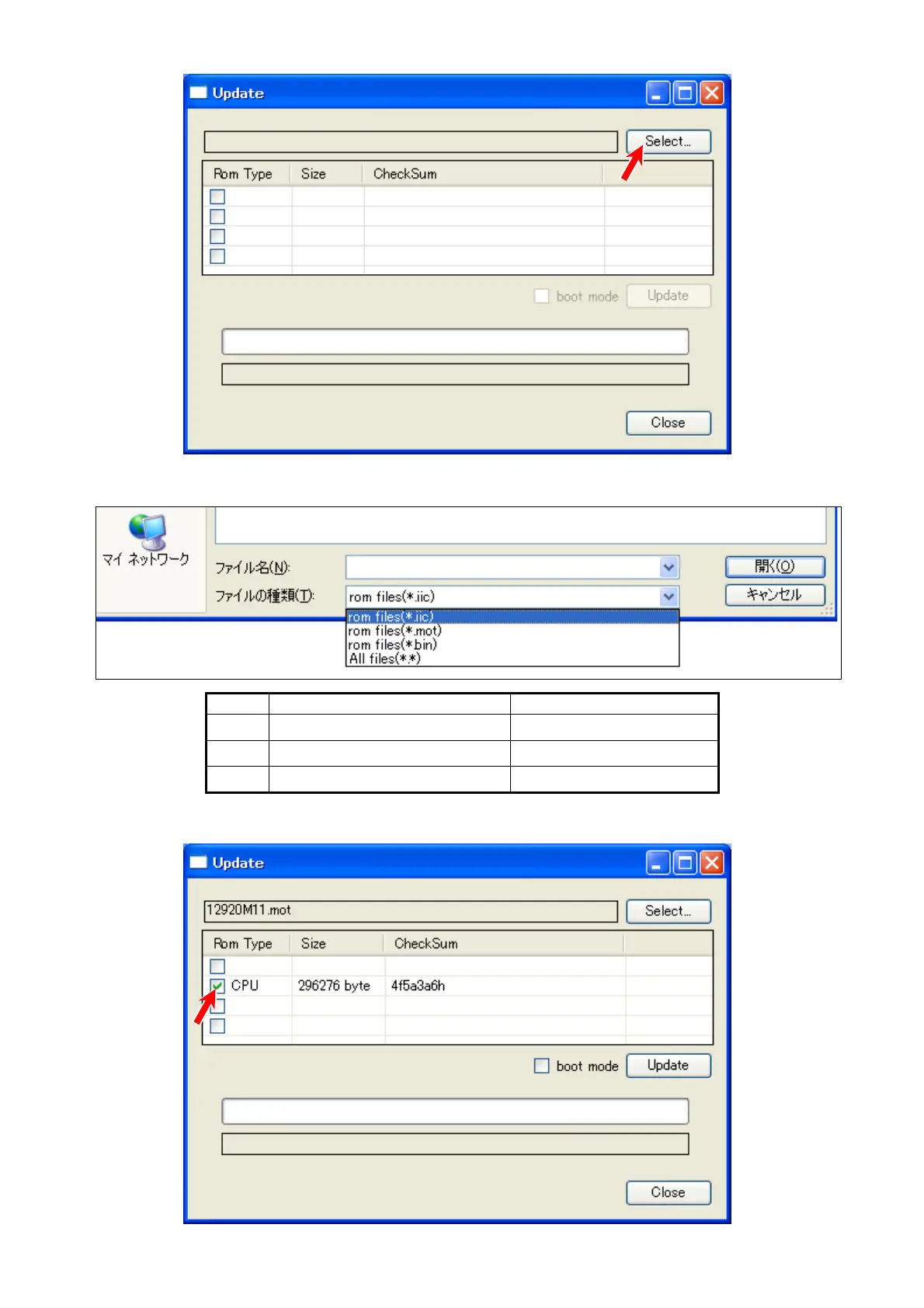
3. Click [Select].
4. Specify a firmware file you want to apply.
Type contents Firmware File Extension
USB USB communication firmware
12920F**
.iic
CPU hardware control software
12920M**
.mot
FPGA image processing software
12920S**
.bin
5. The selected file name is displayed in the list. Put a check in the checkbox beside the file.



 To Next Page