K117sm8eA
8-129
8. 13. 1. 2 Installing KIP Scanner Utility (1.31 or later)
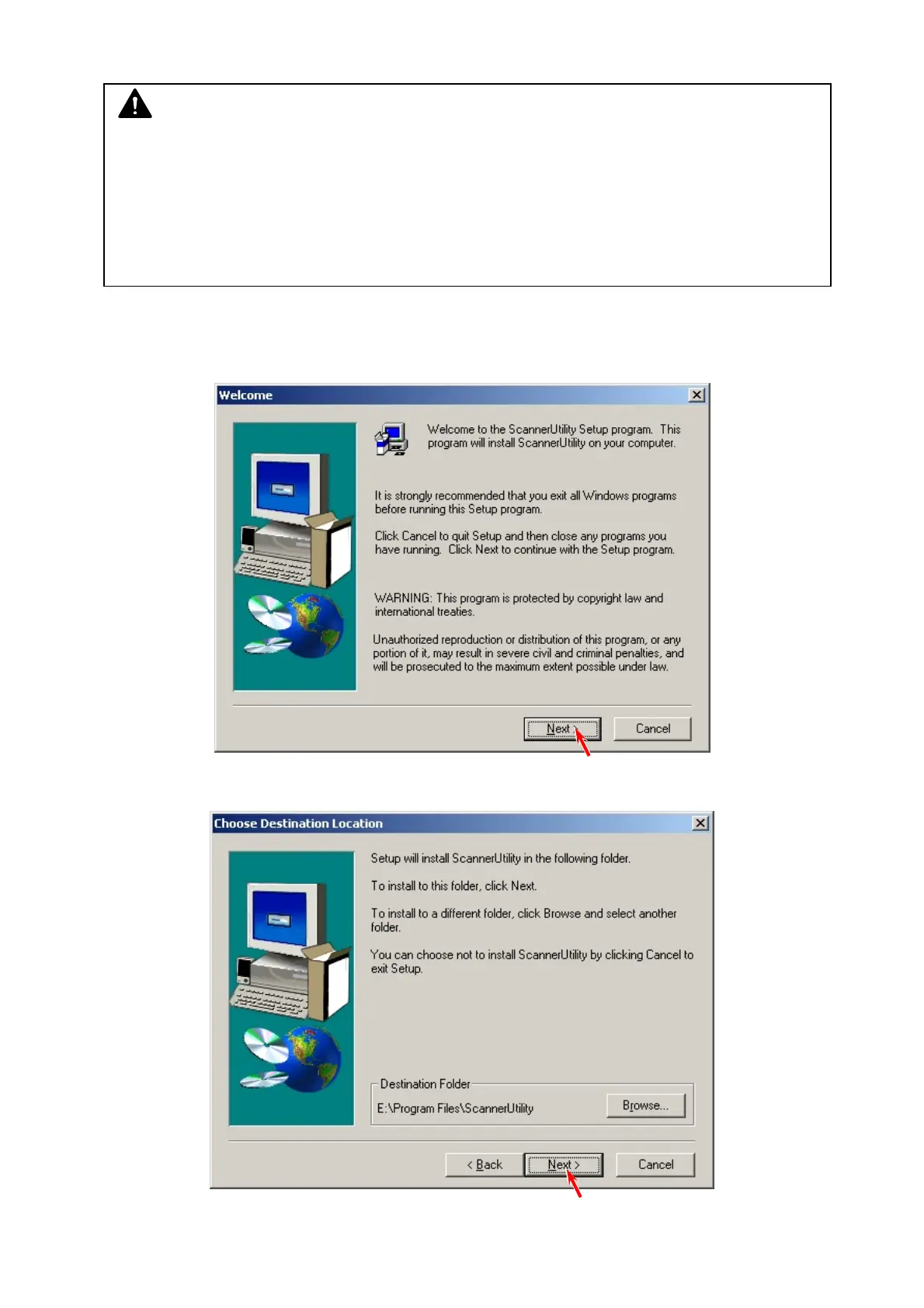
1. Locate your SETUP.EXE for Scanner Utility and execute it.
2. The Setup program starts. Click [Next].
3. The destination of the software can be changed. Click [Next].
NOTE
(1) Below are the system requirements to operate KIP Scanner Utility.
• Windows 2000 / XP operating system
• USB 2.0 support
• USB Driver for communication with KIP Scanner Unit (version 1.30 or later)
(2) Use version 1.31 or later. K105Utility is not available.
(3) Contact your KIP partner for the latest software and save it to any available storage on
your service PC.



 To Next Page