K117sm8e4
8-30
8. 6 Adjustment Mode
It is possible to configure fundamental settings on the printer.
Every setting item has the corresponding Sub Mode Number.
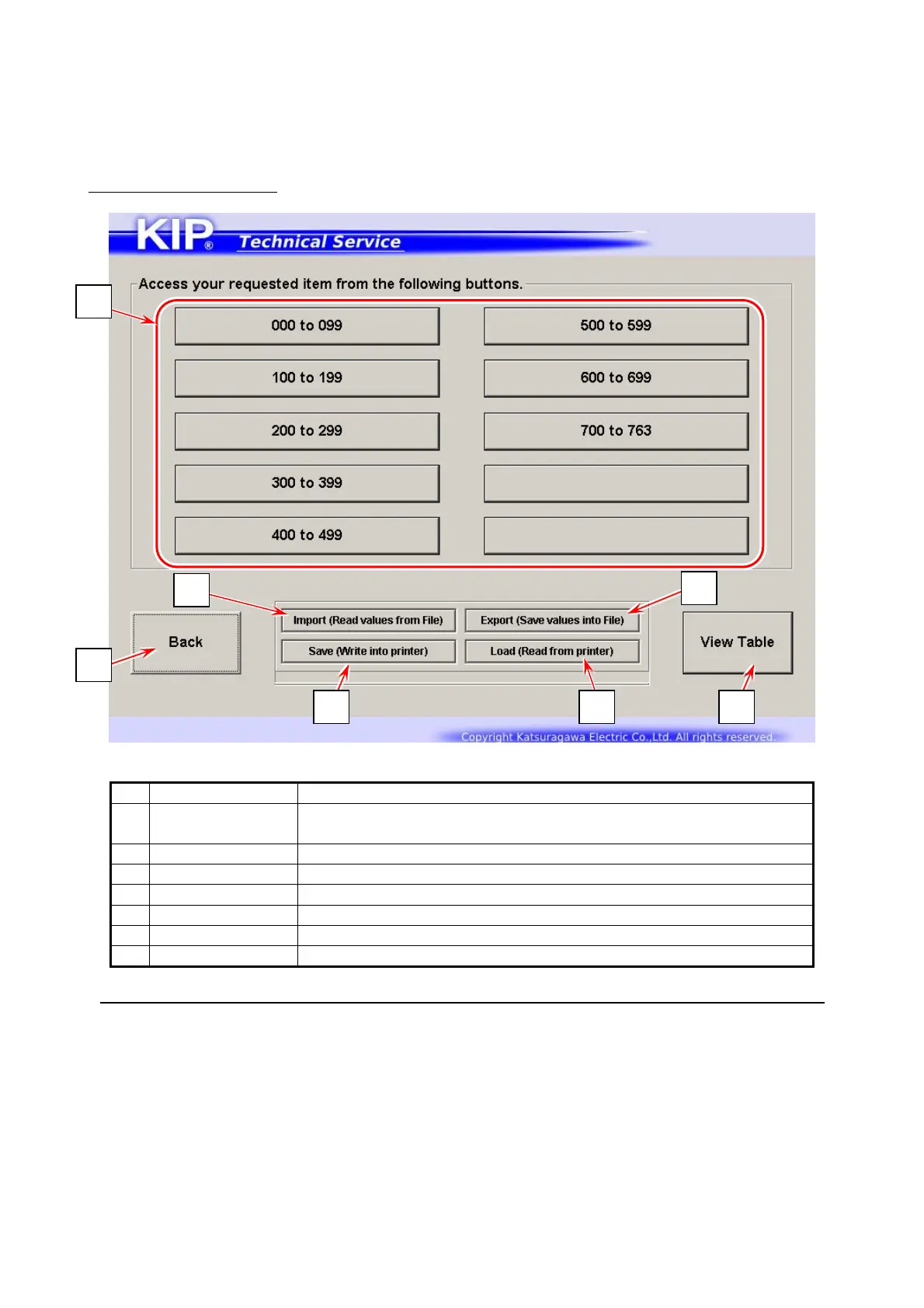
Adjustment Menu screen
Name Function
1
Sub Mode Number
Group Button
Press one Code Group button that contains the signal code
you want to configure.
2 Export Stores the current parameters in a RAM (& txt) file for backup
3 Import Reads parameters stored in a RAM file for restoring parameters
4 Save Applies the parameters read by [Import] to PW11720
5 Load Press here only for refreshing memory
6 Back Returns to Service Mode Home
7 View Table Shows the list of the current parameters on touchscreen
The number shown on the last Code Group button may vary by KIP printer model or printer firmware version.
2
3
6
1
4 5 7



 To Next Page