K117sm3e1
3-24
3. 2. 3 Positioning process of Image Block
The scanner part of KIP 700m reads the image of original with 5 - CIS (Contact Image Sensor).
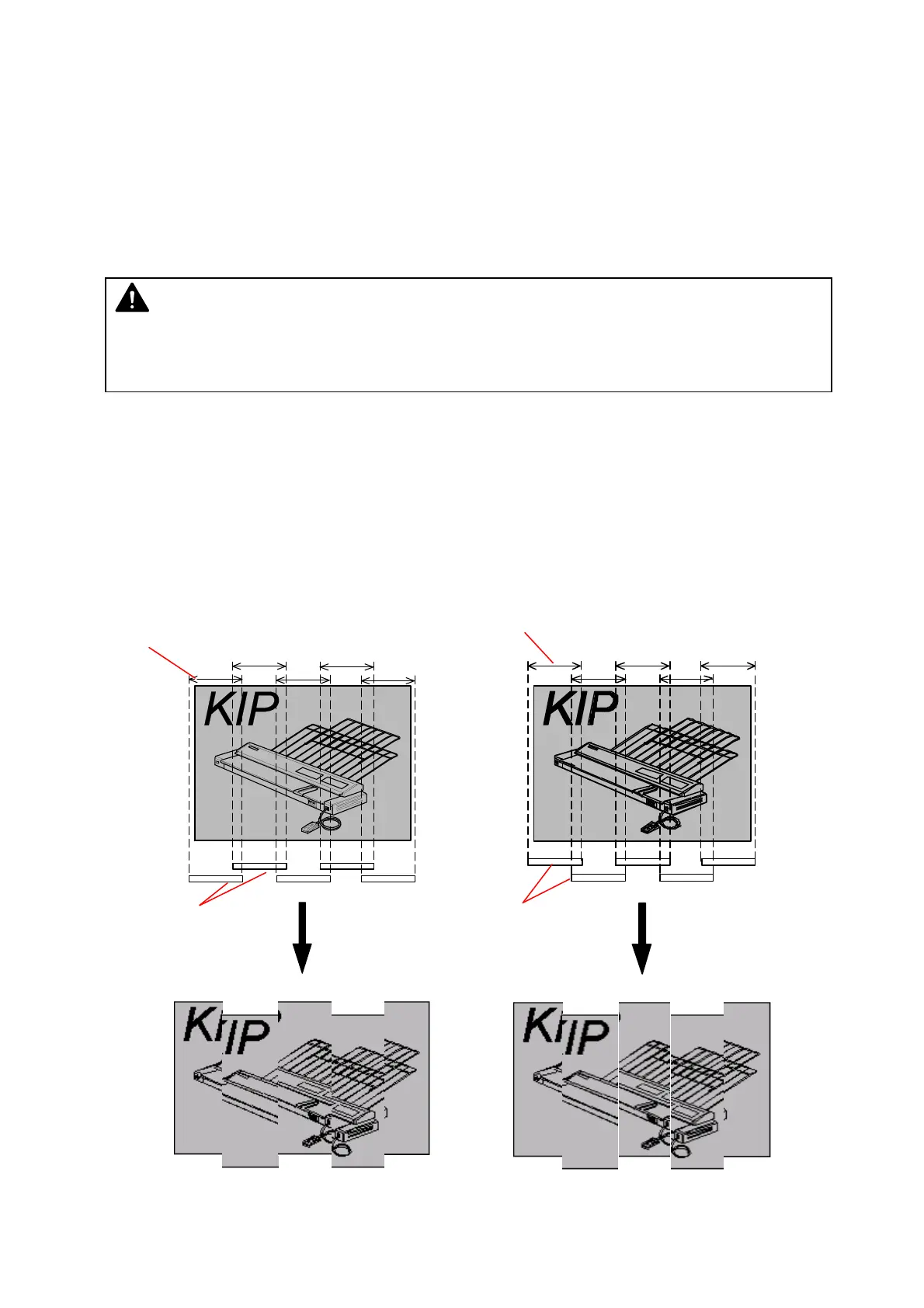
As these CIS are arranged in 2 rows, there occurs a vertical gap of image among the image blocks.
So it is necessary to remove this gap by vertical positioning process (Y offset).
Also the reading area of these 5 pieces of CIS overlaps each other some degree. It means some
image pixels are commonly included in the neighboring two Image Blocks. It is very hard to
recognize the image because many images are duplicated. To prevent this kind of problem, it is
necessary to remove the duplication of image pixels by horizontal positioning process (X overlap).
The Main Board performs these positioning processes.
[Explanation]
5 pieces of CIS are arranged in 2 rows as the following illustration, with some amount of their
reading area overlapping each other.
So the reading data initially inputted to the Main Board is as follows.
(1) There occurs a vertical gap of image among the image blocks.
(2) Some image pixels are commonly included (duplicating) in the neighboring two Image
Blocks.
Reading areas
The image data before the positioning process
NOTE
The KIP 700m performs these positioning processes (X overlap & Y offset) according to the
setting specified through KIP Scanner Utility.
CIS
(Old Scanner)
CIS
(New Scanner)
Reading areas



 To Next Page