K117sm3e1
3-21
3. 1. 5 Density Compensation Process
On rare occasion, loss of image density may occur under a special usage. KIP 700m has the
ability to reduce such loss of image density and this enables to maintain a satisfactory image
quality regardless of the machine usage.
Density Compensation Process will adjust Regulation (Developer) Bias according to their condition
to reduce loss of image density in such situation.
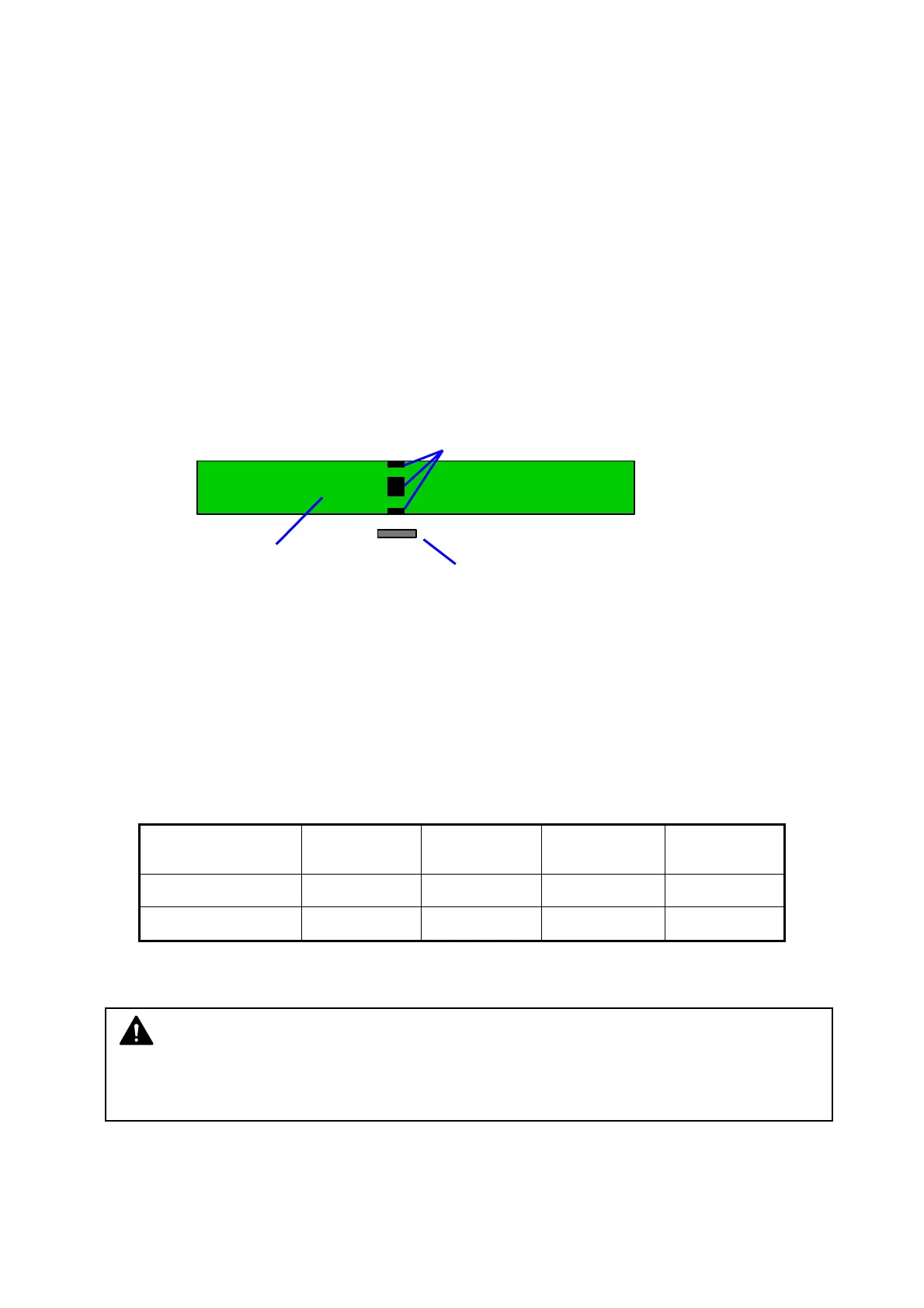
In Density Compensation Process, toner density on the surface of Photoconductive Drum is
measured by Density Sensor at regular time intervals. According to the result, Regulation
(Developer) Bias will be automatically adjusted to compensate image density.
Density Measure starts at regular intervals of 2 hours of Main Motor operating time, after the
completion of the current print queue.
1. Several solid toner patches are created on the surface of Photoconductive Drum as follows.
solid toner patch
Photoconductive Drum
Density Sensor
2. Density of all the patches is measured by Density Sensor (Density Measure). The average of
the patches (Density Value) is calculated.
3. If the Density Value does not meet Target Density, Regulation (Developer) Bias will be
automatically adjusted based on the current Adjustment Level.
• If the current Density Value is judged “not enough” (lighter than required), the next level will
be applied.
• If the current Density Value is judged “adequate”, the current level remains.
• There is possibility for the Density Value to be judged “too much enough” (darker than
required), then the previous level will be applied.
Adjustment
Level 0
djustment
Level 1
(default)
Adjustment
Level 2
Adjustment
Level 3
Developer Bias
(Negative)
-180V
-230V
-230V -230V
Regulation Bias
against Developer Bias
-80V
-80V
-120V -160V
4. The adjustment allows image density to stabilize for a satisfactory image quality regardless of
the machine usage.
NOTE
An applied Adjustment Level should be set to “1” every after replacing Developer Unit. For
further information, see [5.1.4 Developer Unit] [8.11 Special Operation Mode].



 To Next Page