K117sm8e8
8-93
8. 7 Running Mode
In Running Mode, the printer takes usual printing operation with no print media loaded.
If you install any roll media, it is transported and ejected from the printer as usual as normal print.
Note that the printer will continue printing till the media empty.
8. 8 Jam/Error Mask Mode
If the printer indicates any error (J-****/E-****), it is possible to mask (ignore, not to detect) it in
Jam/Error Mask Mode. The error (J-****/E-****) you have chosen to mask will not be detected by
masking. You can temporarily operate the printer as usual as normal condition even if a cause of
the error is not removed yet.
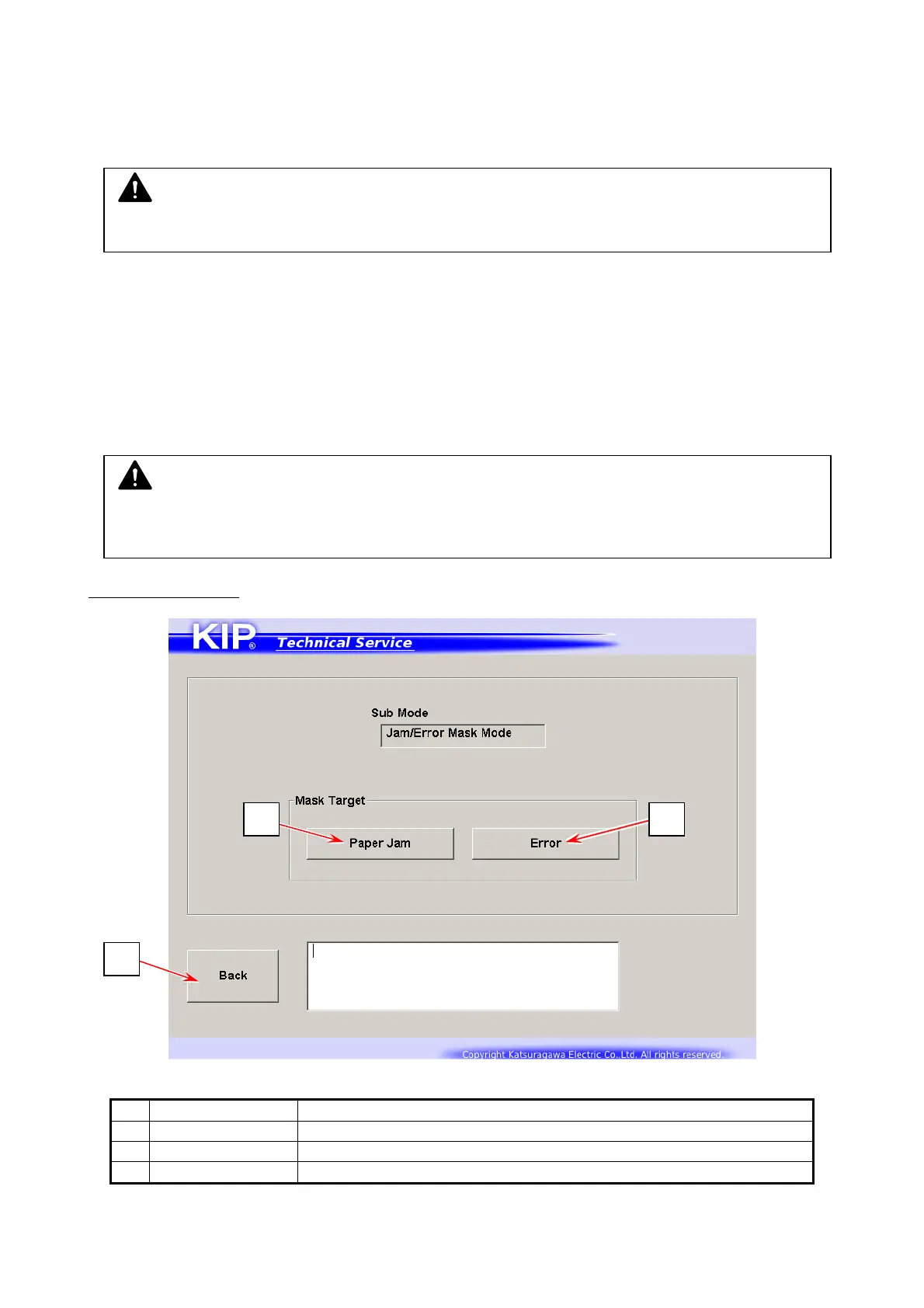
Mask Target screen
Name Function
1 Paper Jam Switches to Jam Mask screen
2 Error Switches to Error Mask screen
3 Back Returns to Service Mode Home
NOTE
Running Mode is not available in Service Mode. Factory Use Only.
NOTE
Masking condition will be automatically canceled once you quit KIP Service Software or turn
off the printer.
3
1 2



 To Next Page