K117sm4e3
4-30
4. 3. 8 Bias gap between Developer Roller and
Regulation Roller
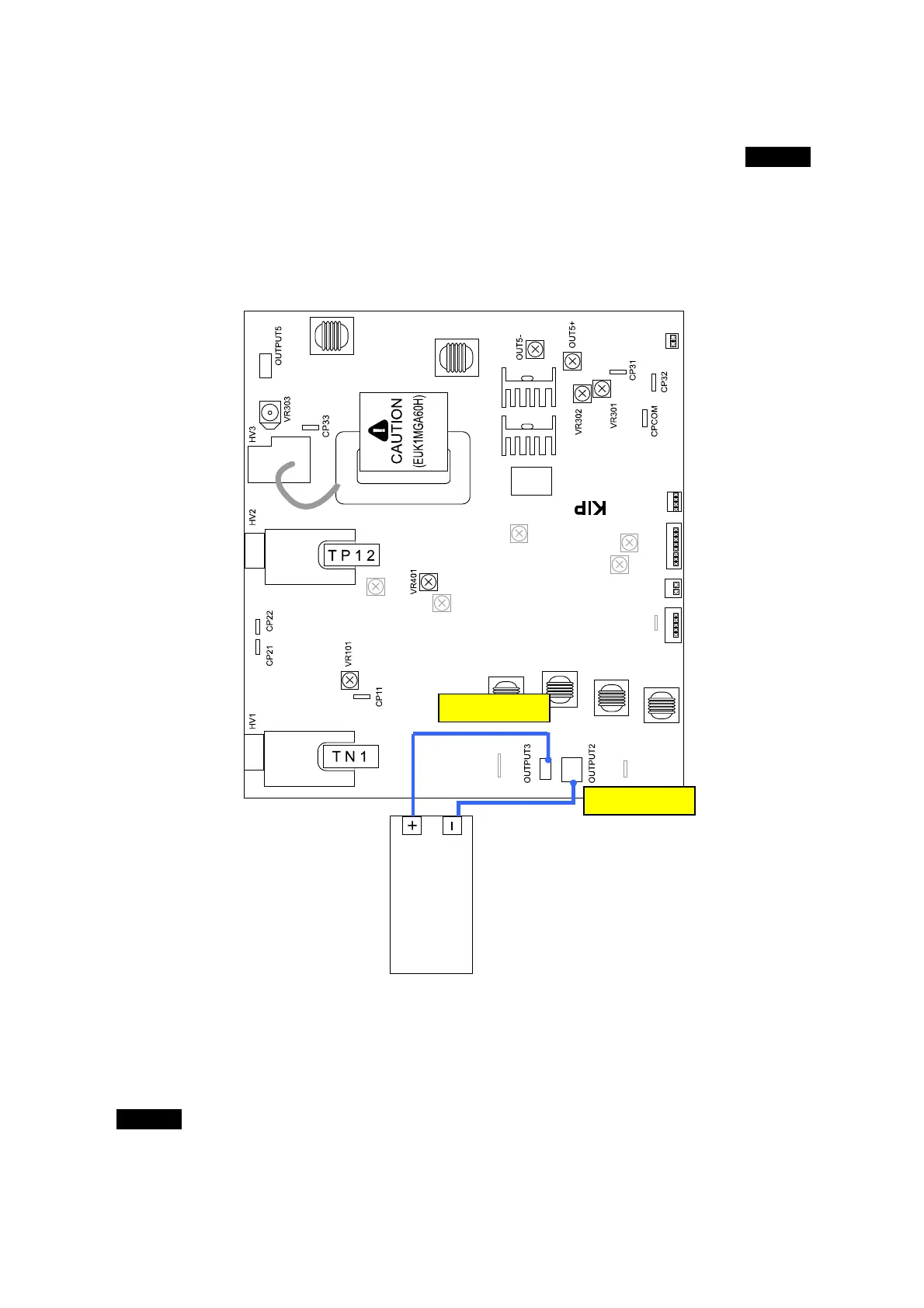
The standard value of the Bias gap between Developer Roller and Regulation Roller is 80 +/-5V.
Check and adjust it in the following way.
1. Connect the “+” cable of the multi-meter to the “OUTPUT3” pin on the HV Power Supply PCB
(EUK1MGA60HA).
Also connect the “-” one to the “OUTPUT2” pin.
And then, select the DC volt range on the multi-meter.
2. Make a Test Print making reference to [8. 9 Test Print Mode].
As the Bias is supplied to both the Developer Roller and the Regulation Roller, check the
Bias gap between them with the multi-meter.
The standard value of the Bias gap between Developer Roller and Regulation Roller is
80 +/-5V.
If the above value is not satisfied, go to the next step 3 for the adjustment.
OUTPUT 2
OUTPUT 3
multimeter
(DC)



 To Next Page