K117sm4e3
4-29
2. Make a Test Print making reference to [8. 9 Test Print Mode].
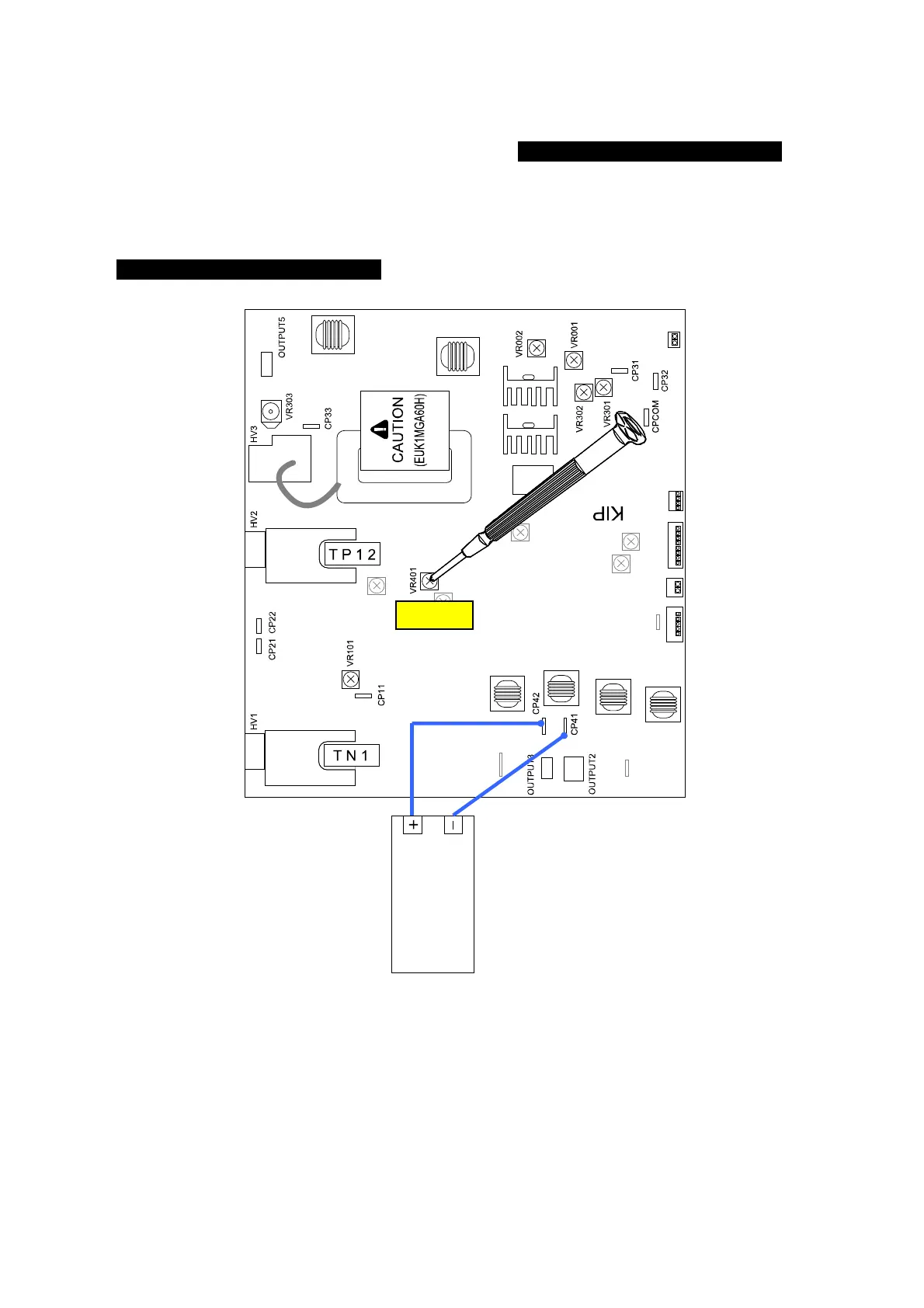
The Positive Developer Bias is supplied to the Developer Roller for some seconds after the
printed paper has been ejected.
Check the voltage with the multi-meter during that period.
The standard value of the Positive Developer Bias is 0.350 +/-0.005V against the CP42.
If this is not satisfied, go to the next step for the adjustment.
3. Adjust the Positive Developer Bias rotating the VR401, so that it should satisfy
0.350 +/-0.005V against the CP42.
VR401
multimeter
(DC)



 To Next Page