K117sm4e3
4-31
3. If the value (voltage) is “120 +/-5V” or “160 +/- 5V”, Regulation Bias may be automatically
adjusted by Density Compensation Process.
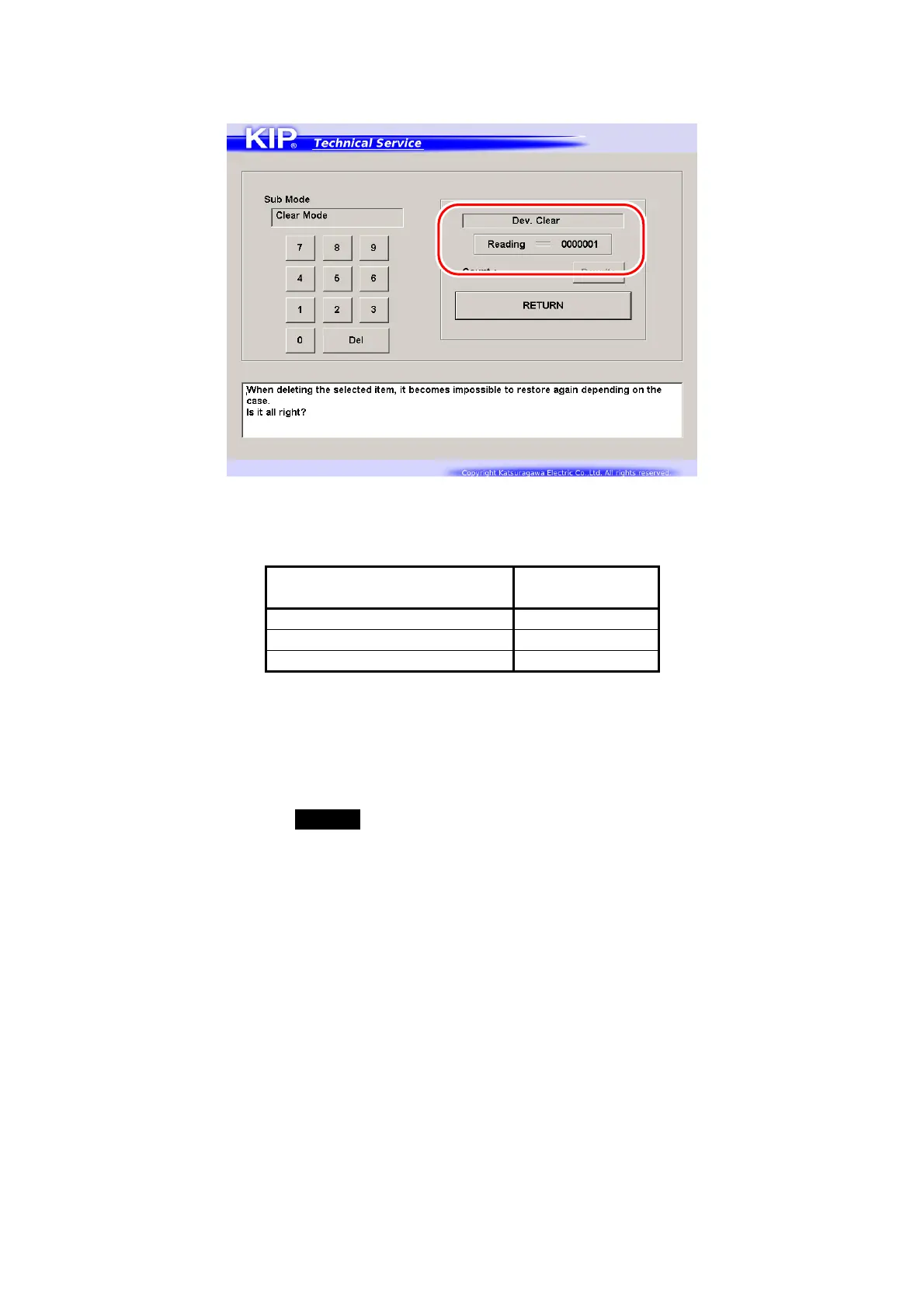
Enter Special Operation Mode and then
“0006 Dev. Clear”.
The voltage “120V +/- 5V” is correct when the above 7-digit value shows
“0000002”.
The voltage “160V +/- 5V” is correct when the above 7-digit value shows
“0000003”.
7 digits (current Auto
Adjustment Level)
Supposed
Bias Gap
0000000 / 0000001 80 +/-5V
0000002 120 +/-5V
0000003 160 +/-5V
Refer to [8.11.3 Reset of Bias Adjustment by Density Compensation Process] for checking the
current Auto Adjustment Level.
If not satisfied, go to the next step for manual Regulation Bias adjustment.
4. Select the Adjustment Mode, select Sub Mode No.622, and change the value so that the
output voltage satisfies 80 +/-5V.
Refer to [8.6.3 622 Regulation Bias] for the detail.



 To Next Page