K117sm8e4
8-31
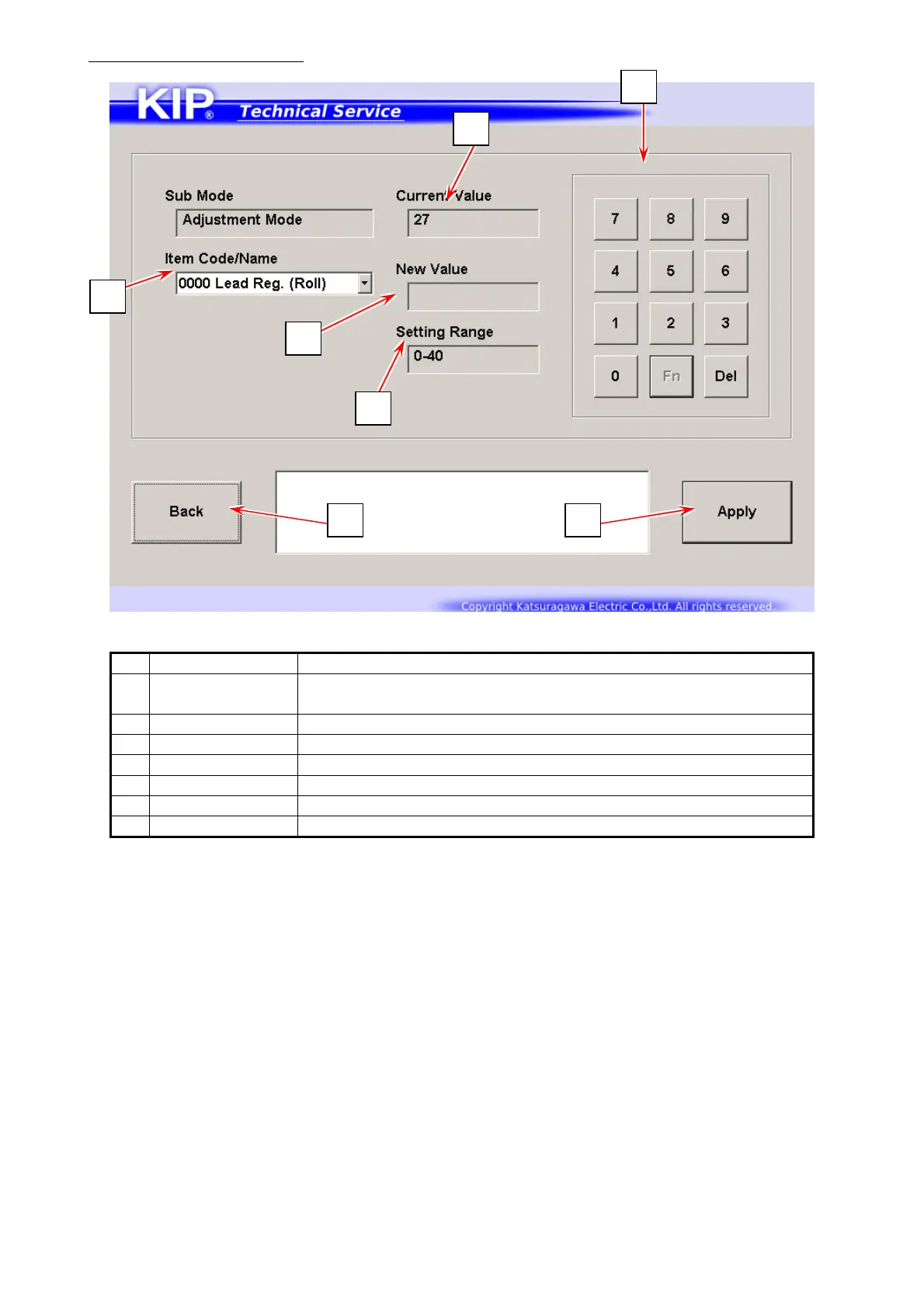
Setting Configuration screen
Name Function
1 Item Code /
Name
Displays Item Code/Name in drop-down menu
Specify one item that you want to configure.
2 Current Value Displays the current value of the selected item
3 New Value Displays an input value by using On-screen Keypad
4 Setting Range An input value must be set within this range.
5 Numeric Key Use On-screen Keypad to input a value to be configured.
6 Apply Applies a value in “Modify” to the selected item
7 Back Returns to Service Mode Home
5
2
1
3
4
7 6



 To Next Page