K117sm2e3
2-14
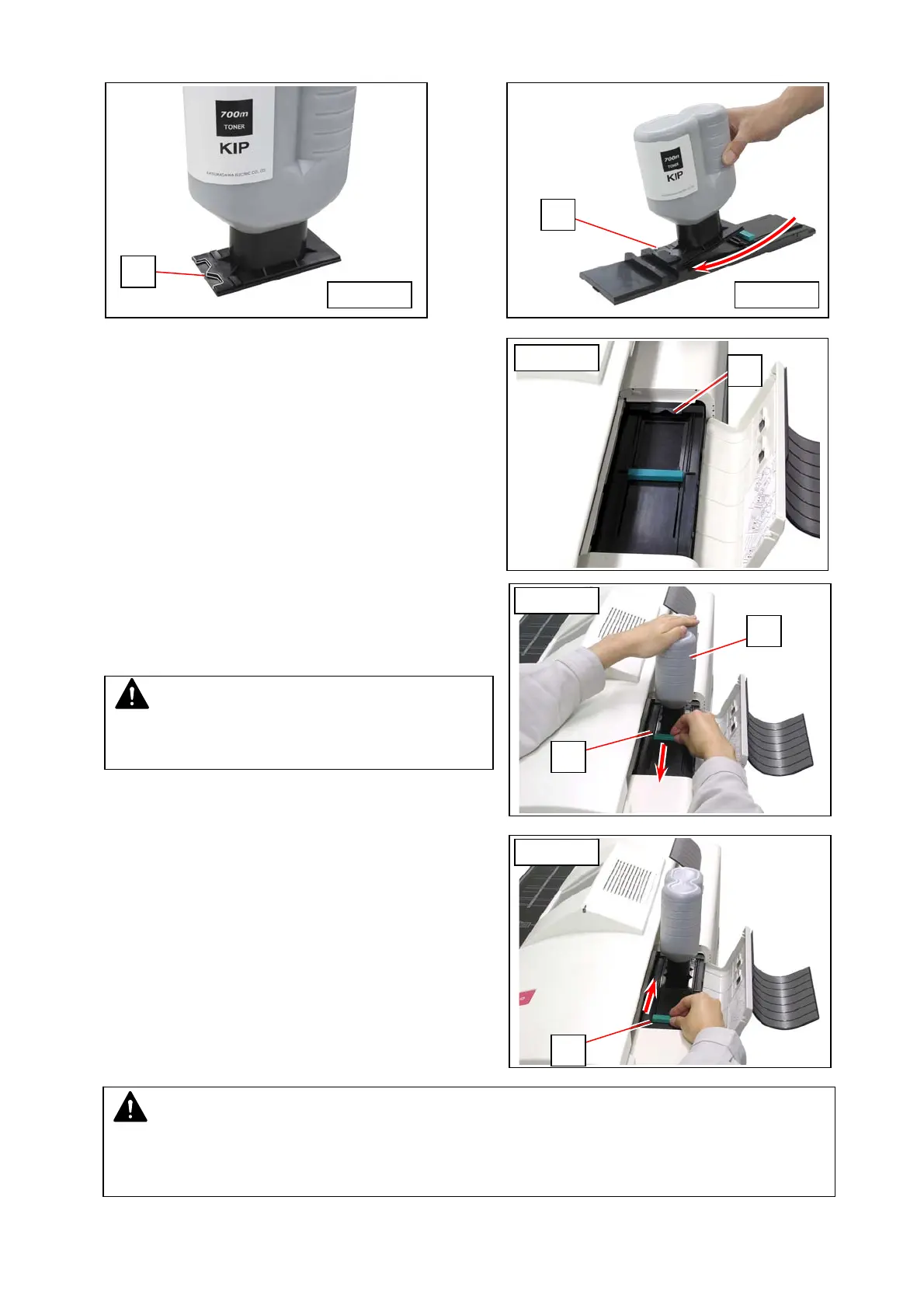
3. Put the dent area (3) under the holder (4) to firmly seat the bottom plate of the Toner Bottle to the toner
supply position.
4. With pressing down the Toner Bottle, slide
the green lever (5) to the arrow direction
until it stops. When it stops, wait 10
seconds as it is.
5. Slide the lever (4) back to its original
position, and remove the Toner Bottle.
NOTE
It is impossible to remove the Toner Bottle unless the lever (5) completely moves to the original
position. Do not attempt to remove the Toner Bottle by force if the lever is not at the original position.
Doing so may damage toner supply system.
4
5
2
5
from right
from right
from right
from front
3
4
from front
NOTE
Gently press down the Toner Bottle. Pressing too
much makes the lever (5) much heavier.



 To Next Page