K117sm8eA
8-127
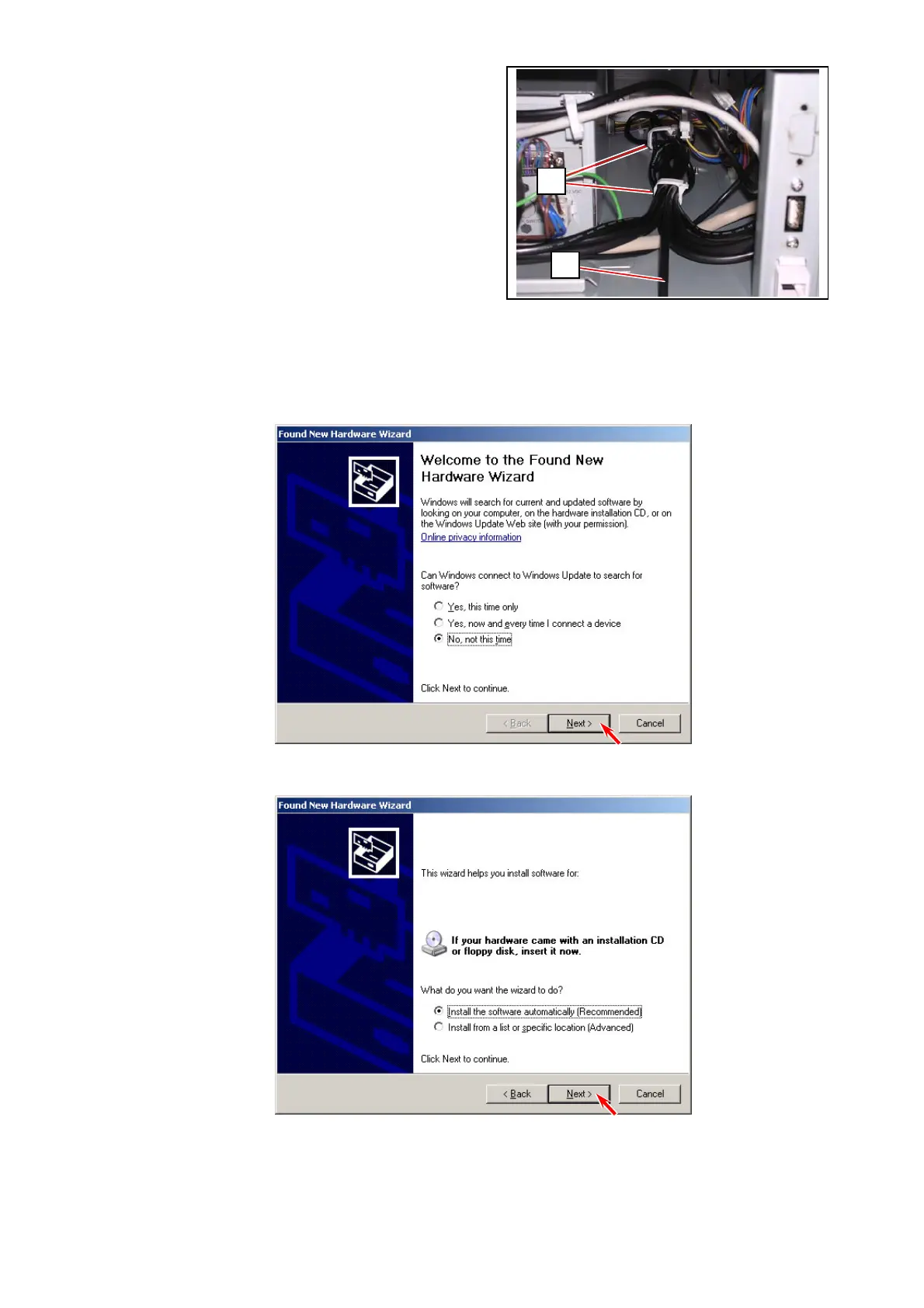
3. Open 2 wire saddles (6) to release the Scanner USB Cable (5).
4. Connect the Scanner USB Cable to any USB port on your service PC.
5. Turn on both your PC and the printer.
[Found New Hardware Wizard] for “KIP K117SC” starts automatically.
If the following message appears, choose “No, not this time” and click [Next].
6. Choose “Install the software automatically [Recommended]”. Click [Next].
6
5
KIP K117SC



 To Next Page