K117sm8e9
8-125
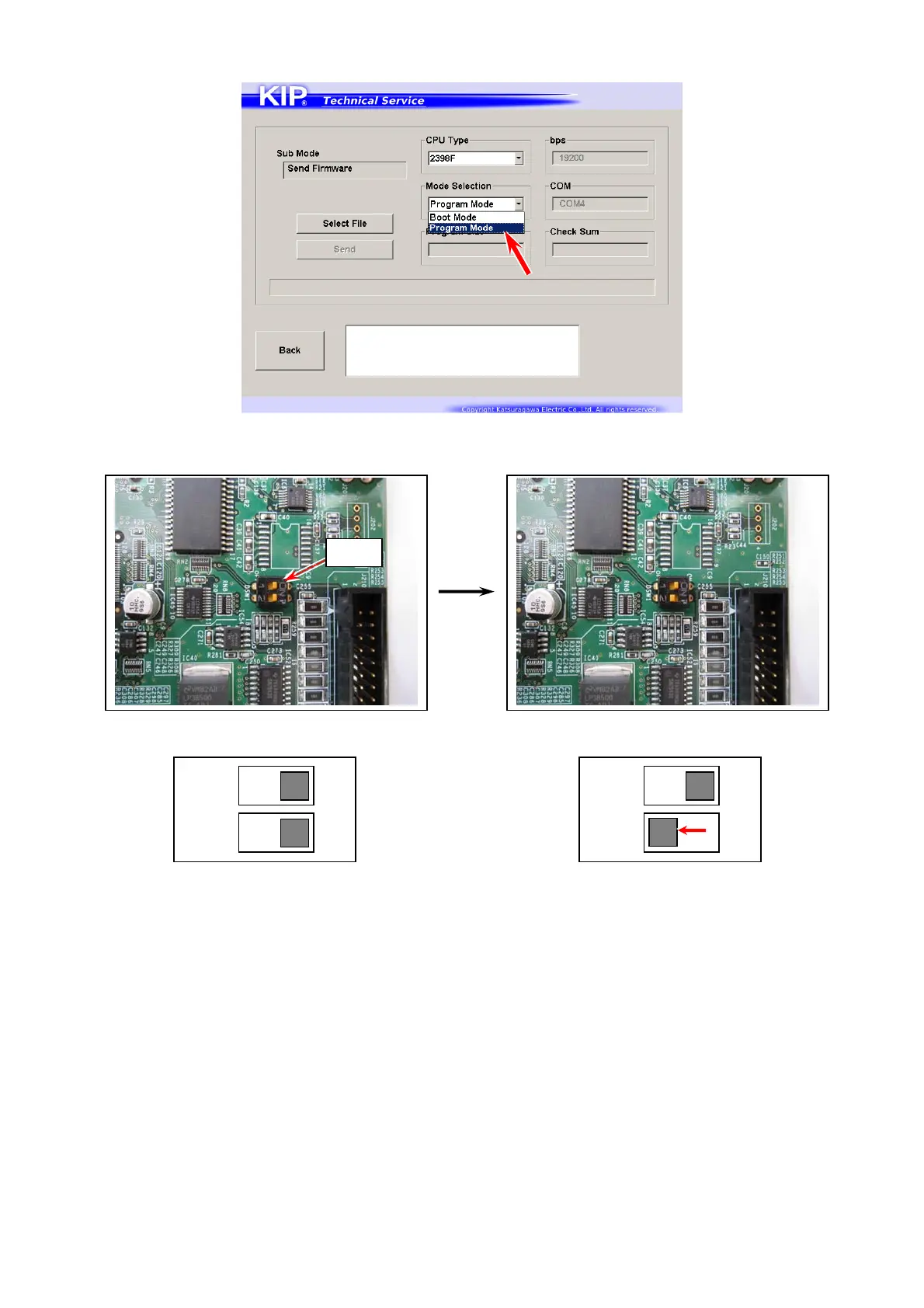
8. When finished successfully, choose “Program Mode” from Mode Selection menu.
9. Again shut the power supply only to the print engine in the way of step 4.
10. On PW11720 PCB Assy, switch #2 of “DSW1” to OFF. (original position)
Force Overwrite Position Operation Position
11. Return the rear cover.
ON
12
ON
12
DSW1



 To Next Page