K117sm8e9
8-124
4. Shut the power supply only to the print engine
by opening the Exit Cover for example.
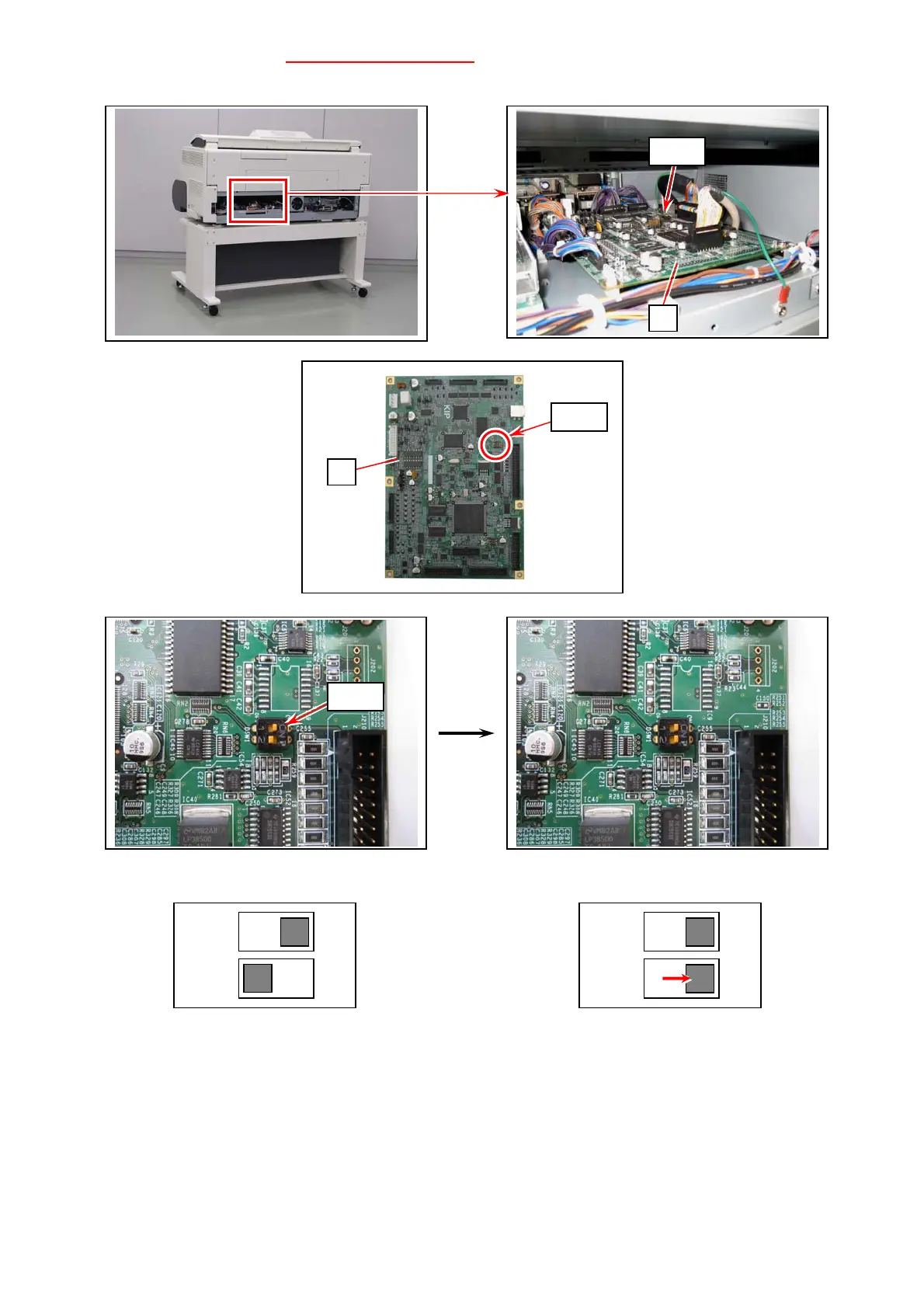
5. On PW11720 PCB Assy (4), switch the #2 of “DSW1” to ON.
This allows the firmware to overwritten to PW11720 PCB Assy.
Operation Position Force Overwrite Position
6. Restart the power supply to the print engine.
7. Select a firmware program file. Press [Send].
ON
12
ON
12
4
DSW1
4
DSW1
DSW1



 To Next Page