K117sm5e3
5-22
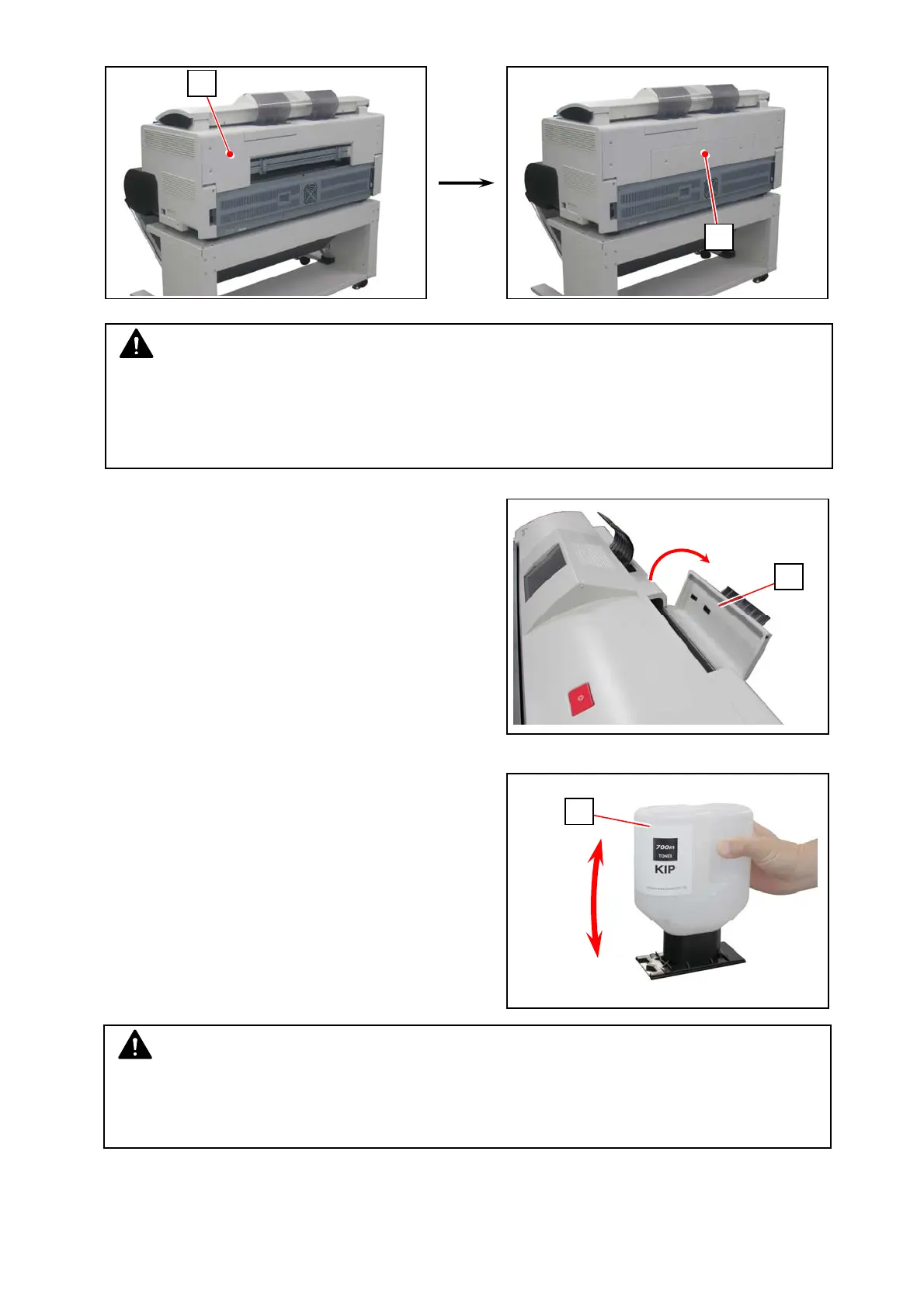
18. Return Cover 32 (4) and Cover 31 (2).
19. Open the Toner Hatch (24) on the rear top.
You do not have to remove the Original Guide.
20. Shake the Toner Bottle (25) several times to
loosen the toner.
4
2
NOTE
After replacing Developer Unit, you must set bias adjustment by Density Compensation
Process to “1”.
Otherwise a darker image appears because the adjusted values are too high voltage for the
refreshed Developer Unit.
NOTE
After you shake the Toner Bottle well, proceed the later steps as soon as possible.
Having a pause after this may reduce smoothness of the toner. This would disturb a smooth
toner supply from the Toner Bottle to the printer.
24
25



 To Next Page