K117sm5e3
5-30
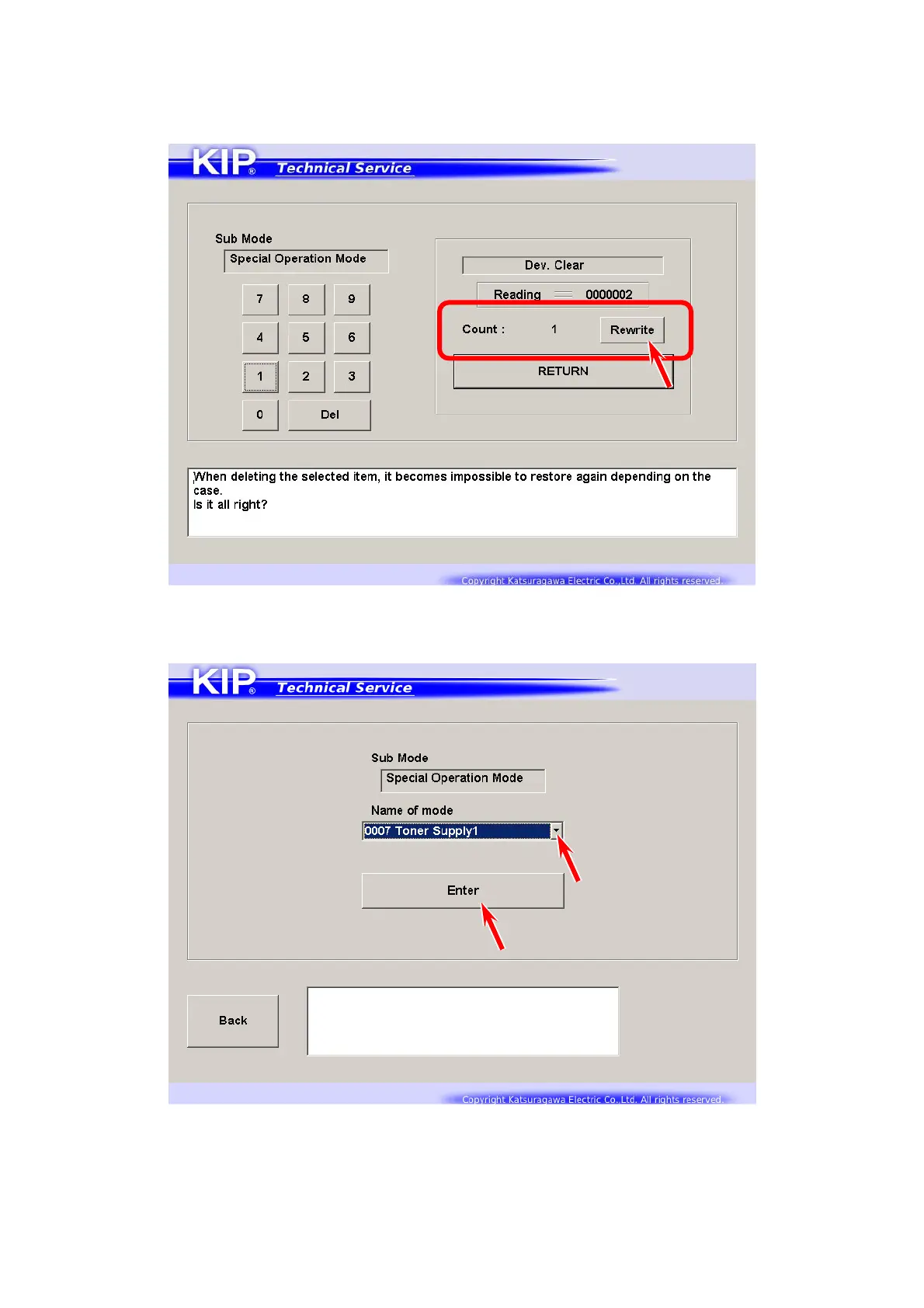
37. The value is displayed in “Count” area.
[Rewrite] will be activated.
Press [Rewrite] to apply the new value to the printer.
The value in “Reading” area will be changed to the new value.
38. Press [RETURN] to go back to Operation Target screen.
Select [0007 Toner Supply1] and press [Enter].



 To Next Page