K117sm5e6
5-69
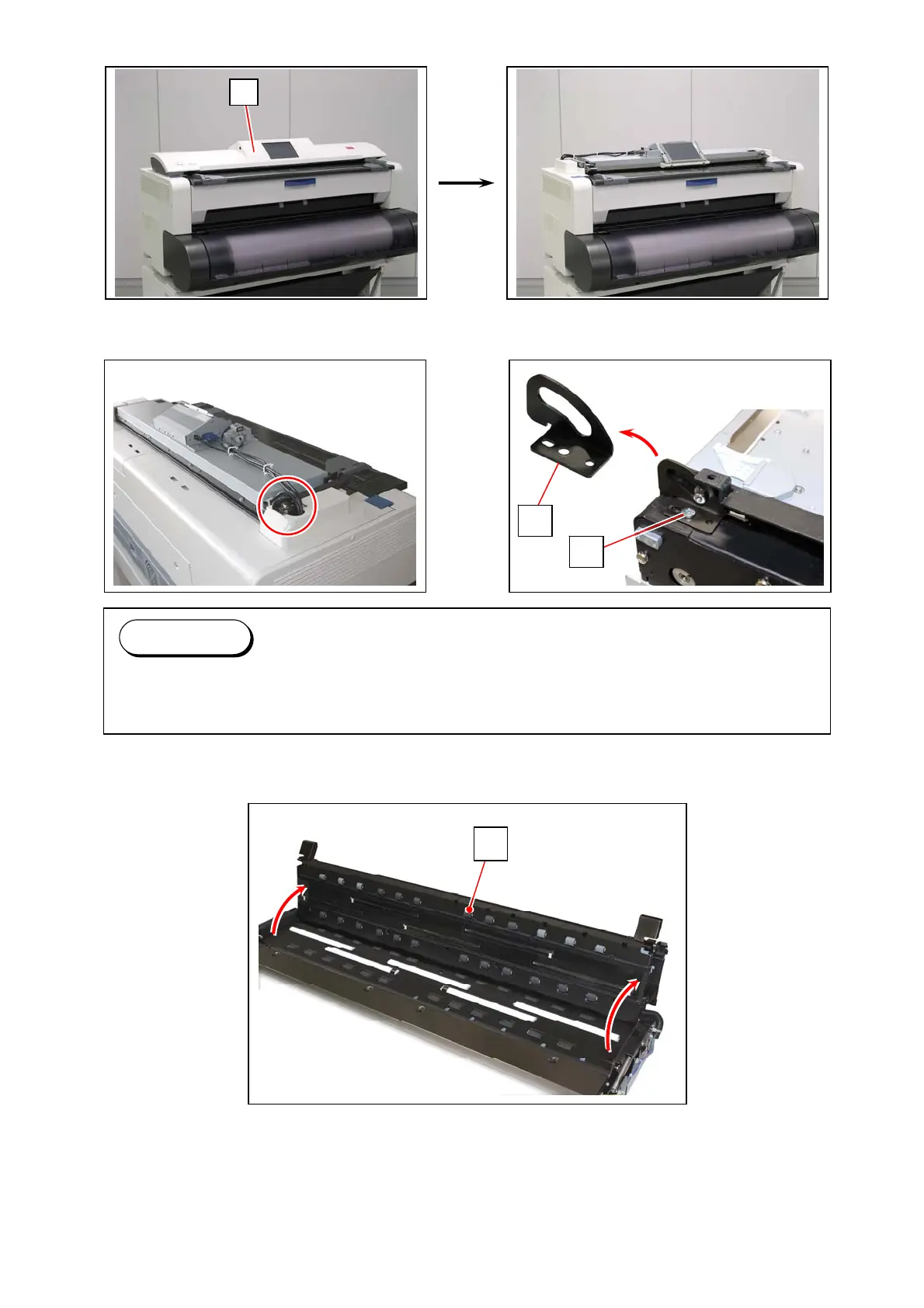
4. Remove Scanner Top Cover (5) from the Scanner Unit.
5. Remove 1 screw (6) to remove Stopper Plate (7).
6. Fully open the Upper Unit (8).
6
7
Reference
The Stopper Plate (7) is a safety to limit the motion range of the Upper Unit at “operation
position 40 degrees”. In this section, another safety at “service position 100 degrees” works.
8
5



 To Next Page