K117sm5e6
5-77
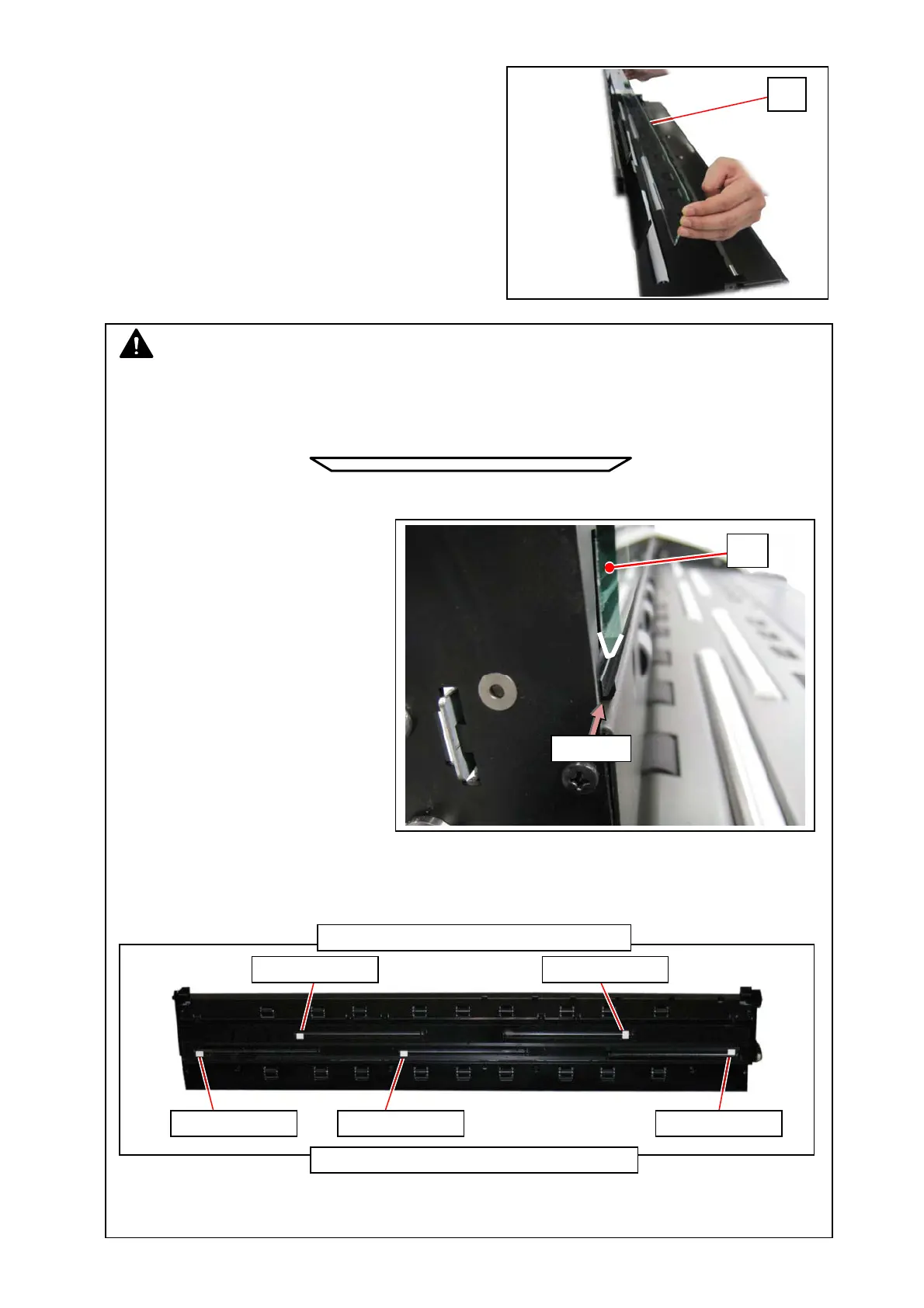
8. Remove the Glass DCMNT (11).
NOTE
(1) The wider face with 5 stickers should be the inner face. (CIS side)
The narrower face should be the outer face. (document side)
Inner face (CIS side)
Outer face (document side)
(2) For reassembling, fit the glass’s
edge in the groove.
(3) There are 5 portions of the white sticker (13) on the Glass DCMNT’s inner face.
This is for self calibration (white level).
For reassembling, 2-sticker row should correspond to the front CIS row as follows.
(4) For reassembling, press the Glass DCMNT against the left side.
11
groove
13: white sticker
Document Path: Front / Glass Upright: Top
Document Path: Rear / Glass Upright: Bottom
11
13: white sticker 13: white sticker
13: white sticker 13: white sticker



 To Next Page