K117sm6e1
6-5
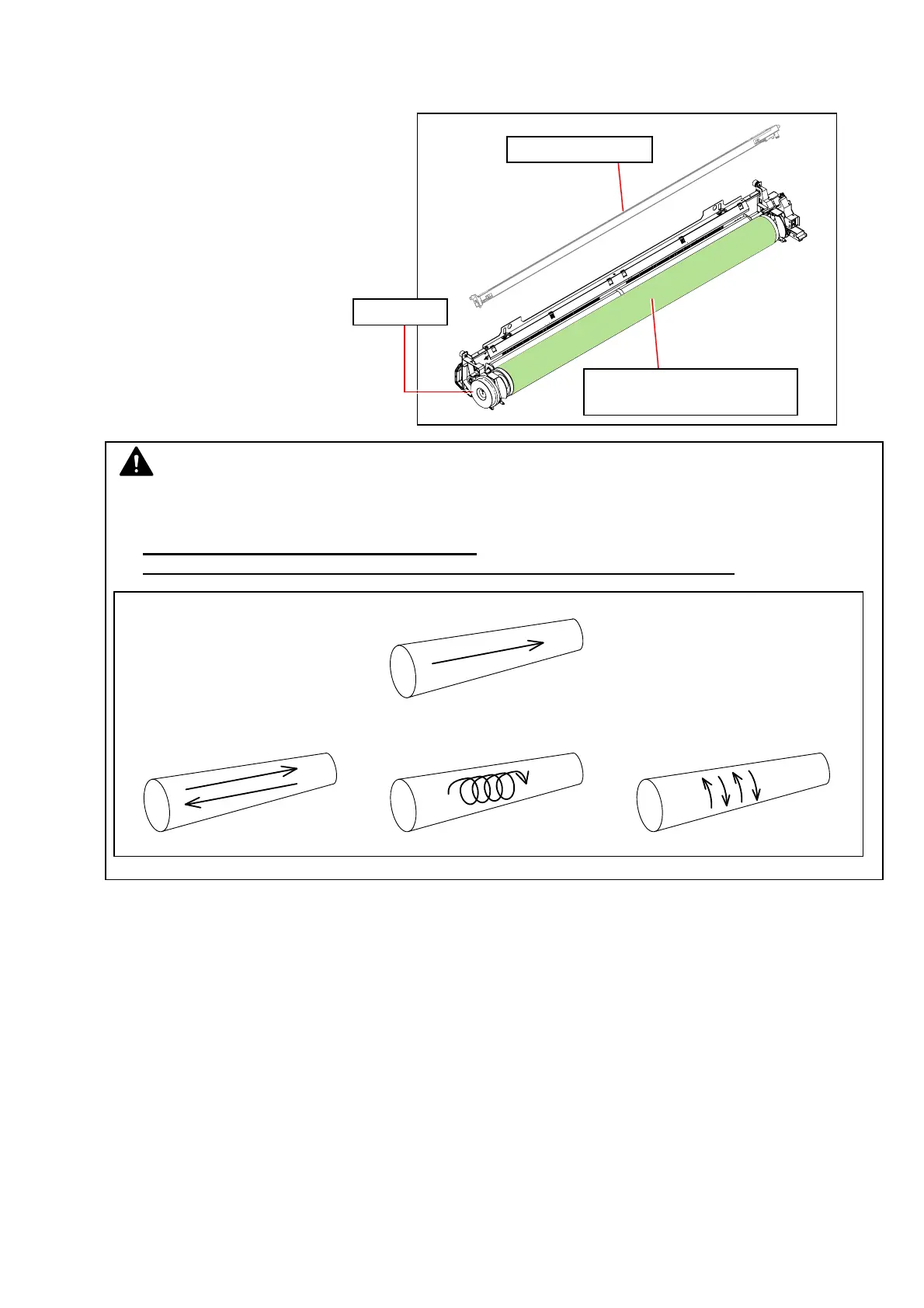
Photoconductive Drum:
See [5.1.1 Image Corona Unit] to remove Image Corona Unit.
Gently wipe the surface (green area).
Rotate the drive gear (on the right hand
grip side of Process Unit) to turn
Photoconductive Drum.
(slightly heavy load)
NOTE
(1) 10 to 20 sheets just after cleaning may temporarily get lost proper image quality.
(2) Always wipe the surface in one direction.
Failure to do so may damage the surface and result in defective imaging.
Image Corona Unit
Photoconductive Drum
(cylinder with green surface)
drive gear
Correct
Wrong Wrong Wrong



 To Next Page