K117sm6e1
6-7
Scanner Unit (New Scanner):
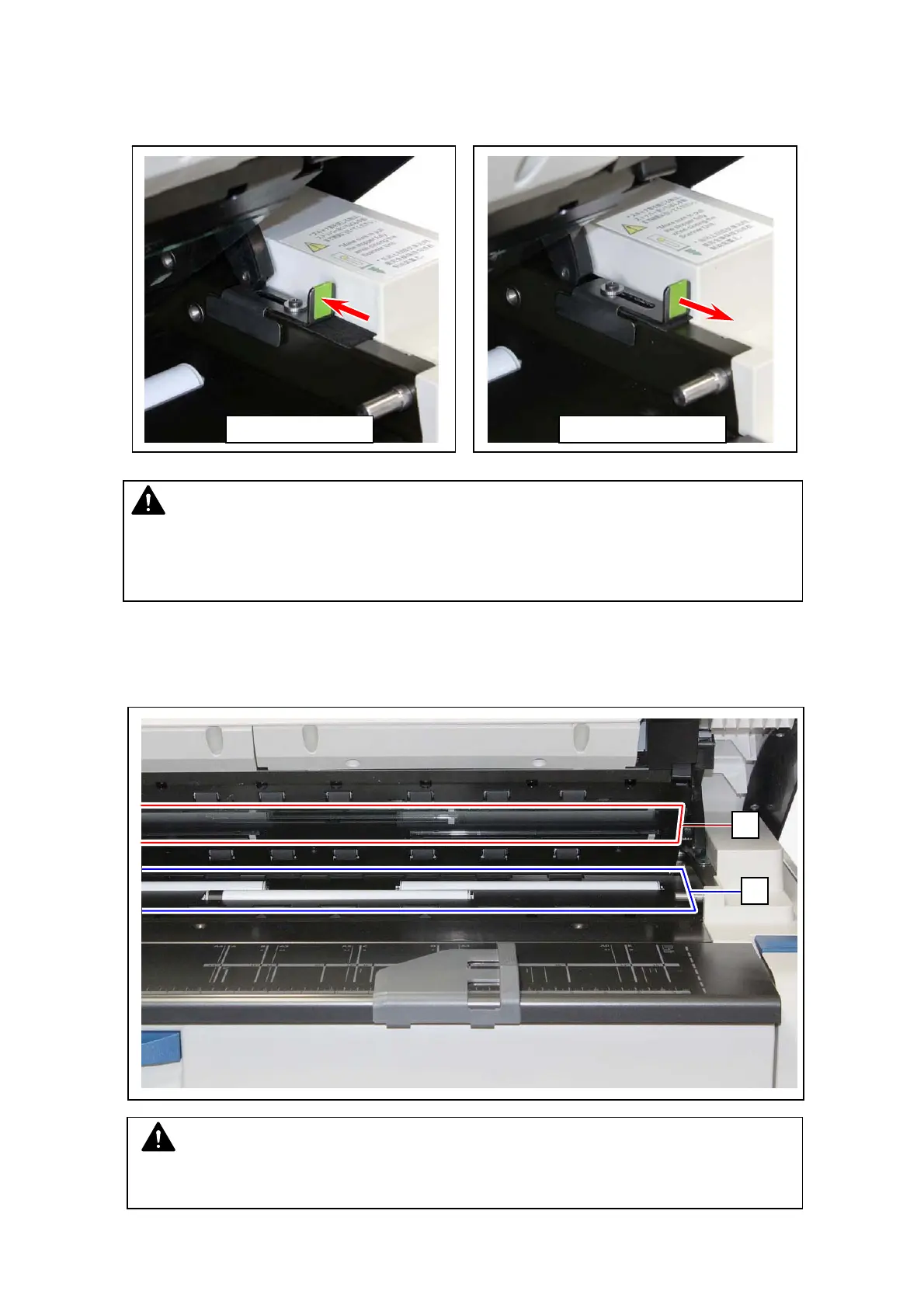
Use the Stopper on the right side for holding the Scanner Unit for cleaning. After you finished
cleaning, be sure to return the Stopper to the unlock position to unlock and close the Scanner Unit.
1. Gently wipe the Scan Glass (2) and Feed Rollers (white) (3) with a soft cloth.
Equal mixture of water and neutral detergent can be used.
NOTE
Do not use organic solvent, glass cleaner and anti-static spray for the cleaning.
2
3
Lock position
NOTE
Closing the Scanner Unit without unlocking would deform or damage the
Scanner Unit. After you finish cleaning, be sure to confirm that the Stopper seats
the unlock position and then close the Scanner Unit.
Unlock position



 To Next Page