K117sm2e3
2-17
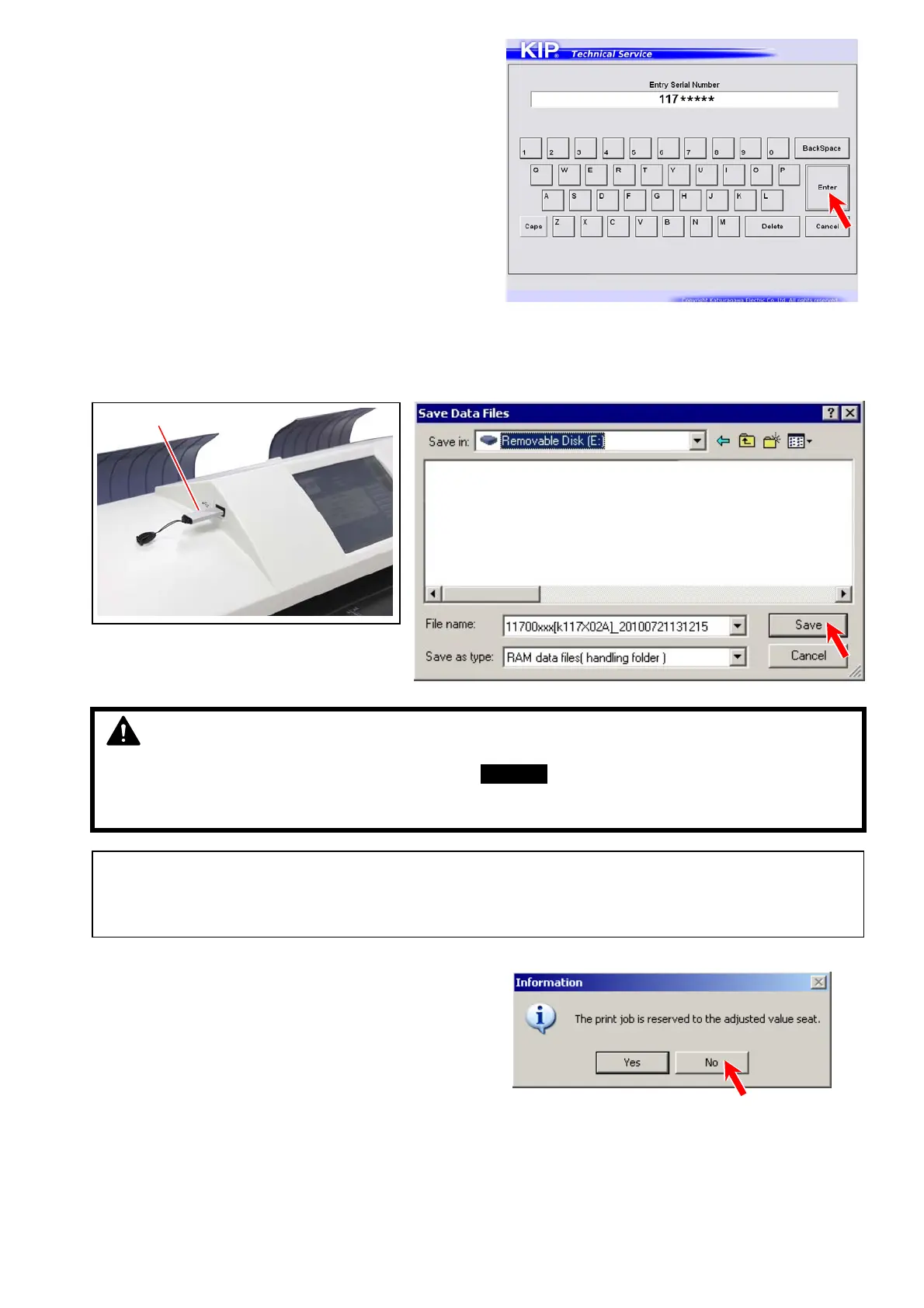
6. Entry Serial Number screen will appear.
Input the serial number and press [Enter].
7. Install a Removable storage device to the printer. Locate “Removable Disk” and press [Save].
The current setting parameters are saved as *.RAM and *.txt in a folder (automatically created) at this time.
If you do not have one, please locate a folder in the HDD of the controller.
8. A dialog appears. Press [No] this time.
NOTE
IMPORTANT: The created RAM file can be used as a BACKUP of the initial configuration of this machine.
Store the RAM file in the event of an attempt to restore the initial configuration.
You can check the contents (setting values) in the TXT file as understandable texts.
Reference
It is better to create RAM file in both USB storage and the HDD just in case.
USB storage



 To Next Page