K117sm8e8
8-104
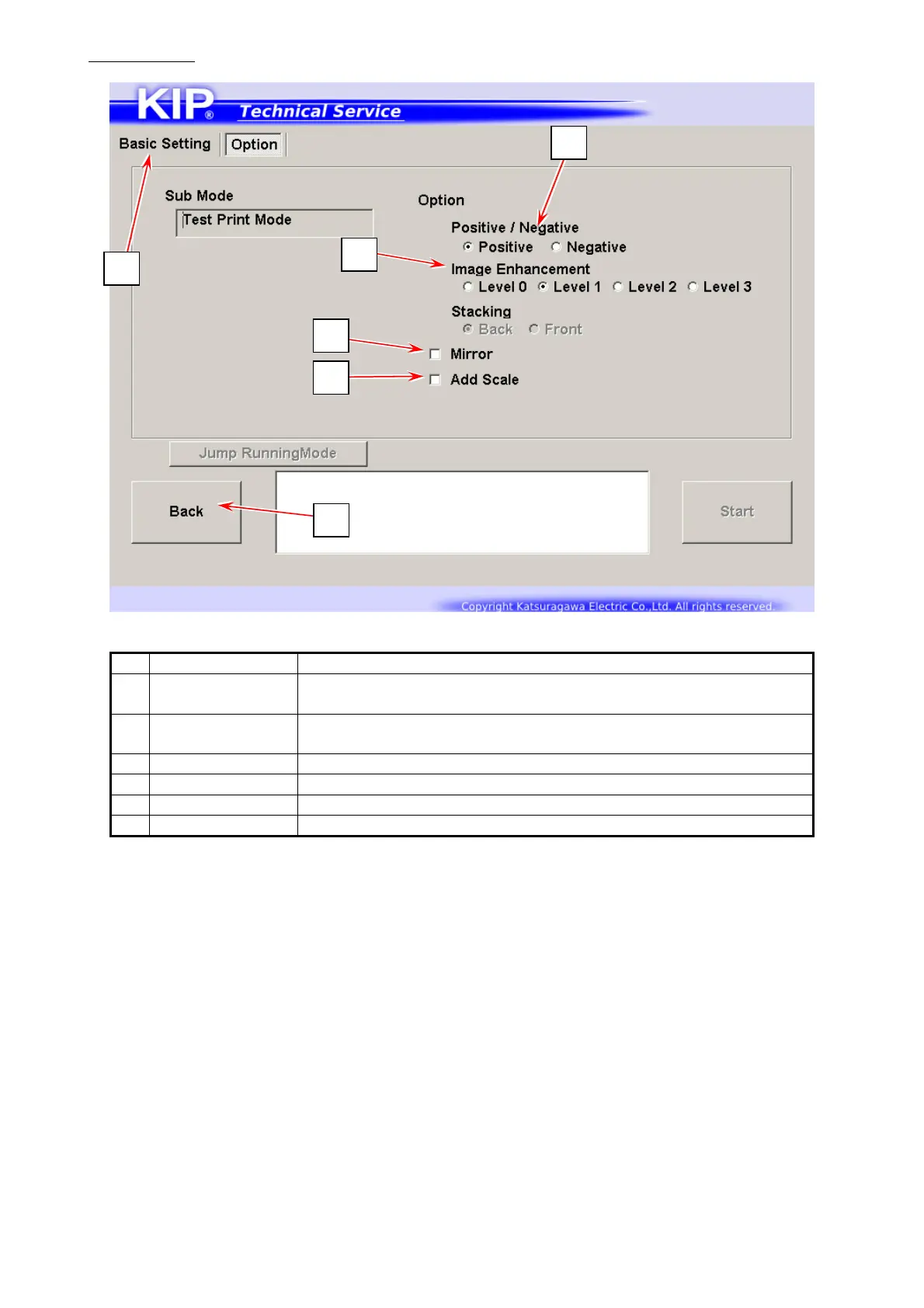
Option screen
Name Function
1 Positive /
Negative
Choose “Negative” for B/W inverting.
2 Image
Enhancement
Displays Image Enhancement Level
3 Mirror Enables horizontal reverse image
4 Add Scale Adds scales on the test print
5 Basic Setting Switches to Basic Setting screen
6 Back Returns to Service Mode Home
6
5
1
2
3
4



 To Next Page