K117sm8eE
8-176
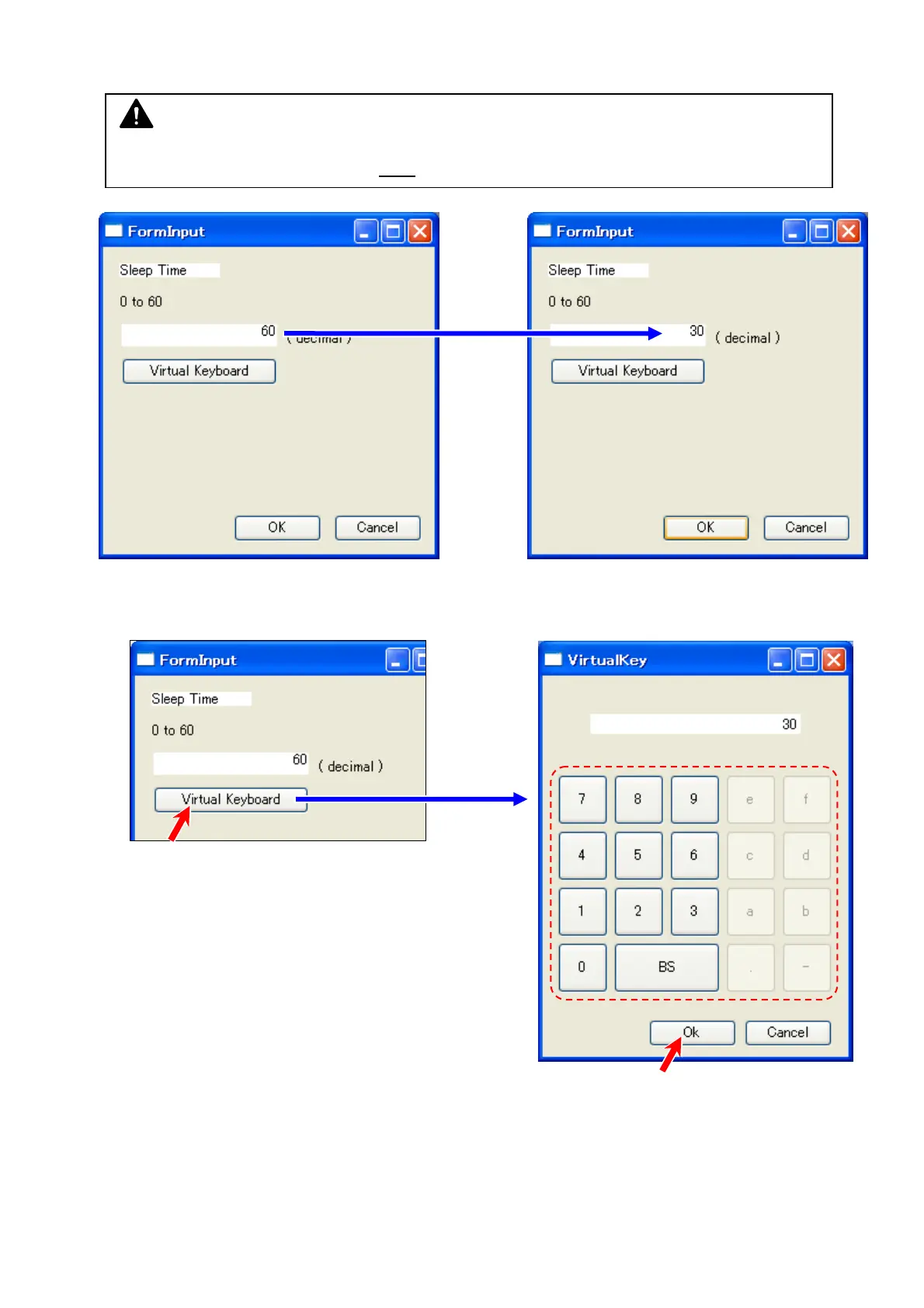
5. “Input” pad pops up. Directly type a value with your keyboard.
The following example shows a setting value change from 60 to 30.
The on-screen keypad is available. Press a number you want to input on the touchscreen.
To finalize the input, press [OK] on the bottom.
NOTE
Clicking the field displays a caret (flashing “ | ” cursor), but while the caret is flashing, a key
entry with your keyboard device is NOT
accepted.



 To Next Page