K117sm8eE
8-184
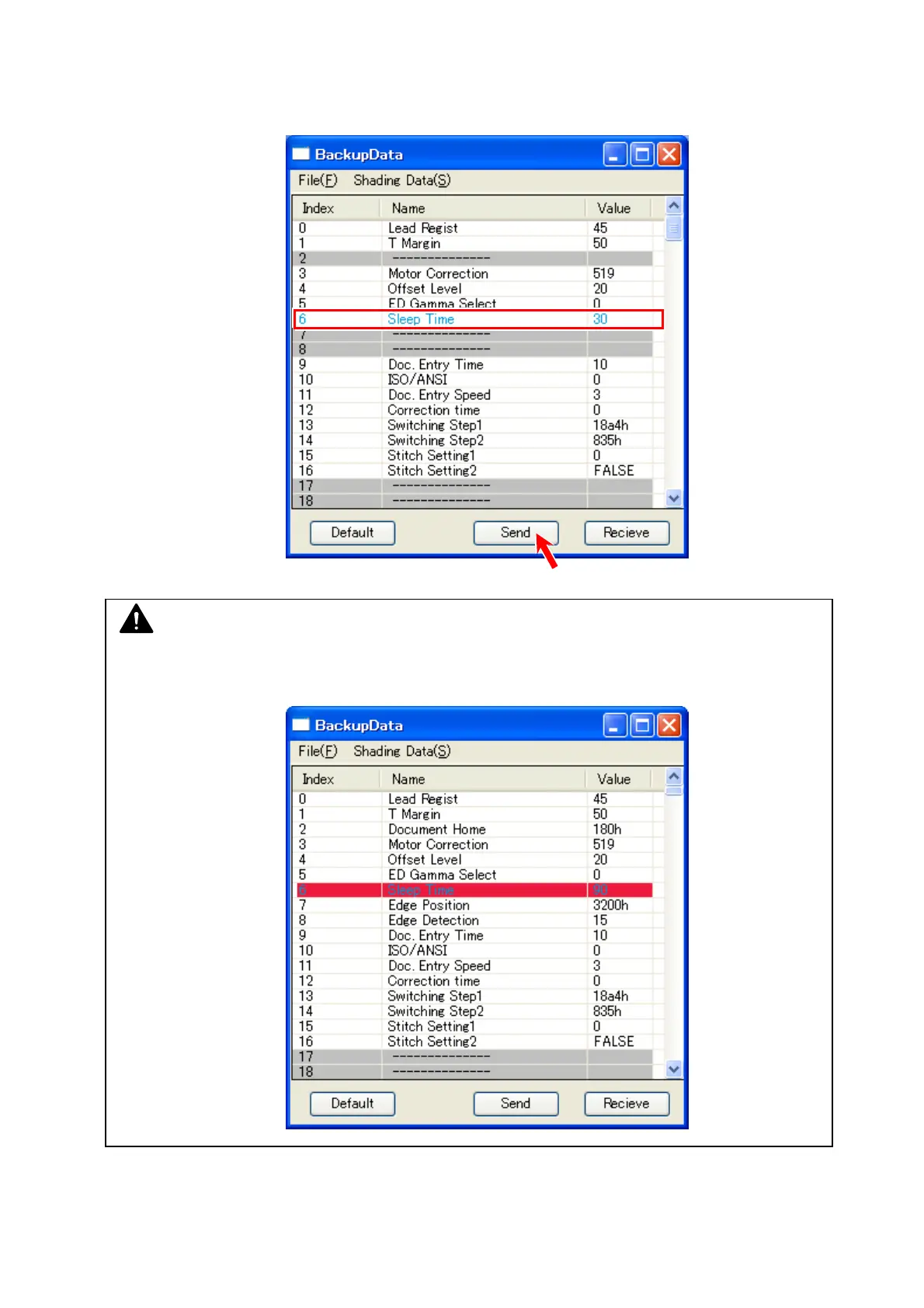
6. Once the backup data file is selected, setting difference(s) (between the current setting value
and one from the backup data file) turns blue.
Click [Send] on the bottom. The setting value(s) from the backup data file turns black.
Now it is sent to the scanner’s Main Board.
7. To close “BackupData” sub window, click the X button at the top right corner.
NOTE
If the selected backup data file includes invalid setting value(s), the concerning row in the list
will turn red. The scanner does not accept the backup data currently listed in the window.



 To Next Page