K117sm8eE
8-232
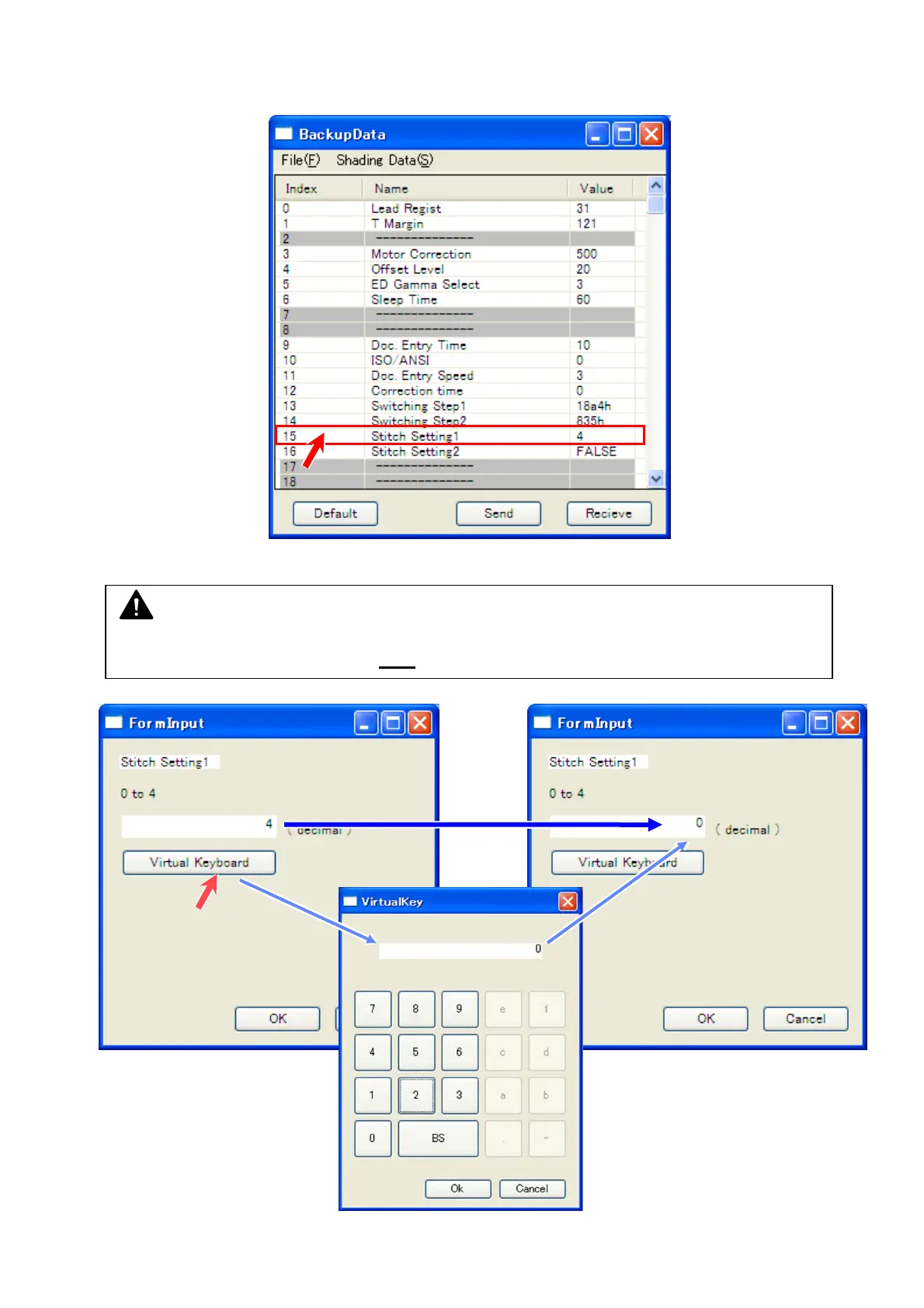
4. Follow the instruction below to change the setting value.
This section uses “15 Stitching Setting1 4” for example.
Double click on the row you want to change.
5. “Input” pad pops up. Directly type “0” with your keyboard.
NOTE
Clicking the field displays a caret (flashing “ | ” cursor), but while the caret is flashing, a key
entry with your keyboard device is NOT
accepted.



 To Next Page