K117sm8eE
8-255
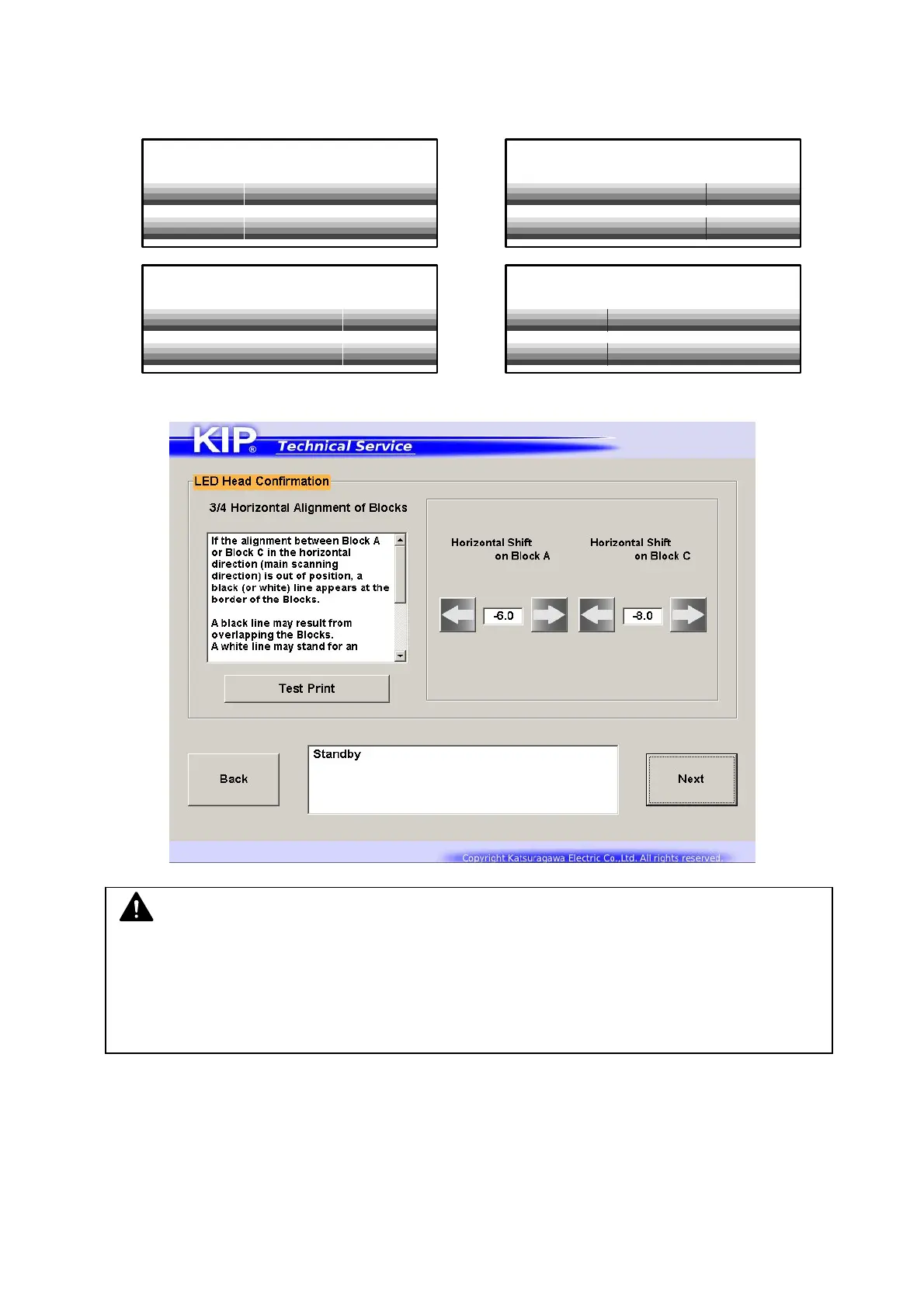
4. [3/4 Horizontal Alignment] is used to confirm horizontal alignment of the Blocks.
Make a test print to confirm vertical alignment on the image. Tap ←→ buttons to adjust the
amount of shift if needed.
Ex) White line at Block border Black line at Block Border
When confirmation is done, press [Next].
NOTE
(1) Changes on this page will shift the related Block in 1 pixel according to Sub Mode
No.772, 773. For the detailed information, see [8.6.3 772, 773 Horizontal Alignment].
(2) A gap / overlap in less than 1 pixel cannot be fixed in this page completely.
Go to the next page.



 To Next Page