K117sm8eE
8-274
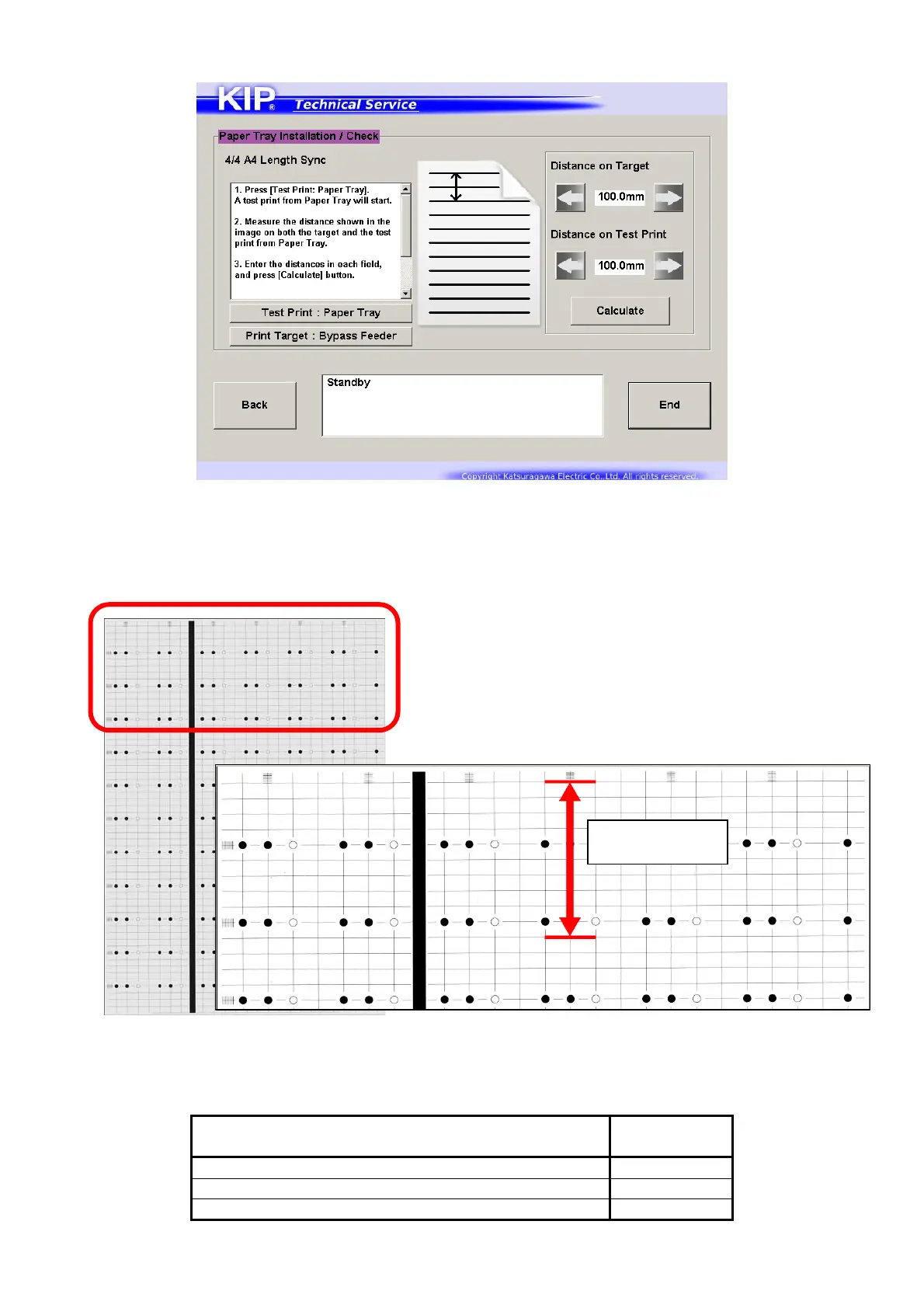
Length Sync:
1. Set the sheets in the concerning size to Paper Tray in Portrait direction, and press [Test Print:
Paper Tray] on the left.
2. Measure the distance (between the top line and the 10th) on the leading part of the target and
the test print. (should be almost 100mm)
3. Input the distance on the target and the test print to the field on the screen respectively.
4. Press [Calculate].
Title of page
Concerning
Sub Mode
4/4 A4 Length Sync No.871
4/4 A3 Length Sync No.872
4/4 A2 Length Sync No.873
Top line to 10th
(10mm x 10)



 To Next Page