K117sm9e3
9-41
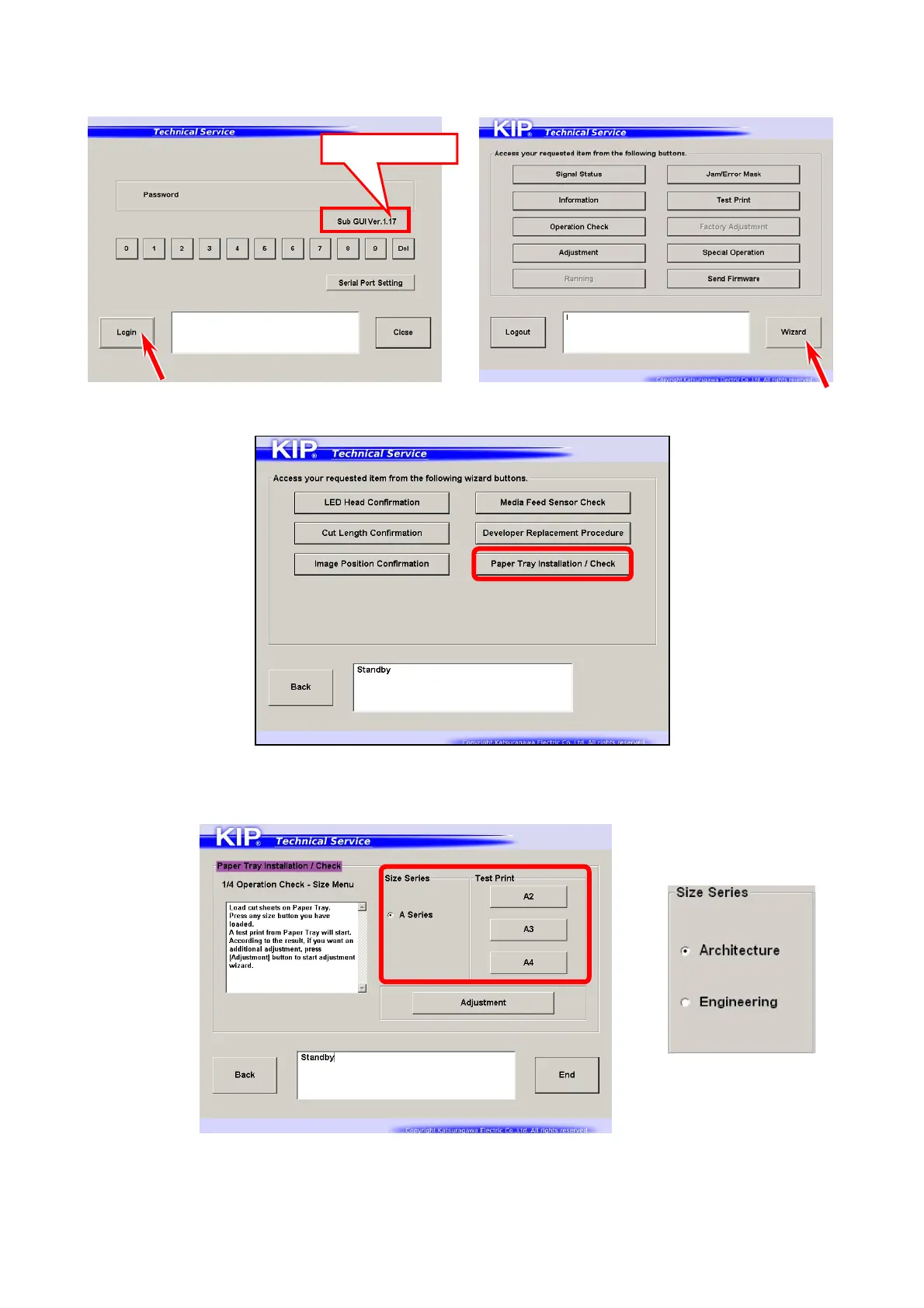
4. Press [Login] and next [Wizard].
Sub GUI should be version 1.17 or higher.
“Sub GUI.exe” is located in c:\program files/common files/ips/exe.
5. Press [Paper Tray Installation / Check].
6. Press one of the size buttons you want to make a test print.
For inch unit used, choose “Architecture” or “Engineering” first.
1.17 or higher



 To Next Page