K117sm9e3
9-45
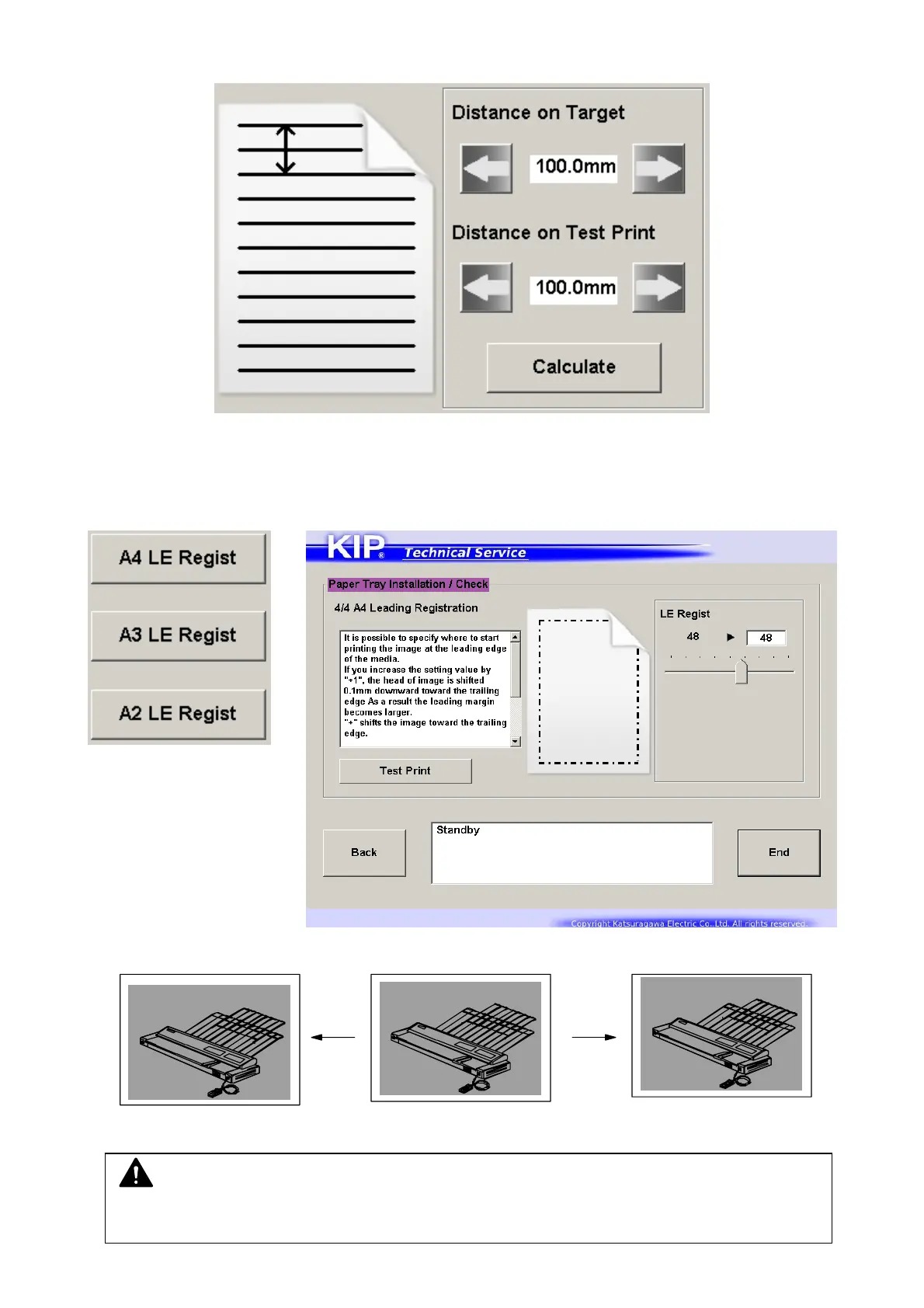
13. Input the distance on the target and the test print to the field on the screen respectively.
14. Press [Calculate]. This is all for Length Sync. If you do not need LE Regist, Side / TE Margin
adjustment, Press [End] to finish the wizard and go back to the menu screen.
15. Shift the slider for Leading Registration adjustment (Paper Tray).
Increasing will shift the start point for imaging toward the trailing edge. (1=0.5mm)
Value increased Value decreased
NOTE
Reducing the value too much may result in a print jam in the exit area or a dirt image.



 To Next Page