215916 121 Revision A
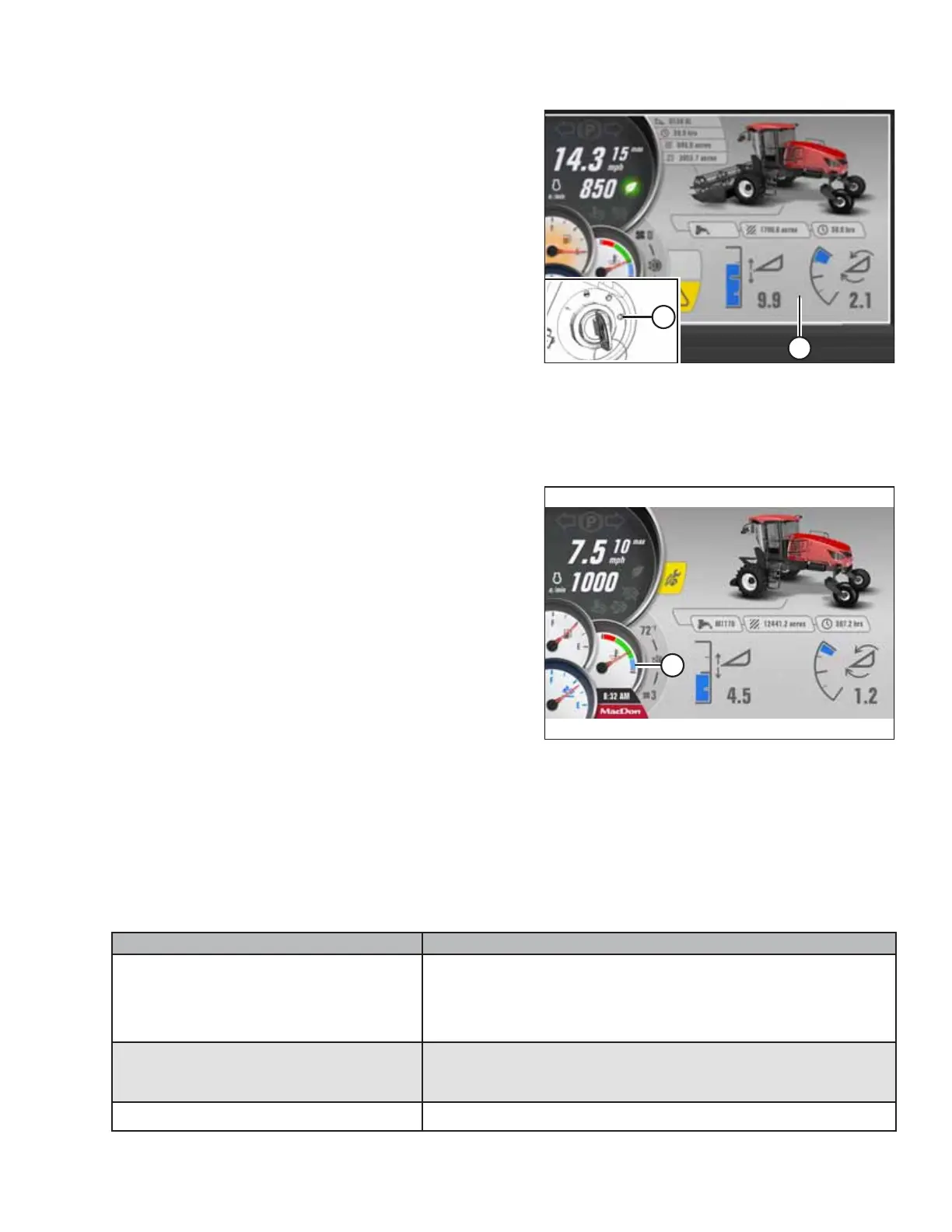
Figure 4.17: HPT Header Disengaged Screen
10. Turn the IGNITION switch to crank position (A).
NOTE:
When the engine starts and the header is not engaged, the
HPT displays header disengaged page (B).
IMPORTANT:
• Do NOT operate the starter for longer than 15 seconds
at a time.
• If the engine does not start, wait at least 2 minutes
before trying again.
• If you crank the engine for more than 30 seconds within
a 2-minute period, the engine will lock the starter circuit
to prevent overheating, and a flashing WTS symbol will
appear on the display. Wait for the WTS symbol to stop
flashing before attempting to crank the engine again.
• If the engine still does not start, refer to Engine Start
Troubleshooting Tips, page 121.
Figure 4.18: HPT No Header Screen
NOTE:
If you attempt to start the engine when the ambient
temperature is below 5°C (40°F), the engine will cycle
through a period during which it will sound as though it is
struggling to stay running. This is the engine’s warm-up
mode. The throttle will be unresponsive while the engine is
in warm-up mode. Warm-up mode lasts between
30 seconds and 3 minutes depending on the temperature.
The throttle will become active after the engine has
stabilized and is idling normally. Do NOT operate the engine
above 1500 rpm until the HPT engine temperature gauge is
above blue range (A).
Engine Start Troubleshooting Tips
If the windrower will not start normally, refer to the following troubleshooting table:
IMPORTANT:
Do NOT tow the machine to start the engine. Damage to the hydrostatic drives will result.
Table 4.1 Engine Start Troubleshooting
Problem Solution
Controls are not in the NEUTRAL position
• Move the GSL to NEUTRAL
• Move the steering wheel to the locked (centered) position
• Disengage the HEADER switch
Operator’s station is not locked
• Adjust the position of the operator’s station
• Ensure that the lock is engaged
Neutral interlock is out of adjustment
• Contact a MacDon Dealer
OPERATION



 To Next Page