E-880TM-3-E
10
1. KEY ARRANGEMENT
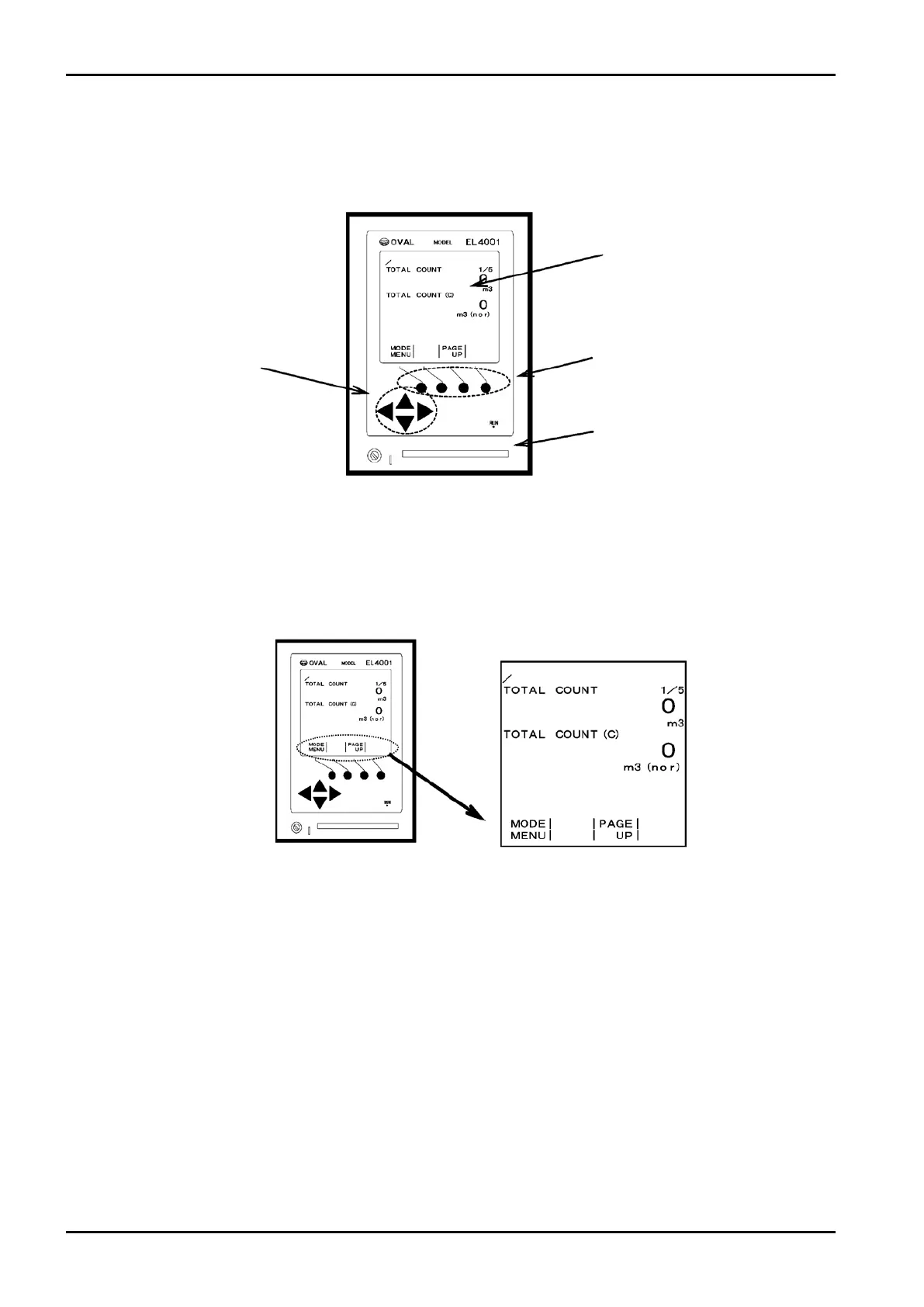
1.1 Front Panel Part Names
1.2 Function Keys
In the EL4001 series, software-defined function keys are used: they have different functions as the user
moves from screen to screen. The four round keys located directly below the display are the functions
keys. The functions assigned to individual keys are indicated in the bottom line of each screen.
1.3 Arrow Keys
In the SET and SYS modes, the arrow keys are primarily used for moving the cursor (“▶”) (up and
down arrow keys) at a menu, for moving the cursor (highlighted) (left arrow and right arrow keys) at a
variable setup menu, and for increasing or decreasing the number pointed by the cursor (highlighted) (up
arrow and down arrow keys).
In the RUN mode, the up arrow and down arrow keys correspond to the “PAGE UP” and “PAGE
DOWN”. (In the RUN mode, the right arrow and left arrow keys are not used.)
Display screen
Function keys
Card slot
Arrow keys
Labels to show functions assigned to function keys in RUN mode (example)








 To Next Page