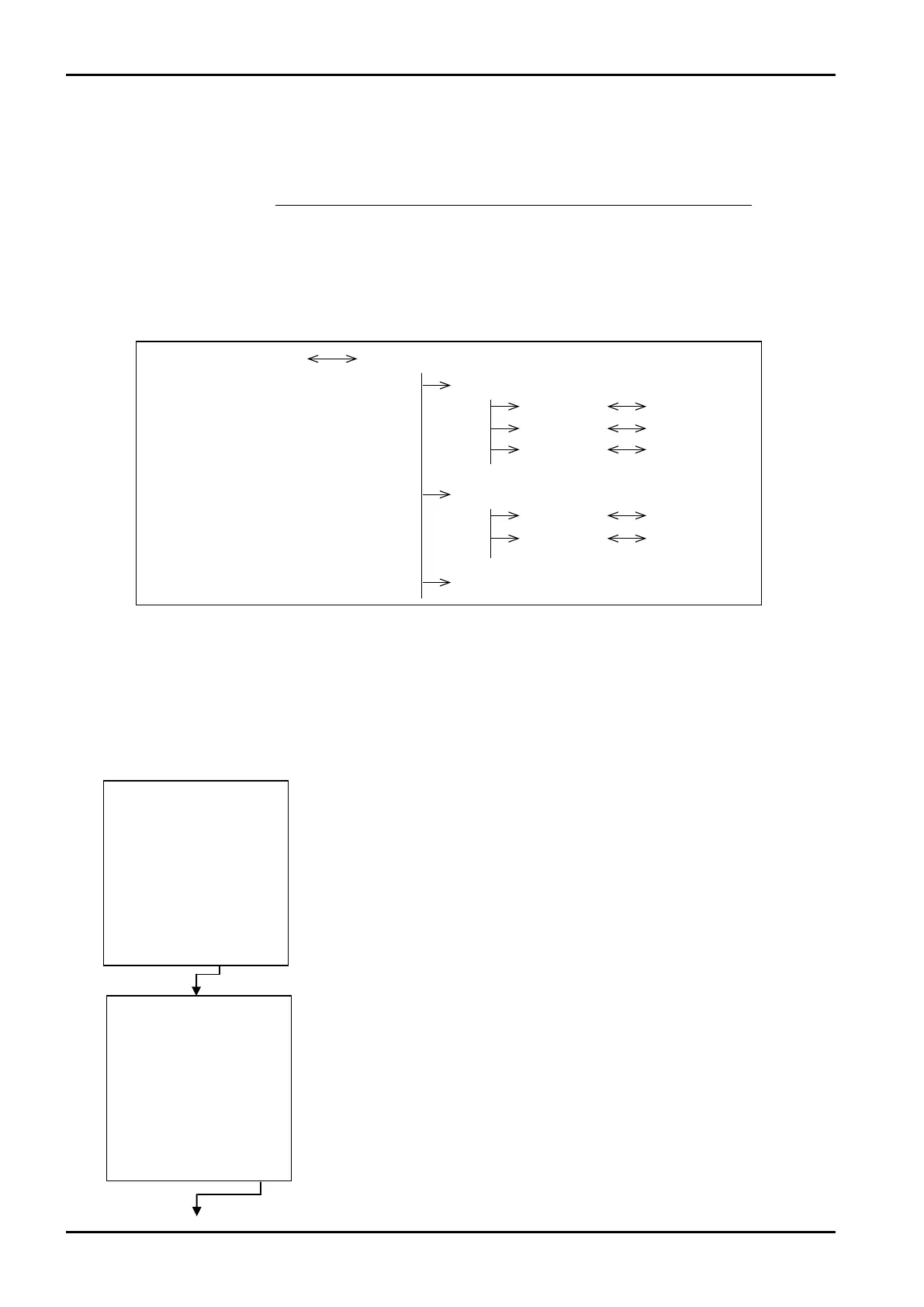
Mode select menu SYS mode main menu
Main menu item 1
Submenu 1
Submenu 2
Submenu 3
Main manu item 2
Submenu 1
Submenu 2
Main menu item 3
/
−−−−−<MODE MENU>−−−−−
CALCURATION END ?
CAN−| | |
CEL| | |YES
/ CD
−−−−−<MODE MENU>−−−−−
07−06−13
13:47
MODEL:EL4121
T/P COMPEN
RUN |SET |SYS |PRM
MODE|MODE|MODE|CARD
Setup screen 1
Setup screen 2
Setup screen 3
Setup screen 1
Setup screen 2
E-880TM-3-E
1
7. SYS MODE
The SYS mode is a mode in which the clock IC, type of temperature input, type of pressure input, reset
mode of total counters, and backlight mode required for the implemention of the system in the operating
environment are configured. This mode is enabled while the calculation process is interrupted.
7.1 Menu Tree
The SYS mode consists of the following three levels:
1. Main menu
2. Submenu
3. Setup screen (numerical value setup or option select screen)
7.1.1 SYS Mode Main Menu Screen
At the mode select menu screen, pressing function key“SYS MODE” brings up a prompter screen
asking you whether to interrupt the calculation process or not. At the touch of function key “YES” stops
the calculation process and the screen switches to the main menu screen in the SET mode.
At the touch of function key “EXIT”, the mode select menu screen will then reappear.
←Mode select menu screen
←Prompter screen asking you whether to interrupt calculation
Example








 To Next Page