Frontpanel
Pulltowardyou.
Screw
(seal)
Powerboard
I/Oboard
CPUboard
Interfaceboard
Communicationboard
Screw
Motherboard
Frontpanel
Frontpanel
Pulltowardyou.
Screw
(seal)
Powerboard
I/Oboard
CPUboard
Interfaceboard
Communicationboard
Screw
Motherboard
Frontpanel
E-880TM-3-E
18
10. DIP SWITCH CONFIGURATION
In addition to setting up parameters through keystrokes, this computer has internal switches (DIP
switches) for setting up parameters.
DIP switch settings include the following:
(1) Inactivate the password.
(2) Close the initial check window.
(3) Inhibit switching from one mode to another.
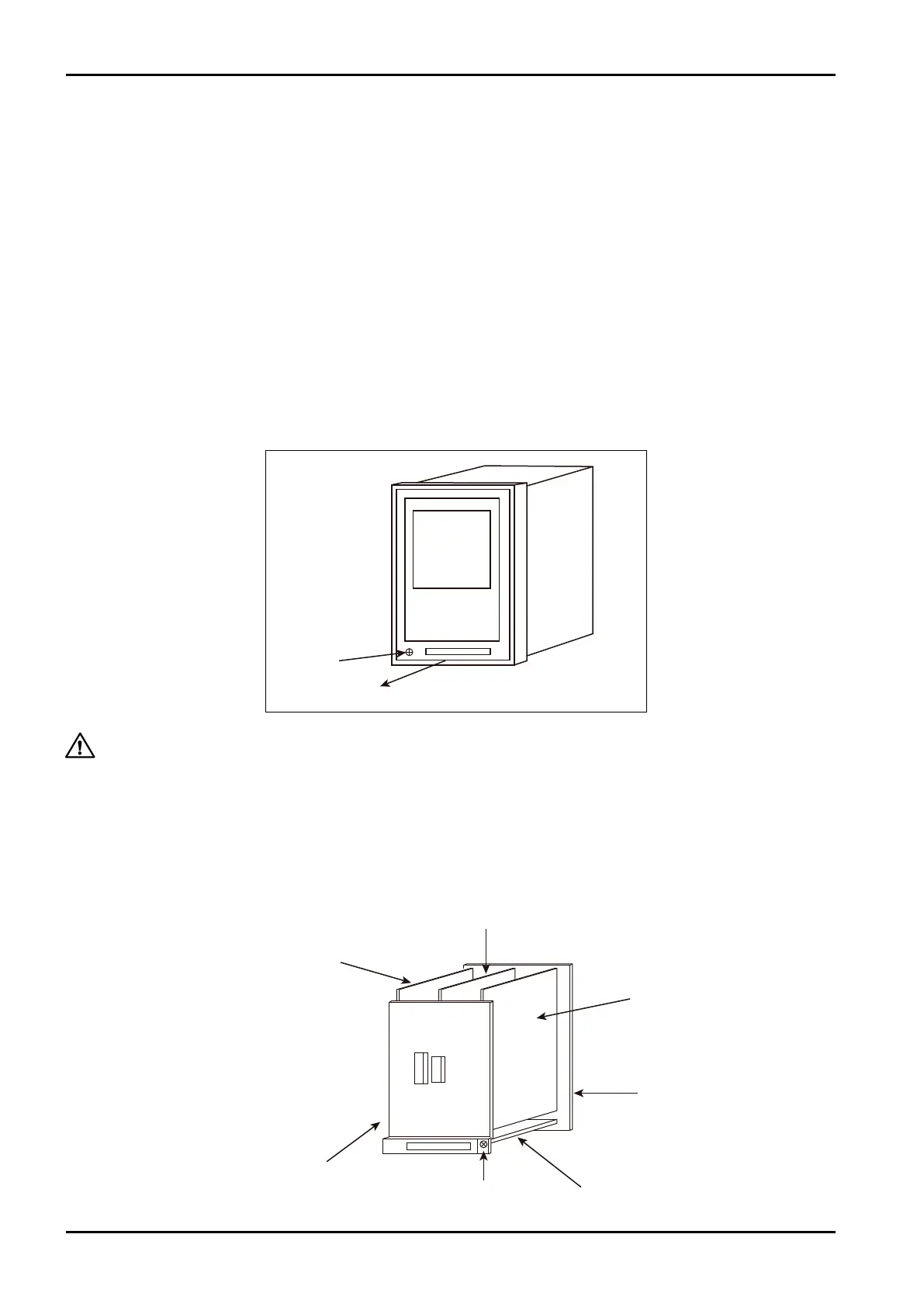
How to open up the front panel
The front panel can be separated by the following procedure:
1. Loosen screws (seals) at bottom left of the front panel.
2. Holding the bottom end of front panel, pull it toward you to separate.
10.1 Location of Internal Boards
The sketch below illustrates the location of internal modularized boards.
CAUTION: 1. Power must be OFF before you start working with the front panel. Problems do
arise if you, with power ON, attempt to gain access to the rear of the front panel.
2. Do not disconnect the cables connected to the front panel.








 To Next Page