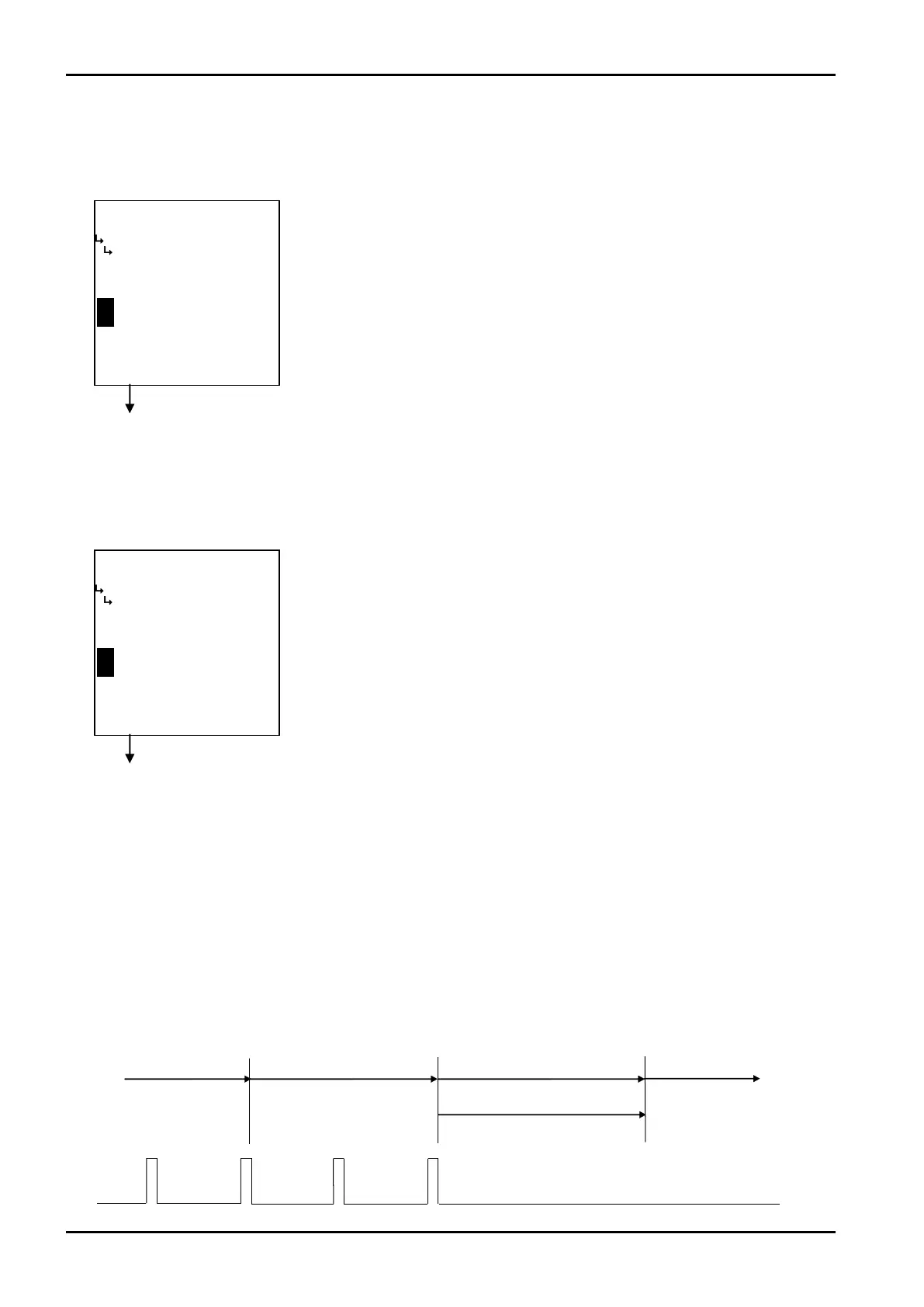
Endmeas.
Pulseinput
Startmeas.
Calculateperiod
Latestperiod
Max.period
Calculateperiod
Endmeas.
Startmeas.
Calculateperiod
/
−−−−−<SET MODE>−−−−−−
MAX.PERIOD.
+1.00000 E+0
+5.00000
E+1
−−−−−−−<INPUT>−−−−−−−
|CAN−| |
EXIT| CEL| |ENTR
/
−−−−−<SET MODE>−−−−−−
MEASURE.NUMBER
+1.00000 E+0
+1.00000
E+0
−−−−−−−<INPUT>−−−−−−−
|CAN−| |
EXIT| CEL| |ENTR
Prev.periodbeforelast
Previousperiod Period=0
E-880TM-3-E
0
⑤ Instant flowrate measurement - max. period setup (MAX. PEERIOD)
The maximum period in instant flowrate measurement is set up here. Beyond this time period, obtained
frequency measurements are automatically clamped at zero.
Instant flowrate measurement submenu screen p. 67
⑥ Instant flowrate measurement - number of measurement cycles
(MEASURE. NUMBER)
The number of measurement cycles in instant flowrate measurement is set up here.
⑦ Instant flowrate measurement - interpolation process setup
(INTERPOLATION)
The interpolation process in instant flowrate measurement is set up here.
If your option is the period measurement for instant flowrate measurement, you can select whether to
implement the interpolation process or not.
In the period measurement, the time duration is calculated by counting the number of reference clock
between two successive pulses. But if the current status where pulses arrive regularly changes to
another state where pulses no longer arrive at all, the flowrate will remain the same in the previously
calculated rate until the maximum period (default timeout duration) is exceeded.
←Numerical value input setup
For details of numerical value input setup, see “(1) Numerical value setup screen
(INPUT)” on page 43.
※ In the SYS mode, this item is not shown if the instant flowrate measurement
type (① Instant flowrate measurement type setup (TYPE) on page 68) is
set to “COUNT”.
※ The minimum unit to be set here is “100 ms”.
※ A reading “+5. 00000E+1” represents 50×100 ms = 5 seconds.
※ Do not enter a negative value in the integer part of setting, or it will cause
erratic operation.
Instant flowrate measurement submenu screen p. 67
←Numerical value input setup
For details of numerical value input setup, see “(1) Numerical value setup screen
(INPUT)” on page 43.
※ In the SYS mode, this item is not shown if the instant flowrate measurement
type (① Instant flowrate measurement type setup (TYPE) on page 68) is
set to “COUNT”.
※ In the computer, this setting is multiplied automatically in the course of
frequency calculation.
※ Do not enter a negative value in the integer part of setting, or it will cause
erratic operation.








 To Next Page