−−−−−<SYS MODE>−−−−−−
PASSWORD
・LOCK
OFF
−−−−−<SUB MENU>−−−−−
MAIN| | |
MENU| | |ENTR
−−−−−<SET MODE>−−−−−−
PASSWORD
・LOCK
ON
・PASSWORD SET
****
−−−−−<SUB MENU>−−−−−
MAIN| | |
MENU| | |ENTR
−−−−−<SYS MODE>−−−−−−
PASSWORD
・LOCK
OFF
−−−−−<SUB MENU>−−−−−
MAIN| | |
MENU| | |ENTR
−−−−−<SET MODE>−−−−−−
PASSWORD
・LOCK
ON
・PASSWORD SET
****
−−−−−<SUB MENU>−−−−−
MAIN| | |
MENU| | |ENTR
E-880TM-3-E
10
7.4 Setup Items
7.4.1 Password Setup (PASSWORD)
This page describes the procedure to enable or disable the password function, along with the procedure
to create your login password.
By turning ON (enable) the password setting, you can inhibit unauthorized access with a prompter
message asking for entering user's password each time the mode select is accessed (in the SET, SYS,
and EXTD (extended) modes).
※ To minimize the risk of configuration modifications by inadvertent operation, use the
password to the fullest extent possible.
※ In most cases, the password function and password numerals are factory set to “ON” and
“1111”, respectively.
If the user himself wants to change the mode and modify settings, read this manual
thoroughly before working with them.
Submenu item
Password lock setting ※
ON OFF
Password numerical setting Displayed Hiden
Conditions to show submenu items
※:Conditions for selecting on-screen information
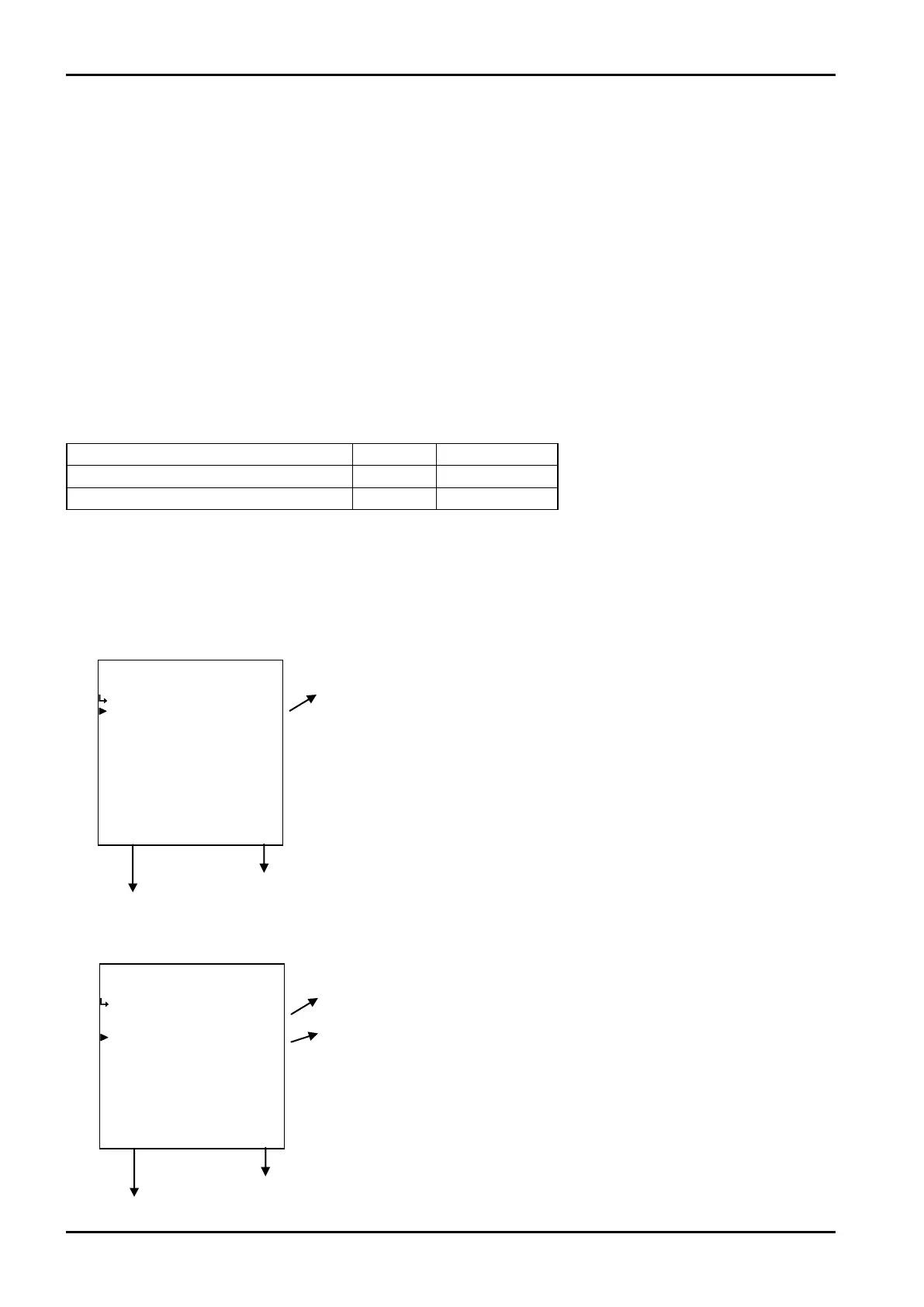
(1)Password setup submenu screen
At the submenu, move the cursor to the desired item with the up and down arrow keys.
At the touch of function key “ENTR”, the screen switches to the desired setup screen.
① Password lock select (LOCK) p. 151
To the setup screen pointed by the cursor
7.1.1 SYS mode main menu screen p. 142
① Password setup submenu screen
② The password setup is ON.
① Password lock select (LOCK) p. 151
② Password numerical setup (PASSWORD SET) p. 151
To the setup screen pointed by the cursor
7.1.1 SYS mode main menu screen p. 142








 To Next Page