/
−−−<ERROR LOGGING>−−−
1/7
POWER ON
07/09/12 11:52 START
TEMP.(ANA) OVER
07/09/12 11:52 START
TEMP.(ANA) OVER
07/09/12 11:59 END
| |PAGE|
EXIT|INFO| UP|
/
TOTAL COUNT 1/4
123
0.01 m3
TOTAL COUNT(C)
1234
0.1 m3(nor)
MODE|ERR.|PAGE|
MENU|LOG.| UP|
/
****** 1/5
XXX.XX
**
*******
X.X
******
******
XX.XX
****
MODE|ERR.|PAGE|
MENU|LOG.| UP|
/
−−−<ERROR LOGGING>−−−
1/7
POWER ON
07/09/12 11:52 START
TEMP.(ANA) OVER
07/09/12 11:52 START
TEMP.(ANA) OVER
07/09/12 11:59 END
| |PAGE|
EXIT|INFO| UP|
/
TOTAL COUNT 1/4
123
0.01 m3
TOTAL COUNT(C)
1234
0.1 m3(nor)
MODE|ERR.|PAGE|
MENU|LOG.| UP|
/
****** 1/5
XXX.XX
**
*******
X.X
******
******
XX.XX
****
MODE|ERR.|PAGE|
MENU|LOG.| UP|
/
−−−<ERROR LOGGING>−−−
1/7
POWER ON
07/09/12 11:52 START
TEMP.(ANA) OVER
07/09/12 11:52 START
TEMP.(ANA) OVER
07/09/12 11:59 END
| |PAGE|
EXIT|INFO| UP|
/
TOTAL COUNT 1/4
123
0.01 m3
TOTAL COUNT(C)
1234
0.1 m3(nor)
MODE|ERR.|PAGE|
MENU|LOG.| UP|
/
****** 1/5
XXX.XX
**
*******
X.X
******
******
XX.XX
****
MODE|ERR.|PAGE|
MENU|LOG.| UP|
E-880TM-3-E
3
5. RUN MODE SCREEN
5.1 On-Screen Fields
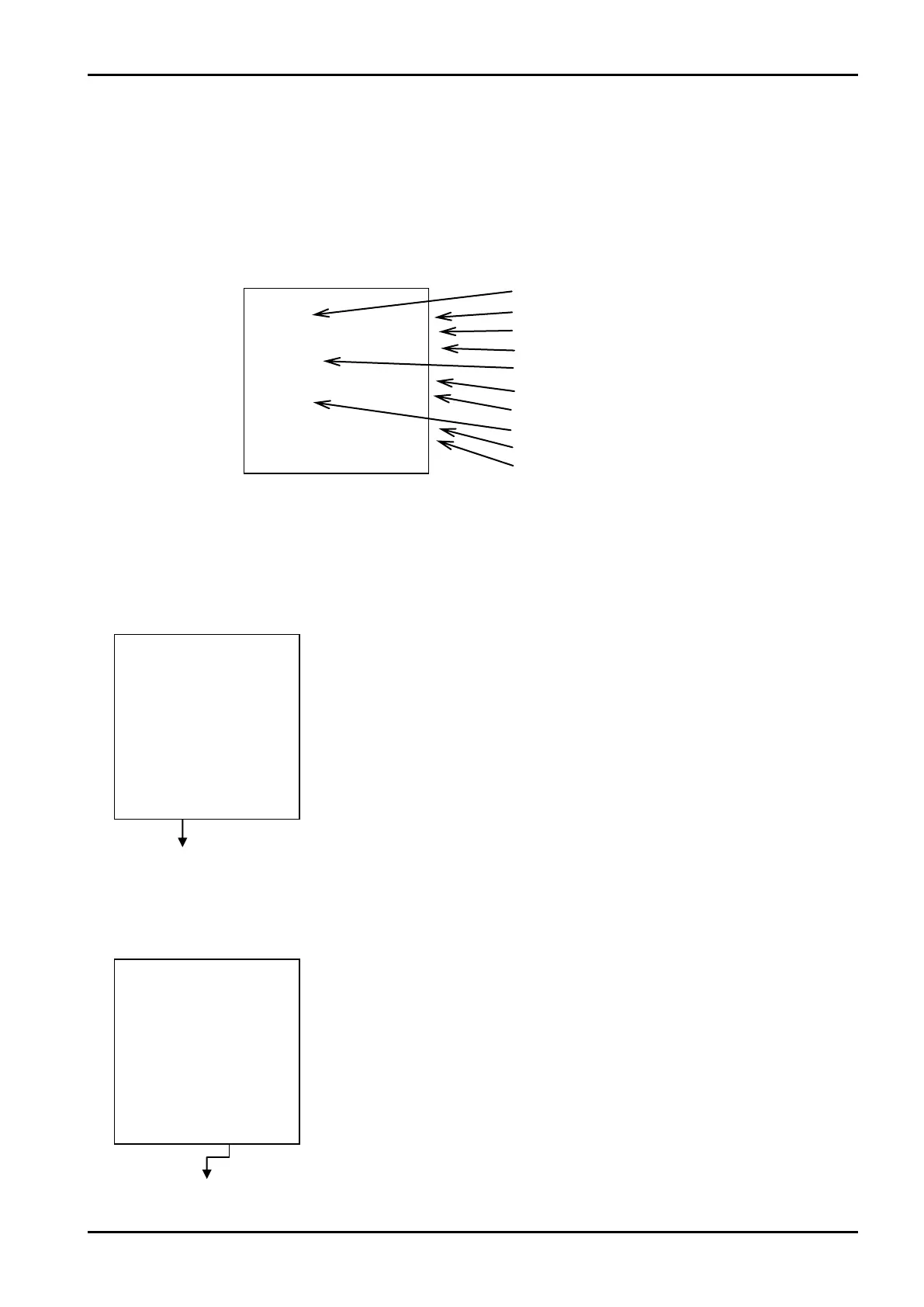
The RUN mode is a mode in which the instant flowrate in instant flowrate calculation, temperature and
pressure input values, correction factors, total flow, and their measurement units. Up to three items can
be indicated on a single screen. (On-screen information to be displayed are fixed per model and the
number of items displayed vary from page to page.)
1st item title
Current page/page No.
1st item numerical value
1st item measurement unit
2nd item title
2nd item numerical value
2nd item measurement unit
3rd item title
3rd item numerical value
3rd item measurement unit
5.2 Error Logging Screen (ERROR LOGGING)
Error logging is a feature to record a maximum of 20 errors that have occurred and removed in the past.
The user can review the history of errors, their types, year, month, date, time of occurrence, as well as
their duration until error removal.
5.2.1 List Review Screen
Error logging list screen
You can flip through the pages to 7.
←A switch to error logging list screen
At RUN mode screen, pressing function key “ERR. LOG” brings up the error
logging list screen.
←Error logging list screen
An error logging list appears.
Pressing function key “PAGE UP” brings up the next screen while function key
“PAGE DOWN” brings up the previous screen.
At the touch of function key “EXIT”, the screen goes back to the RUN mode
screen.








 To Next Page