/ CD
−−−−−<MODE MENU>−−−−−
96−10−28
13:14
MODEL:EL4401
RUN |SET |SYS |
MODE|MODE|MODE|
/
TOTAL COUNT1 1/3
0
g/l
TOTAL COUNT2
0
g/l
MODE|ERR.|PAGE|PARA
MENU|LOG.| UP|SET
/
−−−−−<PARA SET>−−−−−−
*FLUID A
*FLUID B
−−−−−<MAIN MENU>−−−−−
PARA|CAN−| |
WRTE| CEL| |ENTR
/
−−−−−<PARA SET>−−−−−−
*FLUID A
*FLUID B
−−−−−<MAIN MENU>−−−−−
PARA|CAN−| |
WRTE| CEL| |ENTR
E-880TM-3-E
11
8.2.1 PARA SET Mode Main Menu Screen
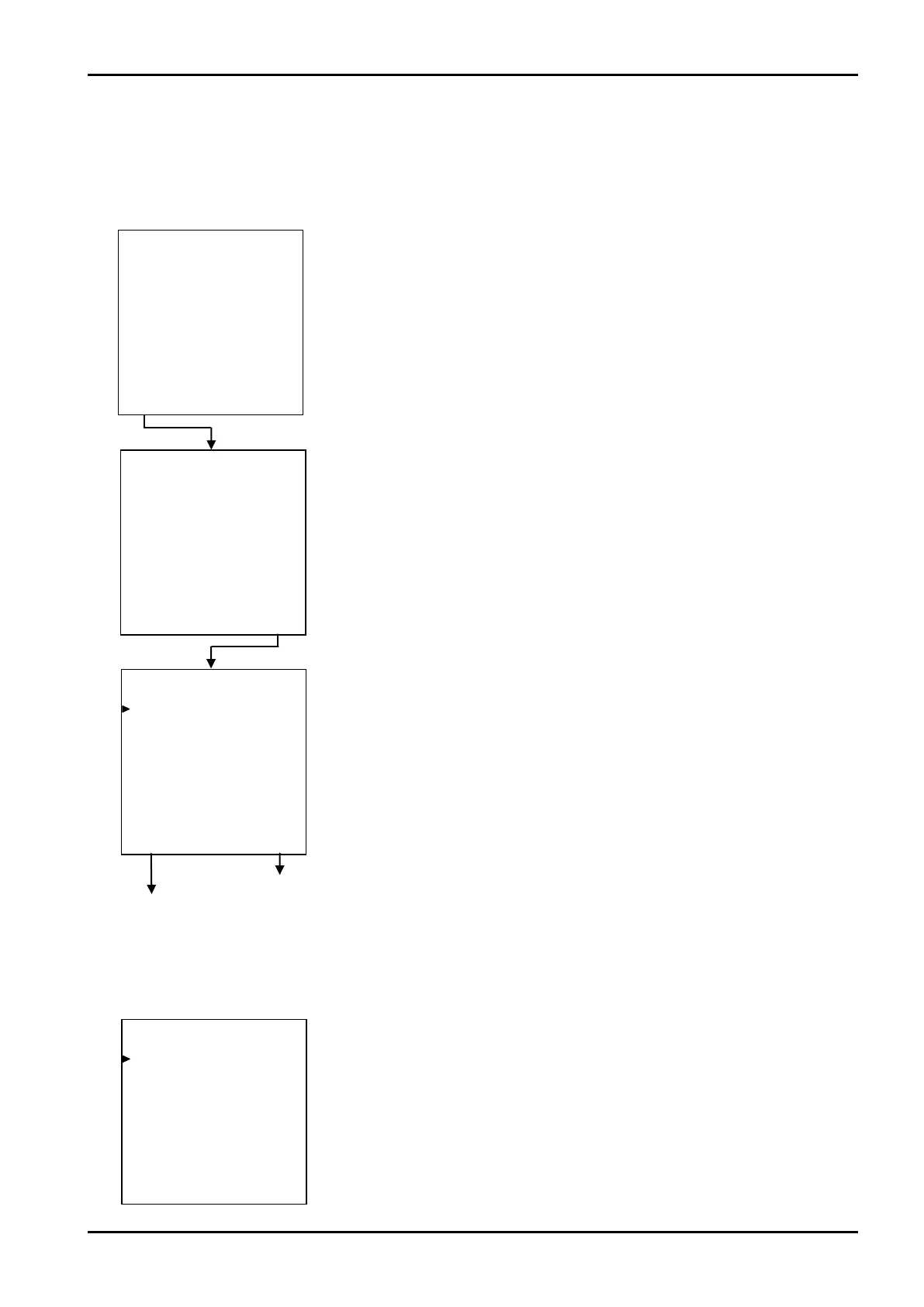
At the mode select menu screen, press function key “RUN MODE” to show the RUN mode. Then, press
“PARA SET” on page 1 of RUN mode screen.
←Mode select menu screen
Password setup submenu screen
Mode select main menu screen
8.2.2 PARA SET Mode Main Menu Setup Items List
PARA SET mode screen consists of the following:
FLUID A (liquid A)
FLUID B (liquid B)
←PARA SET mode - main menu screen
Pressing function key “PARA WRITE” at this point allows the setting to be written
and the screen returns to the mode select menu screen.
←Page1 of RUN mode (screen)
Example



 To Next Page