Chapter 9: Video Module, Rev. 1.2
9.5.2.2 Horizontal Polarization
The Horizontal Polarity setting is used to set the most possible black space to the left of the
captured image. Complete the following steps to establish the correct Horizontal Polarity setting:
1. Click the Video Configuration Utility’s tab Configuration to open the Configuration page
2. In the Polarity Section ,select the other Horizontal button available either Positive or
Negative and then,;
3. Note the width of black space visible in the Image window on the left side of the image;
4. Select the setting either Negative or Positive in the Horizontal section which provides the
most amount of black to the left of the image and leave it on this setting.
9.5.2.3 Vertical Polarization
Use the Vertical Polarity setting to correct skewed images.
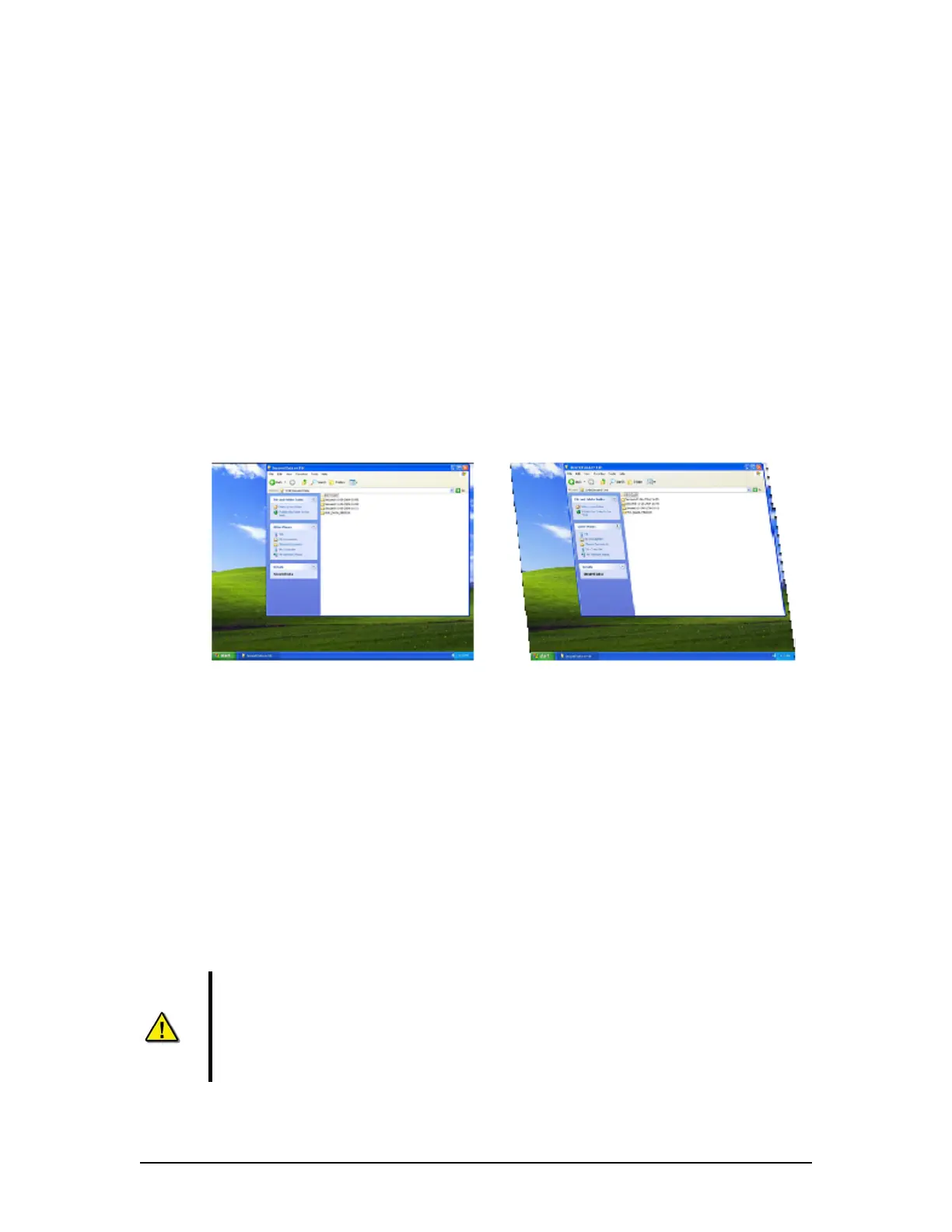
Upon initial capture, the image should appear with sides at perfect right angles to each other
(similar to image #1 below). If it is vertically skewed (similar to Figure 9-6 – Correct vertical
polarity on left. Vertically skewed image on right. below), Vertical Polarity must be adjusted.
Figure 9-6 – Correct vertical polarity on left. Vertically skewed image on right.
Once the image has been captured, complete the following steps to correct the vertical polarity
setting:
1. If the image appears skewed, select Pos in the Vertical Section of the Polarity Selection;
2. If the skewing is not corrected, select Neg in the Vertical Section of the Polarity
Selection;
3. Note which setting establishes a correct image with sides at right angles to each other.
9.5.3 Sizing
To capture the entire image, the image size and offset values must be adjusted using the controls
under the Sizing tab. When adjusting the sizes, remember that a proper capture should fill the
Capture window and keep all 4 edges of the image within the Capture window.
Important! It IS NOT mandatory to adjust the captured image so that it completely
fills the entire capture window.
The image should be adjusted so that it is as close as possible to the top and
left edges of the capture window to set the least amount of black space on the
right and bottom of the capture window.
VDR-100G3/G3S Installation Manual 06/10/2008
9-9



 To Next Page