Appendix 2: System Configuration File, Rev. 1.1
A2.13 Propulsion
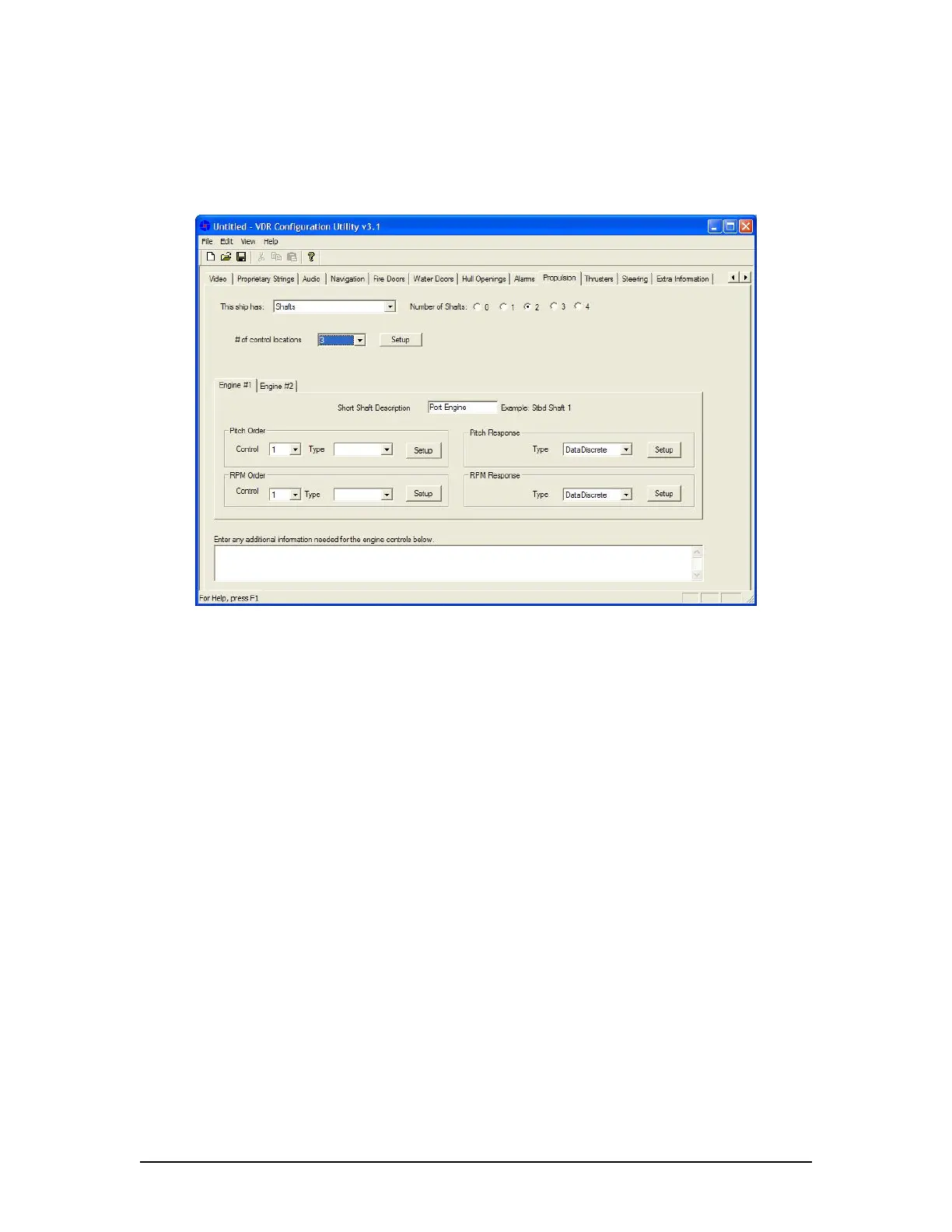
The Propulsion tab opens a data entry window for configuration information on the ship’s
propulsion system (see Figure A2- 29 - Propulsion below). The possible configurations available
are shafts, azipods, and water jets.
Figure A2- 29 - Propulsion
A2.13.1 “This Ship Has” Drop-down Box
From the drop-down box select the type of propulsion system in use. Options available for
selection in the first drop-down box are Shafts, Azipods, and Waterjets.
Dependant on the propulsion system available aboard a particular ship and the number of
systems chosen (via the “Number of Systems” radio buttons), information will need to be added
for the components of that system in the tabbed sections on the lower half of the Propulsion Tab.
A2.13.2 # of Control Locations Drop-down Box
The number of control locations refers only to the engine RPM or pitch order and will need to be
provided only if more than one signal appears in the data for a single engine order. For example,
if an analog device supplies 3 different fields for Port Wing, Stbd Wing and bridge engine order,
then 3 control locations should be specified. If the engine order is taken from the same field for
all locations, then only a single control location is required. If this pdrop-down box is not used,
then it is assumed that there is only a single signal representing engine order. An example of this
is as follows:
Engine Data is on 13$ANL02
Channel 1 Pitch Order (Stbd Wing)
Channel 2 Pitch Order (Bridge)
Channel 3 Pitch Order (Port Wing)
In this example, 3 locations are needed. The control location is normally specified using a
DataDiscrete and is setup by clicking on the “Setup” button found to the right of the drop-down
box used to specify the number of control locations.
VDR-100G3/G3S Installation Manual 06/10/2008
32



 To Next Page