Appendix 2: System Configuration File, Rev. 1.1
A2.8.7.10 Sample of Speed String
Enter a sample of the speed string. See example RMC, VBW, VDR, VHW, and VTG string
formats provided in Speed String provided above.
Note! If Both is chosen from the ‘Speed Source’ drop-down box, both the GPS
and Speed Log section becomes visible in the ‘Configure Speed Source’
window. Both sections must be completed following the outline provided for GPS
and Speed Log above.
A2.8.8 Configure AIS Data Device
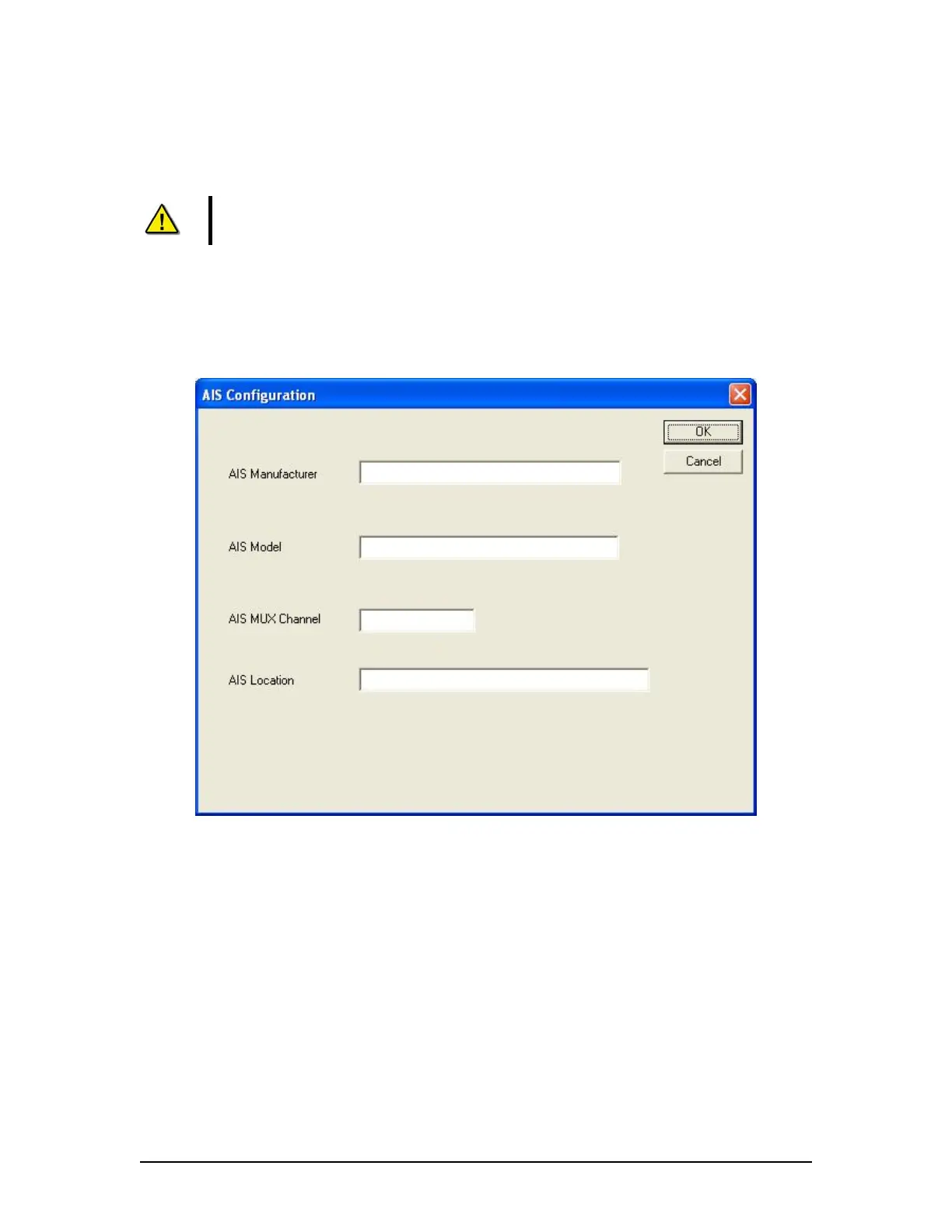
Clicking the Configure AIS Data tab opens the AIS Configuration data entry window (see Figure
A2- 23 - AIS Configuration below). This window requires the input of information relevant to the
ship’s AIS Receiver.
Figure A2- 23 - AIS Configuration
A2.8.8.1 AIS Manufacturer
Enter the name of the AIS manufacturer.
A2.8.8.2 AIS Model
Enter the model of the AIS device.
A2.8.8.3 AIS MUX Channel
Enter the Mux channel that the AIS device is connected to.
A2.8.8.4 AIS Location
Enter the location of the AIS receiver onboard the ship.
VDR-100G3/G3S Installation Manual 06/10/2008
25



 To Next Page